Pledge stock collateral 2026

Get Form
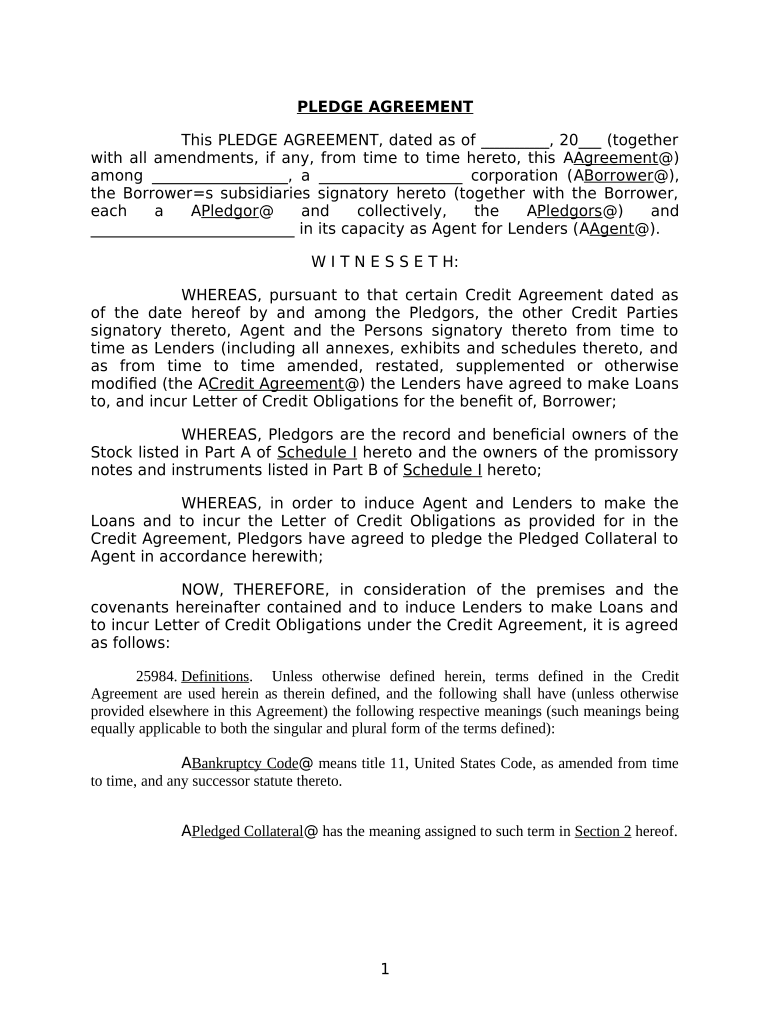
pledge agreement template Preview on Page 1

Here's how it works

01. Edit your pledge agreement template online
Type text, add images, blackout confidential details, add comments, highlights and more.
02. Sign it in a few clicks
Draw your signature, type it, upload its image, or use your mobile device as a signature pad.
03. Share your form with others
Send stock pledge agreement via email, link, or fax. You can also download it, export it or print it out.

How to use or fill out pledge stock collateral with our platform

Form edit decoration
9.5
Ease of Setup
DocHub User Ratings on G2
9.0
Ease of Use
DocHub User Ratings on G2
  1. Click ‘Get Form’ to open the pledge stock collateral document in the editor.
  2. Begin by entering the date at the top of the form. This is crucial for establishing the timeline of your agreement.
  3. Fill in the Borrower’s name and corporation type, ensuring accuracy as this identifies the parties involved.
  4. In Schedule I, list all Pledged Shares and Partnership Interests. Be sure to include details such as class of stock, certificate numbers, and number of shares.
  5. Complete Part B by detailing any Pledged Indebtedness, including initial principal amounts and maturity dates.
  6. Review all entries for completeness and accuracy before saving your changes. Utilize our platform's features to highlight or comment on any sections that may require further attention.

Start using our platform today for free to streamline your pledge stock collateral process!

be ready to get more

Complete this form in 5 minutes or less

Get form

Got questions?

We have answers to the most popular questions from our customers. If you can't find an answer to your question, please contact us.
Contact us
A pledge is a legal instrument used to secure a debt to ensure payment to a creditor. This technique differs from a pledge in that the collateral offered is an intangible movable asset, such as a receivable or a share in the companys capital.
Pledge Your Shares: You offer your shares as collateral to the lender, who will sanction a loan based on a percentage of their market value. The Loan-to-Value (LTV) ratio of Loan Against Shares is up to 50% of the pledged shares value, with a maximum loan amount of ₹ 20 lakh.
The purpose of a guarantee or pledge given as collateral for a loan is to safeguard repayment of the loan to the lender, i.e. the creditor. Although the loan decision is primarily based on the loan applicants ability to pay, the collateral provided as security for the repayment of the loan is also important.
When you pledge property or assets as collateral, you are offering your property as a way of securing a loan. Ideally, you should repay the loan, and your collateral will remain in your possession. If you default on the loan, the lender can seize the collateral to pay your debt.
Pledged Collateral Definition The borrower pledges assets or property to the lender to guarantee or secure the loan. Pledging assets, also referred to as hypothecation, does not transfer ownership of the property to the creditor, but gives the creditor a non-possessory interest in the property.

Security and compliance

At DocHub, your data security is our priority. We follow HIPAA, SOC2, GDPR, and other standards, so you can work on your documents with confidence.

Learn more
ccpa2
pci-dss
gdpr-compliance
hipaa
soc-compliance
be ready to get more

Complete this form in 5 minutes or less

Get form

People also ask

Pledging of shares is an arrangement in which the promoters of a company use their shares as collateral to fulfil their financial requirements. While pledging shares, promoters still hold ownership in the company. However, the value of the collateral changes with fluctuations in the market value of the pledged shares.
In the stock market, pledging refers to the act of using shares as collateral for obtaining loans. When an investor pledges their shares, they retain ownership but provide them as security to a lender. There are two primary types of pledge: promoter pledge and non-promoter pledge.
Higher % of pledged shares is considered bad for the company because it raises doubts of promoters interest in the company and hence may not run it efficiently to provide good value. In the event of payment default, lenders have right to sell these shares and recover their money.

Related links