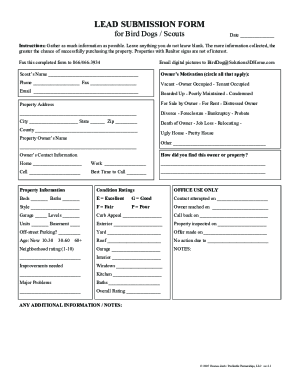
California rent form 2026

Get Form
california rent form Preview on Page 1

Here's how it works

01. Edit your form online
Type text, add images, blackout confidential details, add comments, highlights and more.

02. Sign it in a few clicks
Draw your signature, type it, upload its image, or use your mobile device as a signature pad.

03. Share your form with others
Send it via email, link, or fax. You can also download it, export it or print it out.

How to use or fill out California Rent Form with DocHub

Form edit decoration
9.5
Ease of Setup
DocHub User Ratings on G2
9.0
Ease of Use
DocHub User Ratings on G2
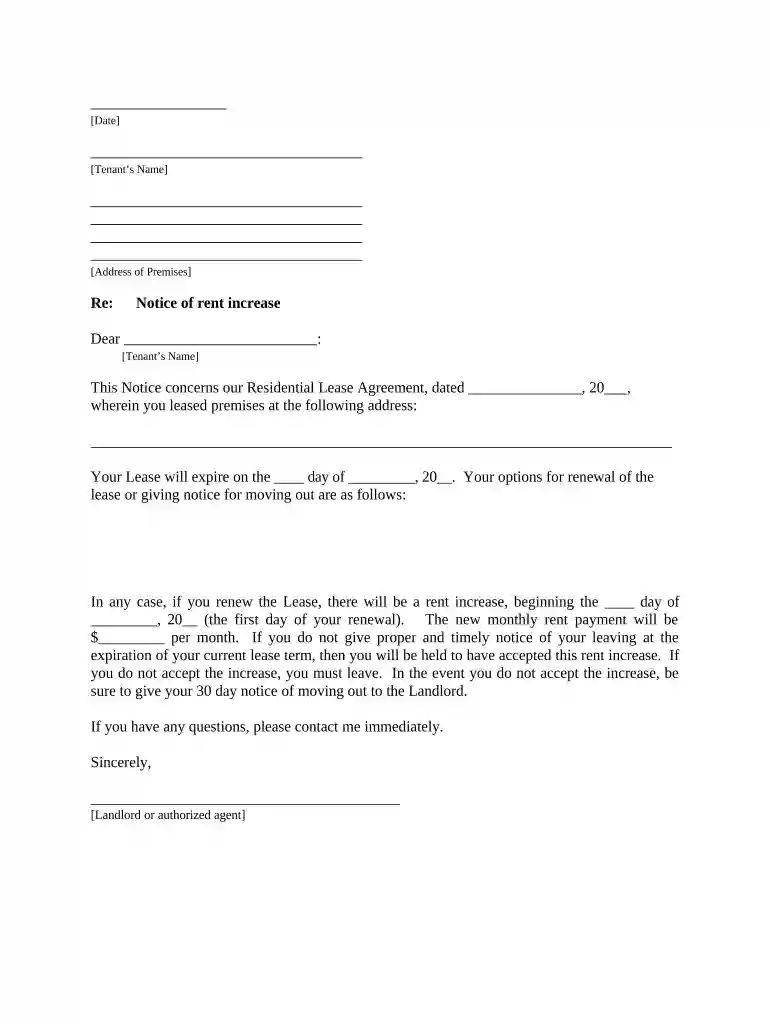
  1. Click ‘Get Form’ to open the California rent form in our editor.
  2. Begin by entering the date at the top of the form. This is essential for record-keeping.
  3. Fill in the tenant’s name and address of the premises where they reside. Ensure accuracy to avoid any confusion.
  4. Specify the lease agreement date and expiration date. This information is crucial for determining renewal options.
  5. Indicate the new monthly rent amount that will take effect upon lease renewal. Be clear about this change.
  6. Select how you delivered this notice to the tenant by checking the appropriate box under 'Proof of Delivery'.
  7. Finally, sign and date the document at the bottom to validate it before sending it to your tenant.

Start using our platform today to easily complete your California rent form online for free!

be ready to get more

Complete this form in 5 minutes or less

Get form

Got questions?

We have answers to the most popular questions from our customers. If you can't find an answer to your question, please contact us.
Contact us

Sure, it is possible with DocHub. This secure and compliant online solution features a phone-based signing option. When you log in to your DocHub account and add your california rent form to our editor, fill out all necessary areas and use the Sign feature on the top barf. Click on Create your signature and select Phone from the available choices. Here, you scan a QR code using your smartphone and draw your signature on your phone screen, as you normally do when approving hard copies. If you access DocHub right from your mobile device, you can electronically sign your paperwork by drawing your eSignature, uploading its photo, or simply with a typed name.

You can complete and sign your california rent form on the internet, even on a tight deadline. All you need to access high quality editing instruments on any device is a DocHub account, that you can register within a few moments. After you sign up, upload your file or find what you are looking for in our catalog, complete it using the editing instruments you want, and put your electronic signature on it at the end.

Each person over 18 intending to occupy the property must provide a completed application and pay the $50 application fee*. Each person will have a credit check, a nationwide eviction search, and a nationwide criminal database performed.
A landlord and renter can mutually agree to make changes to a rental agreement on their own. They can formalize their agreement by writing it down, signing it, and attaching it to the original lease as addendums. However, involving an experienced attorney can help the parties avoid complicated legal issues later.
A California standard residential lease agreement is a written contract for a tenant to use a property as long as they pay the landlord rent. This legal document covers the leases terms, including tenant and landlord responsibilities, the rentals address, payment amounts and schedules, and the lease duration.

Security and compliance

At DocHub, your data security is our priority. We follow HIPAA, SOC2, GDPR, and other standards, so you can work on your documents with confidence.

Learn more
ccpa2
pci-dss
gdpr-compliance
hipaa
soc-compliance

People also ask

How to write a California lease agreement Identify the parties involved. Clearly state the names and contact information of both the landlord and the prospective tenant. Define the rental property. Specify the lease term. Outline rent and payment terms. Include important provisions. Comply with legal requirements.
The Tenant Protection Act caps rent increases for most residential tenants in California. Landlords cannot raise rent more than 10% total or 5% plus the percentage change in the cost of living whichever is lower over a 12-month period.
Templates for lease agreements are widely available online; however, it is important to know how to write a lease agreement and what information must be included. Even if you decide to draft your own lease agreement, it is good practice to have it reviewed by an experienced attorney before executing.

Related links