




Here's how it works

01. Edit your dochub com fillable form online
Type text, add images, blackout confidential details, add comments, highlights and more.

02. Sign it in a few clicks
Draw your signature, type it, upload its image, or use your mobile device as a signature pad.

03. Share your form with others
Send it via email, link, or fax. You can also download it, export it or print it out.
How to use or fill out simple agreement purchase with our platform

- Click ‘Get Form’ to open the simple agreement purchase in the editor.
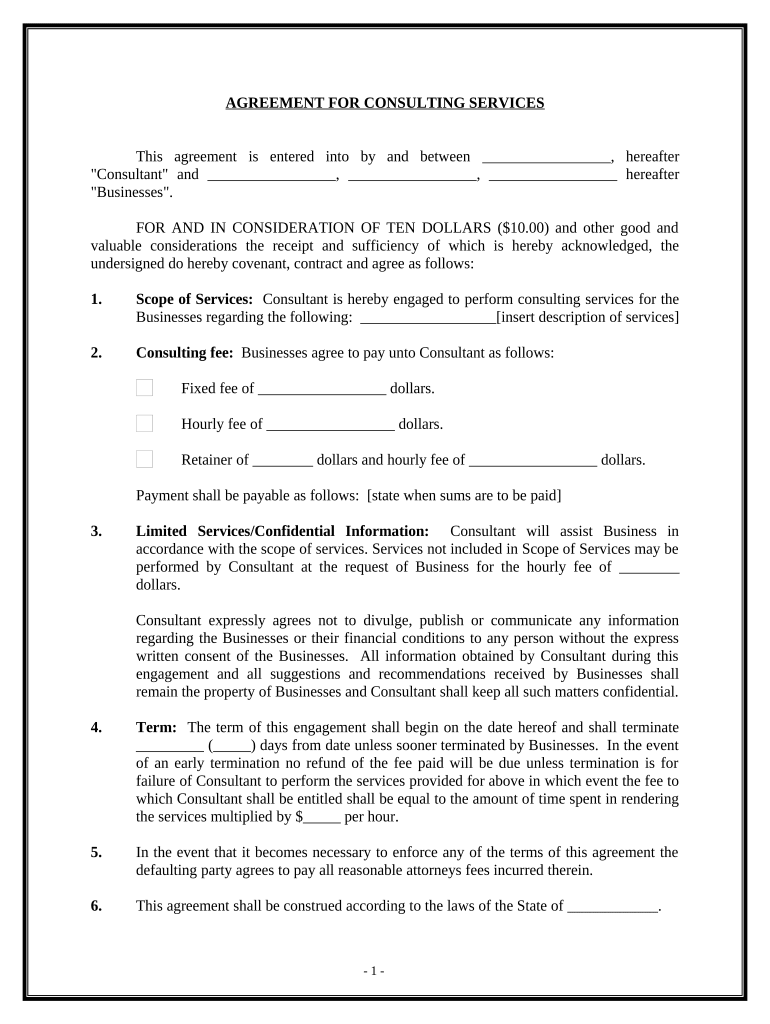
- Begin by filling in the names of the Consultant and Businesses in the designated fields. Ensure accuracy as these parties are bound by this agreement.
- In the 'Scope of Services' section, provide a detailed description of the consulting services to be performed. This clarity will help set expectations for both parties.
- Next, specify the consulting fee structure. Choose between a fixed fee, hourly fee, or retainer model and enter the corresponding amounts in the provided fields.
- Complete the 'Limited Services/Confidential Information' section by detailing any additional services that may incur an hourly fee and affirming confidentiality terms.
- Indicate the term of engagement by entering a start date and duration in days. Be sure to note any conditions for early termination.
- Finally, review all entries for accuracy before signing. Use our platform’s signature feature to finalize your agreement electronically.
Start using our platform today to streamline your document editing and signing process for free!
Fill out simple agreement purchase online
It's free
Security and compliance
At DocHub, your data security is our priority. We follow HIPAA, SOC2, GDPR, and other standards, so you can work on your documents with confidence.
Learn more


