Type text, add images, blackout confidential details, add comments, highlights and more.
02. Sign it in a few clicks
Draw your signature, type it, upload its image, or use your mobile device as a signature pad.
03. Share your form with others
Send it via email, link, or fax. You can also download it, export it or print it out.
How to use or fill out contractor commission with our platform
Ease of Setup
DocHub User Ratings on G2
Ease of Use
DocHub User Ratings on G2
Click ‘Get Form’ to open the contractor commission document in the editor.
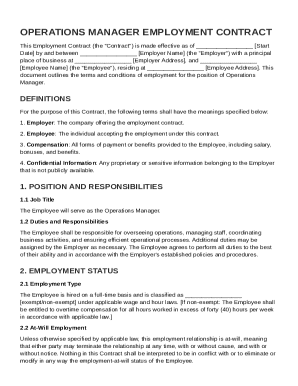
Begin by filling in the date at the top of the form. This is crucial as it marks the effective date of your agreement.
Next, enter the names of both parties involved in the agreement. Ensure accuracy to avoid any legal complications.
In section 1, specify the gross commission percentage that will be paid for new business generated. This is a key component of your compensation structure.
Define 'Net Invoice Amount' and 'New Business' as per sections 2(a) and 2(b). Clarity here helps prevent misunderstandings later.
Fill out any additional details regarding reimbursement for business expenses in section 4, ensuring all expenses are pre-approved.
Review sections on cancellation and duties carefully to understand your rights and responsibilities under this contract.
Start using our platform today to streamline your contractor commission process for free!
Contractor commission lookupContractor commission requirementsAZ ROC contractor Search by nameContractor license AZ lookupAZ contractor license requirementsRegister of contractorAZ Contractors license practice testMN general contractor license test
Security and compliance
At DocHub, your data security is our priority. We follow HIPAA, SOC2, GDPR, and other standards, so you can work on your documents with confidence.
The Contractor shall take such action with respect to any such subcontract or purchase order as the Commission may direct as a means of enforcing such.Read more
Cookie consent notice
This site uses cookies to enhance site navigation and personalize your experience.
By using this site you agree to our use of cookies as described in our Privacy Notice.
You can modify your selections by visiting our Cookie and Advertising Notice.