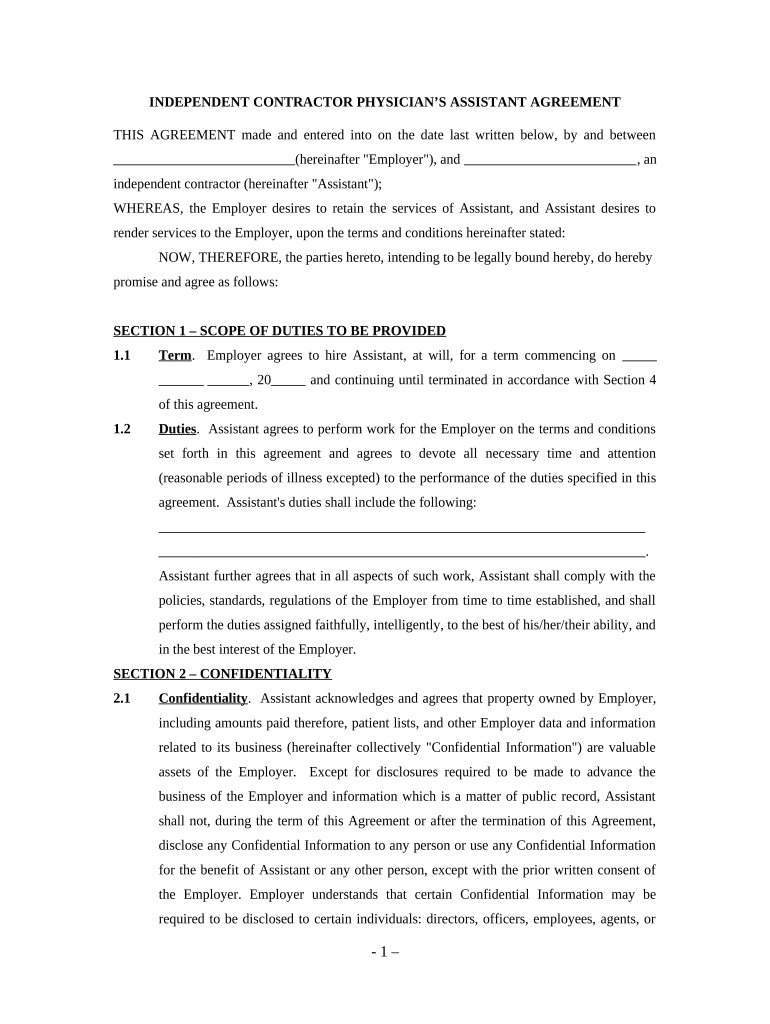
Physician's Assistant Agreement - Self-Employed Independent Contractor 2026

Get Form
physician assistant contract Preview on Page 1

Here's how it works

01. Edit your physician assistant contract online
Type text, add images, blackout confidential details, add comments, highlights and more.
02. Sign it in a few clicks
Draw your signature, type it, upload its image, or use your mobile device as a signature pad.
03. Share your form with others
Send 1099 physician assistant via email, link, or fax. You can also download it, export it or print it out.

How to use or fill out Physician's Assistant Agreement - Self-Employed Independent Contractor

Form edit decoration
9.5
Ease of Setup
DocHub User Ratings on G2
9.0
Ease of Use
DocHub User Ratings on G2
  1. Click ‘Get Form’ to open it in the editor.
  2. Begin by entering the date at the top of the agreement, followed by the names of both the Employer and Assistant. Ensure that all parties are clearly identified.
  3. In Section 1, specify the term of employment and outline the duties expected from the Assistant. Be detailed about responsibilities to avoid any ambiguity.
  4. Move to Section 2 and acknowledge confidentiality obligations. Fill in any necessary details regarding how confidential information will be handled.
  5. In Section 3, indicate compensation details including payment frequency and amount. Make sure to clarify that taxes will not be withheld.
  6. Review Section 4 for termination conditions, ensuring both parties understand their rights regarding ending the agreement.
  7. Complete Sections 5 through 7 by confirming independent contractor status, representations, and miscellaneous provisions as applicable.
  8. Finally, ensure both parties sign and date at the bottom of the document to finalize the agreement.

Start using our platform today to easily complete your Physician's Assistant Agreement for free!

be ready to get more

Complete this form in 5 minutes or less

Get form

Got questions?

We have answers to the most popular questions from our customers. If you can't find an answer to your question, please contact us.
Contact us

Yes, you’ll find many different applications for this on the web. Nevertheless, if you need to eSign your physician assistant independent contractor without installing additional software, DocHub is the optimum choice you can make. This powerful editor works on mobile devices just as on desktops. Open our editor in your preferred internet browser, register or sign in to your account, and start managing your paperwork.

If you store your documents in Google Drive, there is no need to download your physician assistant independent contractor agreement on the computer and upload it back to our editor. A significantly easier way is to set up a browser extension developed by DocHub to streamline this flow. The extension allows editing PDFs right in your web browser. Alternatively, you may integrate your DocHub and Gmail accounts for more efficient modifying.

An auto mechanic who has a station license, a resale license, buys the parts necessary for the repairs, sets his or her own prices, collects from the customer, sets his or her own hours and days of work, and owns or rents the shop from a third party is an example of an independent contractor.
How do I create an Independent Contractor Agreement? State the location. Describe the type of service required. Provide the contractors and clients details. Outline compensation details. State the agreements terms. Include any additional clauses. State the signing details.
Elements of a construction contract Name of contractor and contact information. Name of homeowner and contact information. Describe property in legal terms. List attachments to the contract. The cost. Failure of homeowner to obtain financing. Description of the work and the completion date. Right to stop the project.

Security and compliance

At DocHub, your data security is our priority. We follow HIPAA, SOC2, GDPR, and other standards, so you can work on your documents with confidence.

Learn more
ccpa2
pci-dss
gdpr-compliance
hipaa
soc-compliance
be ready to get more

Complete this form in 5 minutes or less

Get form

People also ask

In general, an employee works for a company directly and must follow the employers instructions when it comes to the performance and timing of work tasks. Independent contractors, on the other hand, can work whenever and wherever they choose as long as they provide the work as promised by the contracted deadline.
The contract should state who pays which expenses. The contractor is usually responsible for all expenses including mileage, vehicle maintenance, and other business travel costs; work supplies and tools; licenses, fees, and permits; phone and internet expenses; and payments to employees or subcontractors.
Other professions within health care are NOT exempt from AB 5 and therefore must meet the laws stated criteria in order to be appropriately classified as independent contractors, such as: nurse practitioners. physician assistants. acupuncturists.
The Commonwealth of Pennsylvania currently has no licensure or certification requirements for most construction contractors (or their employees). Please note the following regarding state and local requirements pertaining to certain contractors (and their employees).
An Independent Contractor Agreement is a legal contract that outlines the scope, payment schedule, and deadlines for freelance work. Signed by both the contractor and the client, this agreement can help to set expectations and reduce the risk of conflicts.

Related links