Type text, add images, blackout confidential details, add comments, highlights and more.
02. Sign it in a few clicks
Draw your signature, type it, upload its image, or use your mobile device as a signature pad.
03. Share your form with others
Send it via email, link, or fax. You can also download it, export it or print it out.
How to use or fill out contract commercial with our platform
Ease of Setup
DocHub User Ratings on G2
Ease of Use
DocHub User Ratings on G2
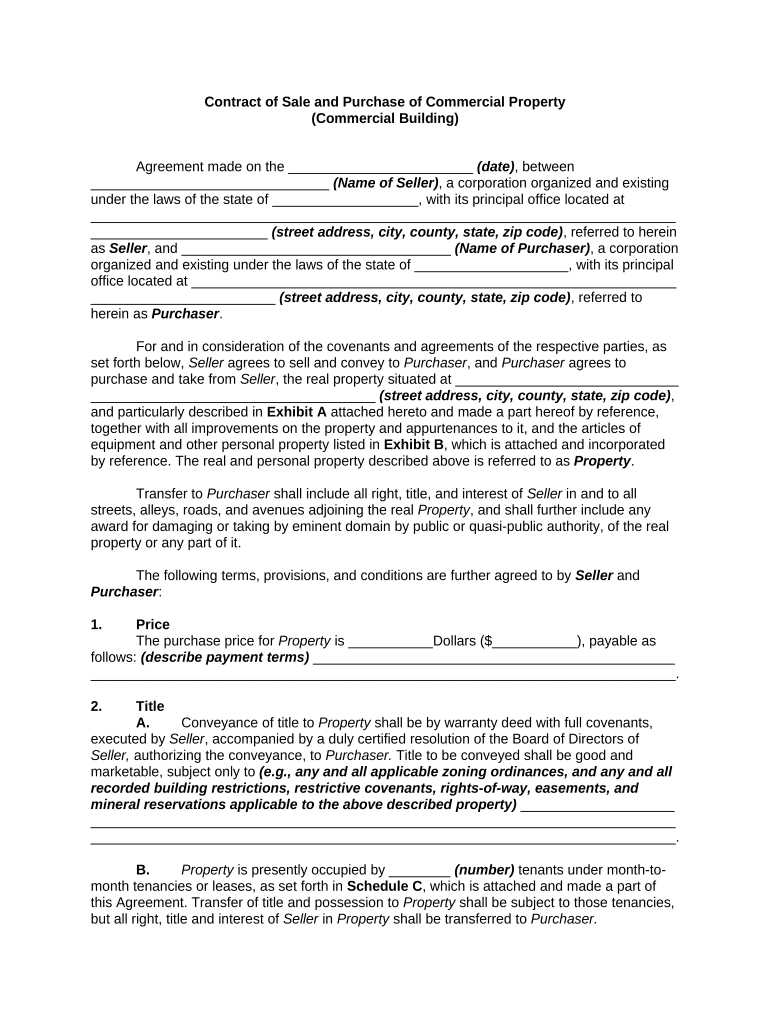
Click ‘Get Form’ to open the Contract of Sale and Purchase of Commercial Property in the editor.
Begin by entering the date of the agreement at the top of the form. Next, fill in the names and addresses of both the Seller and Purchaser in their respective fields.
In the 'Property' section, specify the street address and any additional details required for accurate identification. Ensure you attach Exhibit A and Exhibit B as referenced.
Proceed to fill out the purchase price in dollars, along with detailed payment terms under 'Price'.
Complete sections regarding title conveyance, assessments, proration, risk of loss, maintenance, zoning, broker's commission, and other relevant clauses as per your agreement specifics.
Finally, ensure all parties sign at the bottom of the document. You can easily add signature fields using our platform’s tools.
Start editing your contract commercial today for free on our platform!
This part prescribes policies and procedures unique to the acquisition of commercial products, including commercial components, and commercial services.Read more
It sets out the procedures, techniques, standards, and responsibilities needed to manage suppliers and contracts consistently throughout the project lifecycle.Read more
Cookie consent notice
This site uses cookies to enhance site navigation and personalize your experience.
By using this site you agree to our use of cookies as described in our Privacy Notice.
You can modify your selections by visiting our Cookie and Advertising Notice.