Type text, add images, blackout confidential details, add comments, highlights and more.
02. Sign it in a few clicks
Draw your signature, type it, upload its image, or use your mobile device as a signature pad.
03. Share your form with others
Send it via email, link, or fax. You can also download it, export it or print it out.
How to Use or Fill Out Agreement Organization with Our Platform
Ease of Setup
DocHub User Ratings on G2
Ease of Use
DocHub User Ratings on G2
Click 'Get Form' to open the agreement organization document in the editor.
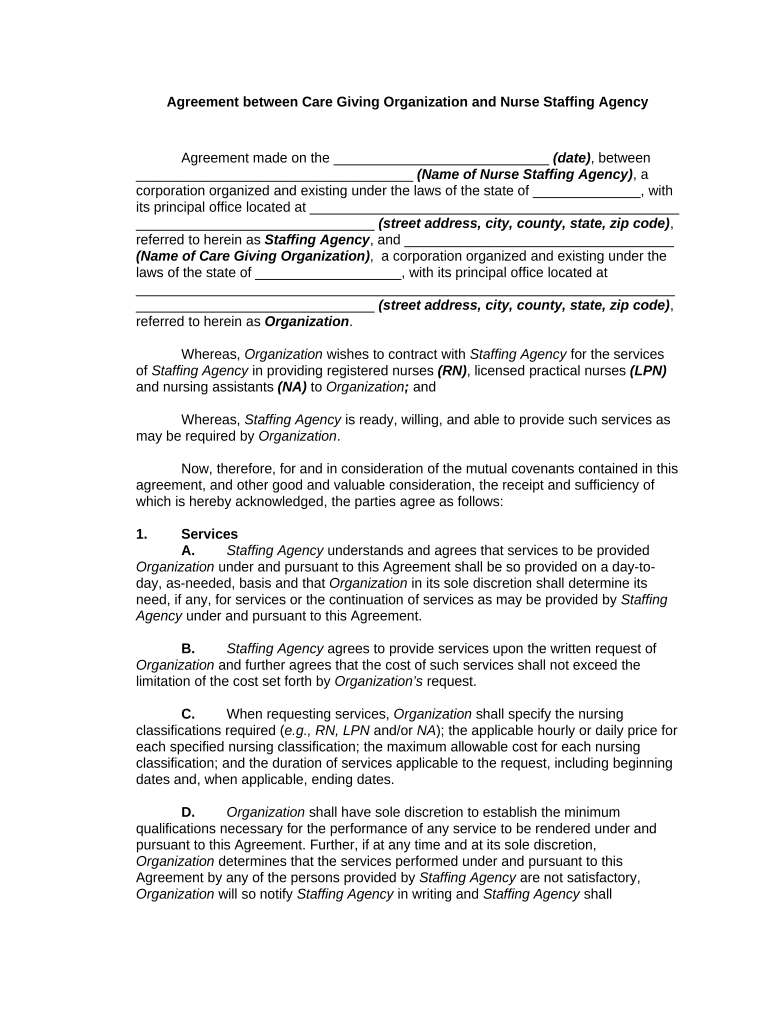
Begin by entering the date of the agreement in the designated field at the top of the document.
Fill in the name and address of the Nurse Staffing Agency, ensuring all details are accurate for legal purposes.
Next, input the name and address of your Care Giving Organization in the corresponding fields.
Review each section carefully, particularly those detailing services, compensation, and payment terms. Make sure to specify nursing classifications and costs as required.
Complete any additional sections regarding insurance, termination clauses, and governing law as applicable to your agreement.
Finally, ensure both parties sign where indicated at the bottom of the document to finalize the agreement.
Start using our platform today for free to streamline your agreement organization process!
Agreement organization examplesAgreement organization templateOrganization of agreement states annual meeting 2026Non Agreement States NRCMemorandum of contractSample of Memorandum of Agreement between two partiesMemorandum of Agreement PDFIs operating agreement the same as bylaws
Security and compliance
At DocHub, your data security is our priority. We follow HIPAA, SOC2, GDPR, and other standards, so you can work on your documents with confidence.
Organization of American States Headquarters Agreement
HEADQUARTERS AGREEMENT BETWEEN THE ORGANIZATION OF AMERICAN STATES AND THE GOVERNMENT OF THE UNITED STATES OF AMERICA. (Signed in Washington, on 14 May,Read more
Based on verbal agreements between MoHA and the contractor as well as advance scheduling, the amount of approved work hours may rise or fall depending on need.Read more
Cookie consent notice
This site uses cookies to enhance site navigation and personalize your experience.
By using this site you agree to our use of cookies as described in our Privacy Notice.
You can modify your selections by visiting our Cookie and Advertising Notice.