Sample quiet title complaint 2026

Get Form
sample quiet title complaint michigan Preview on Page 1

Here's how it works

01. Edit your sample quiet title complaint michigan online
Type text, add images, blackout confidential details, add comments, highlights and more.

02. Sign it in a few clicks
Draw your signature, type it, upload its image, or use your mobile device as a signature pad.

03. Share your form with others
Send sample quiet title complaint via email, link, or fax. You can also download it, export it or print it out.

How to use or fill out sample quiet title complaint with our platform

Form edit decoration
9.5
Ease of Setup
DocHub User Ratings on G2
9.0
Ease of Use
DocHub User Ratings on G2
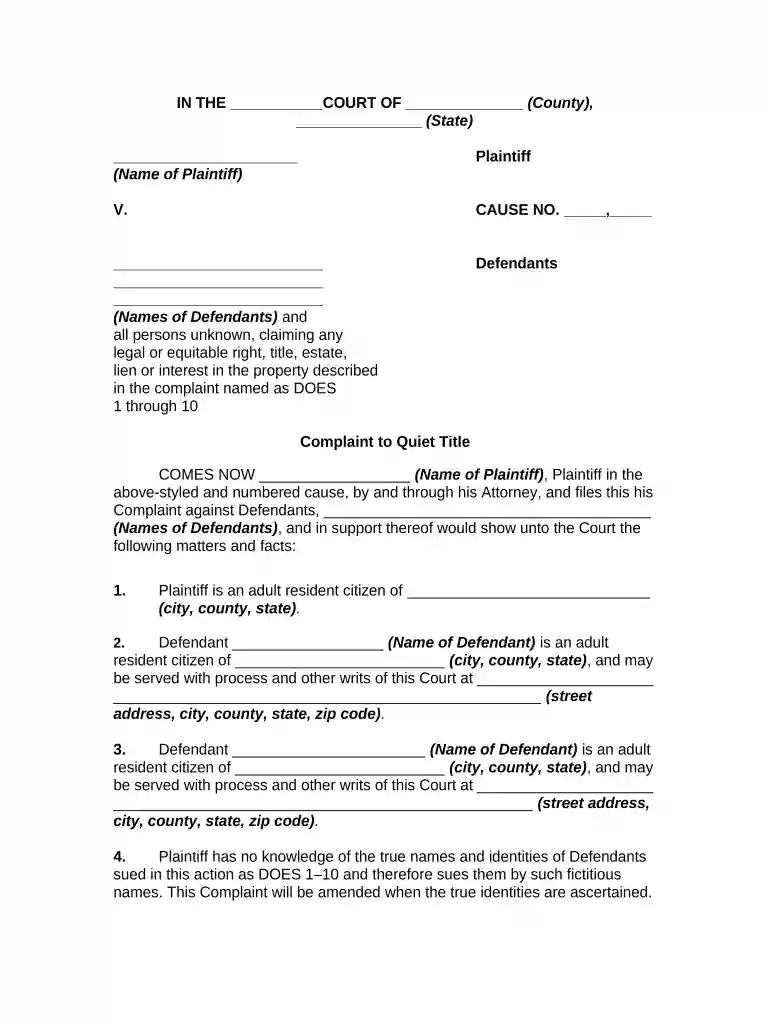
  1. Click ‘Get Form’ to open the sample quiet title complaint in the editor.
  2. Begin by entering the court name and county in the designated fields at the top of the form. This sets the context for your complaint.
  3. Fill in your name as the Plaintiff, followed by the names of all Defendants. Ensure accuracy as this information is crucial for legal proceedings.
  4. In Paragraph 1, provide your residency details, including city, county, and state. Repeat this for each Defendant in subsequent paragraphs.
  5. Describe the property involved in Paragraph 5. Use clear legal descriptions to avoid ambiguity.
  6. Detail any claims made by Defendants in Paragraph 9. This section is vital for establishing your case against their claims.
  7. Complete the remaining sections regarding possession and damages, ensuring you provide thorough explanations to support your request for relief.

Start editing your sample quiet title complaint today on our platform for free!

be ready to get more

Complete this form in 5 minutes or less

Get form

Got questions?

We have answers to the most popular questions from our customers. If you can't find an answer to your question, please contact us.
Contact us

You need to use only trusted software solutions with strong data protection compliance to approve your paperwork electronically. DocHub is just the type of editor you need! It stores data on Amazon Web Servers and complies with all necessary security criteria and eSignature regulations, so it’s a trusted way to electronically sign your quiet title action or other paperwork with this tool.

With DocHub, you have several convenient methods to edit your quiet title action template online. You can drag and drop the form and edit it directly at the DocHub website or use our browser extension to fill out your form immediately. On top of that, you can edit your PDF on your smartphone, as DocHub is compatible with all the available mobile platforms.

A plaintiff seeking to quiet title against a person with legal title to property has the burden of proving title by clear and convincing proof, rather than by the prepon- derance of evidence usually used in civil cases.
As an example of a quiet title, there could be a Contractor whose primary job is flipping a house, meaning that Contractor A purchases a home for a low price, makes necessary home improvements, and then turns around and sells the home for a profit.
The cost of a quiet title action ranges from $1,500 to $5,000 for an uncontested lawsuit. Contested (or litigated) quiet title actions can cost much more. Cost mainly depends on the complexity of the title issue and whether the action is opposed. Complex or numerous title defects increase legal costs.

Security and compliance

At DocHub, your data security is our priority. We follow HIPAA, SOC2, GDPR, and other standards, so you can work on your documents with confidence.
Learn more
ccpa2
pci-dss
gdpr-compliance
hipaa
soc-compliance

People also ask

Yes, you can do a quiet title yourself. Any party can represent themselves in a lawsuit, and a quiet title is a type of lawsuit. But, you should only attempt a quiet title if equipped with the right tools, templates, knowledge, and mindset.

quiet title complaint sample new york