Type text, add images, blackout confidential details, add comments, highlights and more.
02. Sign it in a few clicks
Draw your signature, type it, upload its image, or use your mobile device as a signature pad.
03. Share your form with others
Send it via email, link, or fax. You can also download it, export it or print it out.
How to use or fill out ucc3 with our platform
Ease of Setup
DocHub User Ratings on G2
Ease of Use
DocHub User Ratings on G2
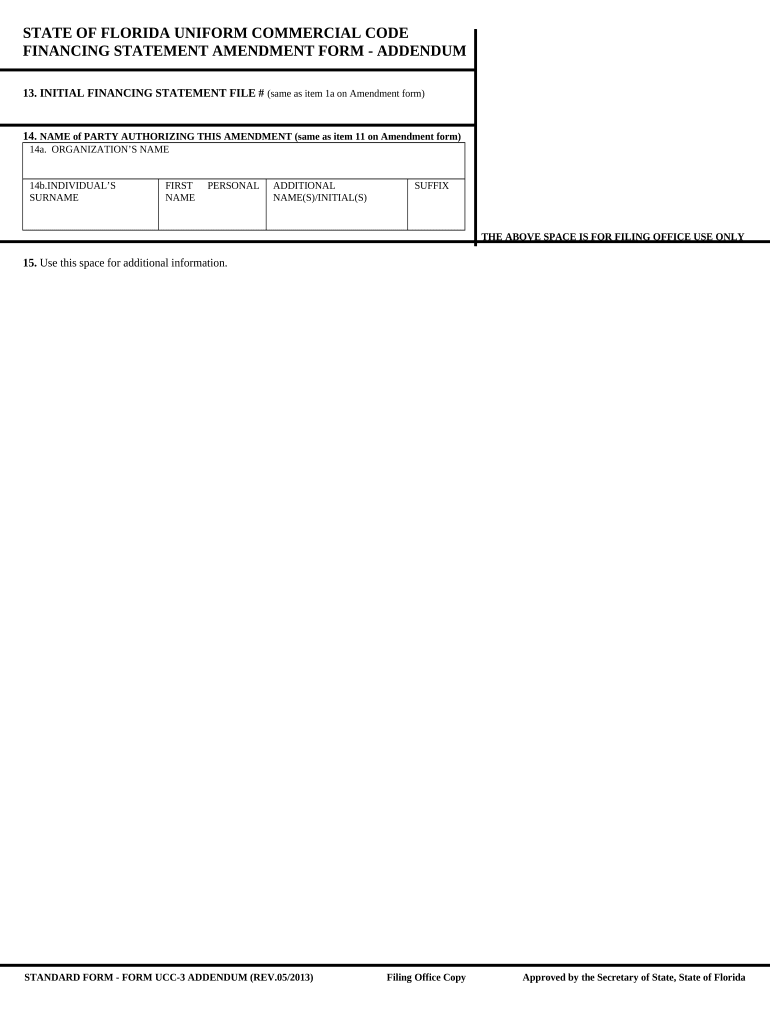
Click ‘Get Form’ to open the UCC-3 Amendment form in the editor.
Begin by entering the Initial Financing Statement File Number in field 13, which corresponds to item 1a on the Amendment form.
In field 14, provide the name of the party authorizing this amendment. Ensure that you fill in both organization’s name (14a) and individual’s surname (14b), along with their first name and any additional names or initials as required.
Utilize the space provided for additional information in field 15 if necessary, ensuring all relevant details are included for clarity.
Start using our platform today to streamline your UCC-3 form completion for free!
UCC Forms | Department of State - https dos ny gov
UCC Financing Statement Amendment (Form UCC3). Uniform Commercial Code Financing Statement Amendment is for used for the termination, continuation, and/orRead more
The dispute before the Second Circuit involved a UCC-3 termination statement filed with the Delaware Secretary of State on behalf of JPMorgan Chase Bank, N.A. (Read more
Cookie consent notice
This site uses cookies to enhance site navigation and personalize your experience.
By using this site you agree to our use of cookies as described in our Privacy Notice.
You can modify your selections by visiting our Cookie and Advertising Notice.