Type text, add images, blackout confidential details, add comments, highlights and more.
02. Sign it in a few clicks
Draw your signature, type it, upload its image, or use your mobile device as a signature pad.
03. Share your form with others
Send it via email, link, or fax. You can also download it, export it or print it out.
How to use or fill out CA Income Form with DocHub
Ease of Setup
DocHub User Ratings on G2
Ease of Use
DocHub User Ratings on G2
Click ‘Get Form’ to open the CA Income Form in our editor.
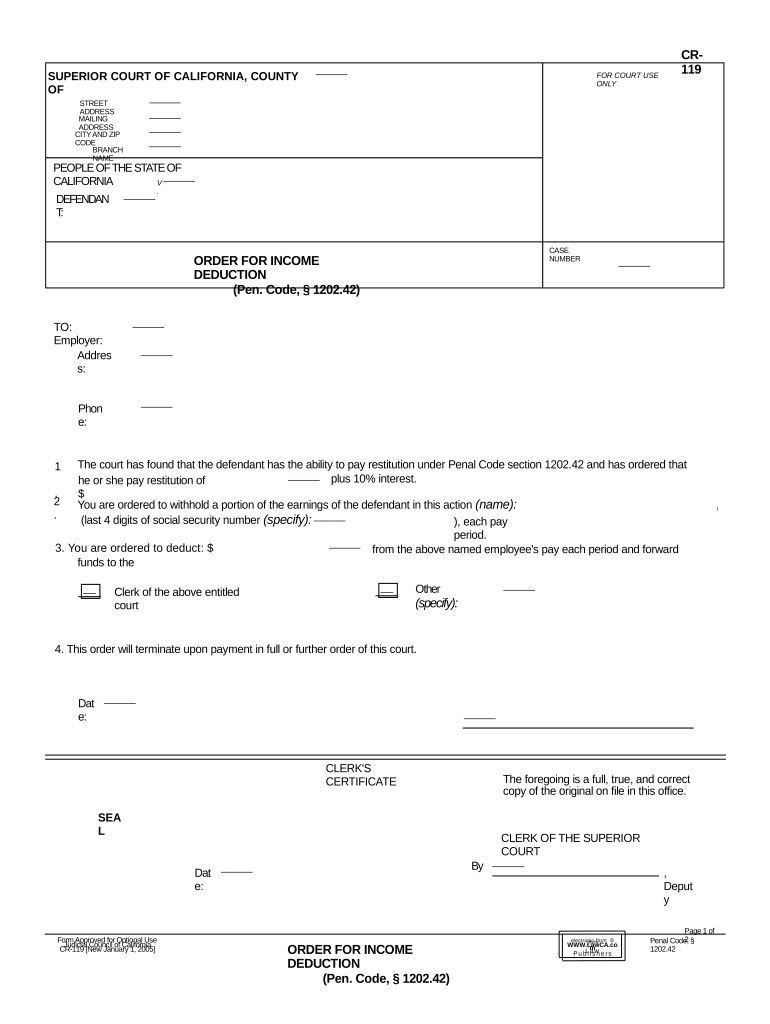
Begin by entering the defendant's name and case number at the top of the form. Ensure accuracy as this information is crucial for identification.
In the 'Employer' section, input the employer's name, address, and phone number. This information is necessary for communication regarding income deductions.
Specify the amount to be deducted from the defendant's earnings each pay period. This should align with the court's order for restitution.
Review all entries for correctness before saving your changes. Utilize our platform’s features to easily edit any mistakes.
Once completed, download or share the form directly from our editor to ensure it reaches the appropriate parties promptly.
Start using our platform today to fill out your CA Income Form quickly and efficiently!
Mar 24, 2026 California Resident Income Tax Return. Use Form 540 to file California resident income tax return. Related: Instruction Booklet for form 540.Read more
Employees Withholding Allowance Certificate (DE 4) Rev. 56
Complete this form so that your employer can withhold the correct California state income tax from your pay. Personal Information. First, Middle, Last Name.Read more
This Provider Manual shall serve as a supplement as referenced thereto and incorporated therein, to your Molina. Healthcare of California Services Agreement.Read more
Cookie consent notice
This site uses cookies to enhance site navigation and personalize your experience.
By using this site you agree to our use of cookies as described in our Privacy Notice.
You can modify your selections by visiting our Cookie and Advertising Notice.