Type text, add images, blackout confidential details, add comments, highlights and more.
02. Sign it in a few clicks
Draw your signature, type it, upload its image, or use your mobile device as a signature pad.
03. Share your form with others
Send it via email, link, or fax. You can also download it, export it or print it out.
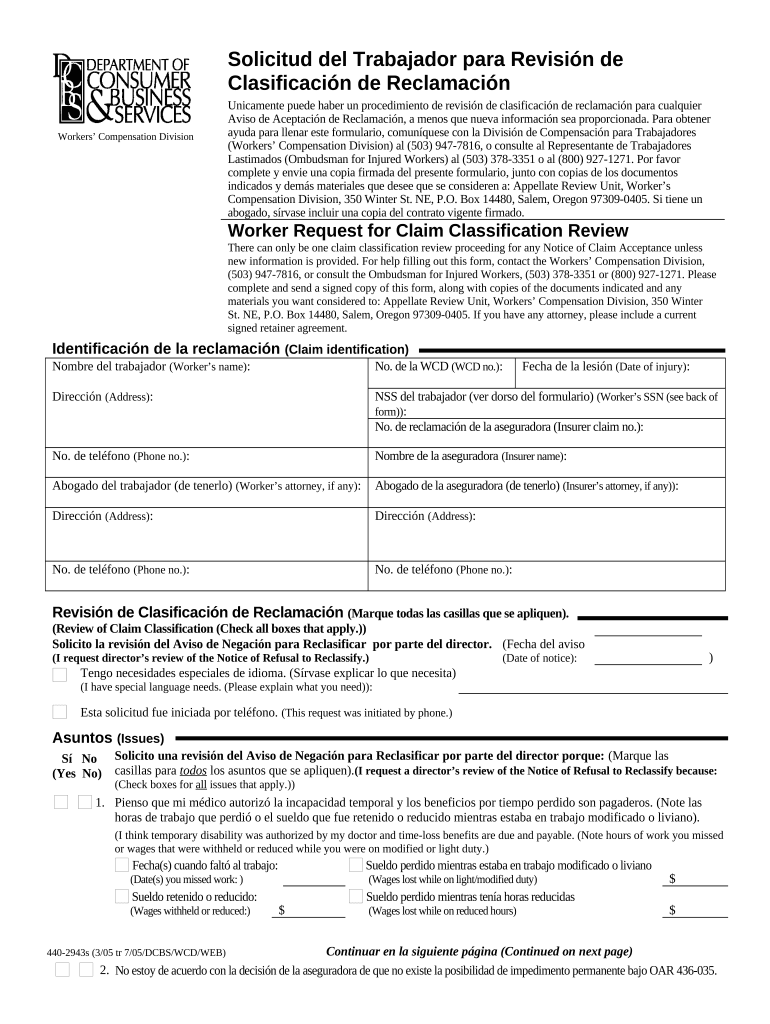
How to use or fill out worker claim with our platform
Ease of Setup
DocHub User Ratings on G2
Ease of Use
DocHub User Ratings on G2
Click ‘Get Form’ to open the worker claim in the editor.
Begin by filling in your personal information, including your name, WCD number, date of injury, and address. Ensure accuracy to facilitate communication.
Provide your Social Security Number and the insurer claim number. This information is crucial for processing your request efficiently.
Indicate if you have any special language needs and check all applicable boxes regarding issues related to your claim classification.
In the 'Issues' section, specify reasons for requesting a review. Include details about any temporary disability benefits you believe are due.
Attach necessary documents as specified in the form, such as Notices of Acceptance and any medical reports that support your case.
Review all entered information for accuracy before signing and dating the form. Ensure that copies of all documents are included for submission.
Start using our platform today to streamline your worker claim process for free!
Injured employee resources - Texas Department of Insurance
Need help with your claim? Call 800-252-7031, option 1. Workers compensation is an insurance program managed by the State of Texas. It provides pay andRead more
If you need assistance filling out this form, to obtain information on benefits and dispute resolution options, or to receive a copy of the Injured Worker GuideRead more
Cookie consent notice
This site uses cookies to enhance site navigation and personalize your experience.
By using this site you agree to our use of cookies as described in our Privacy Notice.
You can modify your selections by visiting our Cookie and Advertising Notice.