01. Edit your sample proposed judgment california online
Type text, add images, blackout confidential details, add comments, highlights and more.
02. Sign it in a few clicks
Draw your signature, type it, upload its image, or use your mobile device as a signature pad.
03. Share your form with others
Send proposed judgment form california via email, link, or fax. You can also download it, export it or print it out.
How to use or fill out proposed judgment with our platform
Ease of Setup
DocHub User Ratings on G2
Ease of Use
DocHub User Ratings on G2
Click ‘Get Form’ to open the proposed judgment in the editor.
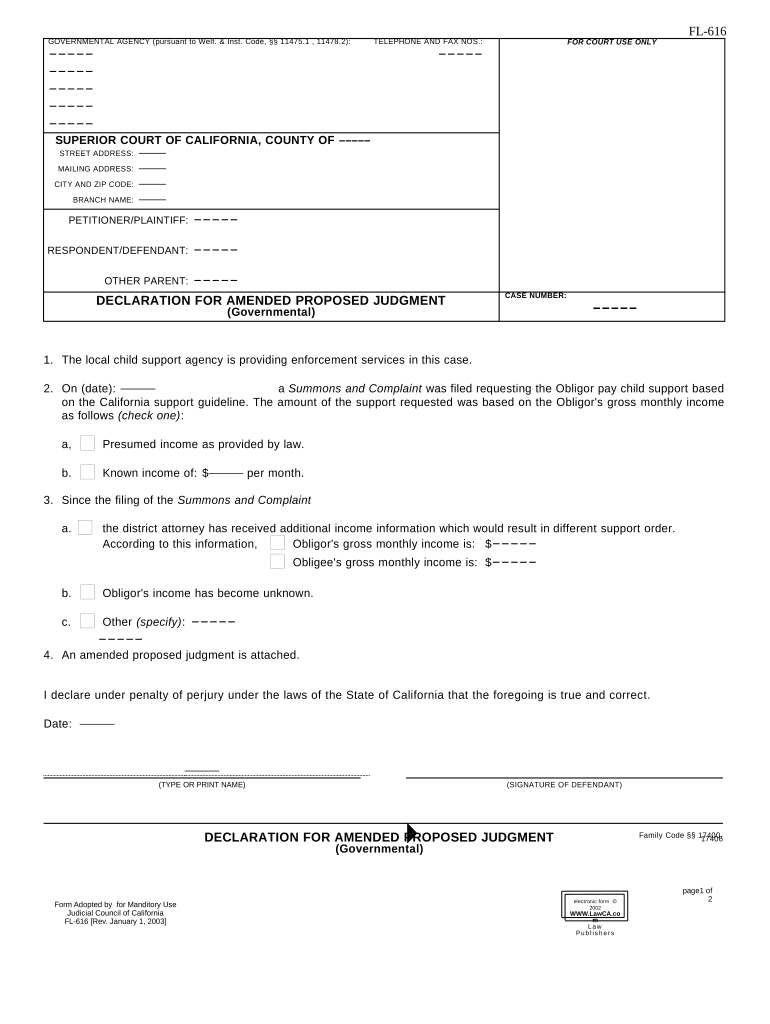
Begin by filling in the 'Petitioner/Plaintiff', 'Respondent/Defendant', and 'Other Parent' sections with the relevant names. Ensure accuracy as this information is crucial for identification.
In the 'Case Number' field, enter the unique identifier for your case. This helps in tracking and referencing your document.
Complete Section 2 regarding child support requests. Choose between presumed income or known income, and input the appropriate figures as required.
If there are updates on income since filing, provide this information in Section 3. Be sure to check all applicable boxes and fill in any new amounts.
Attach any amended proposed judgment documents as indicated in Section 4, ensuring they are correctly formatted.
Finally, complete the proof of service section by detailing how you served the declaration to both Obligor and Other Parent, including dates and methods used.
Start using our platform today to streamline your document editing process for free!
Sample PROPOSED JUDGMENTProposed judgment formSample PROPOSED JUDGMENT CaliforniaNotice OF proposed judgmentProposed Judgment of divorceLos Angeles Superior Court PROPOSED JudgmentOregon notice of proposed judgmentCivil Judgment form
Security and compliance
At DocHub, your data security is our priority. We follow HIPAA, SOC2, GDPR, and other standards, so you can work on your documents with confidence.
[PROPOSED] AMENDED FINAL JUDGMENT AND PERMANENT. INJUNCTION to be served on the interested parties in this cause as follows: ☑. (VIA EMAIL) I caused theRead more
Cookie consent notice
This site uses cookies to enhance site navigation and personalize your experience.
By using this site you agree to our use of cookies as described in our Privacy Notice.
You can modify your selections by visiting our Cookie and Advertising Notice.