Colorado convert 2026

Get Form
colorado convert Preview on Page 1

Here's how it works

01. Edit your form online
Type text, add images, blackout confidential details, add comments, highlights and more.
02. Sign it in a few clicks
Draw your signature, type it, upload its image, or use your mobile device as a signature pad.
03. Share your form with others
Send it via email, link, or fax. You can also download it, export it or print it out.

How to use or fill out colorado convert with our platform

Form edit decoration
9.5
Ease of Setup
DocHub User Ratings on G2
9.0
Ease of Use
DocHub User Ratings on G2
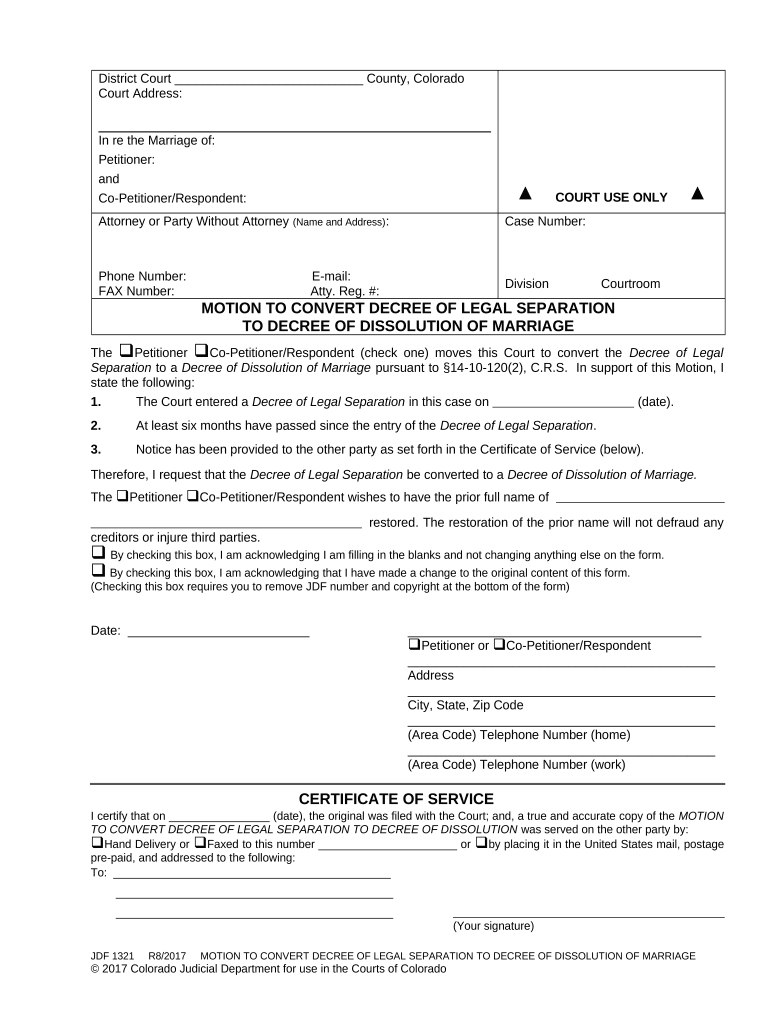
  1. Click ‘Get Form’ to open the Motion to Convert Decree of Legal Separation in the editor.
  2. Begin by entering the Court Address at the top of the form. This is essential for proper identification of your case.
  3. Fill in the names of both parties involved in the marriage under 'In re the Marriage of'. Ensure accuracy to avoid any delays.
  4. Provide your Case Number, Phone Number, and Email address in the designated fields. This information is crucial for court communications.
  5. Indicate whether you are the Petitioner or Co-Petitioner/Respondent by checking the appropriate box.
  6. Complete the statement regarding the Decree of Legal Separation, including dates and confirmation that six months have passed since its entry.
  7. Check the box indicating whether you are making changes to original content or just filling in blanks. This ensures clarity on your intentions.
  8. Sign and date the form at the bottom, providing your address and contact numbers as required.
  9. Finally, complete the Certificate of Service section, ensuring that you note how you served a copy to the other party.

Start using our platform today for free to streamline your document editing and signing process!

be ready to get more

Complete this form in 5 minutes or less

Get form

Got questions?

We have answers to the most popular questions from our customers. If you can't find an answer to your question, please contact us.
Contact us
On August 1, 1876, Colorado became the Centennial Statebut we almost didnt. It took five tries and more than fifteen years for Colorado to become a state. This exhibition explores Colorados long road to statehood.
Please note the following important information regarding any Roth conversion. You must pay ordinary income tax on the amount converted (specifically, on pre-tax contributions and investment gains).
0:02 0:37 And we got that little sliver of land. And they just stuck with the name. So next time you sayMoreAnd we got that little sliver of land. And they just stuck with the name. So next time you say Colorado youre actually speaking Spanish good job.