Type text, add images, blackout confidential details, add comments, highlights and more.
02. Sign it in a few clicks
Draw your signature, type it, upload its image, or use your mobile device as a signature pad.
03. Share your form with others
Send it via email, link, or fax. You can also download it, export it or print it out.
How to use or fill out Letters of Trust - Issued under Formal Administration - Wisconsin with DocHub
Ease of Setup
DocHub User Ratings on G2
Ease of Use
DocHub User Ratings on G2
Click ‘Get Form’ to open it in the editor.
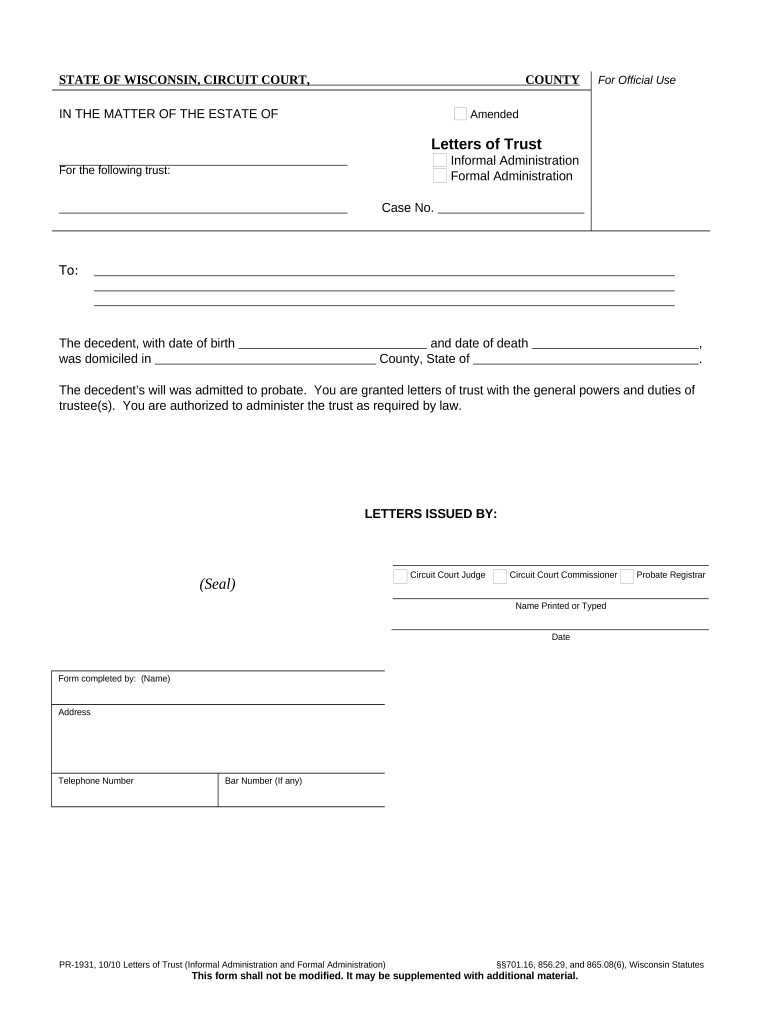
Begin by entering the decedent's name and date of birth in the designated fields. Ensure accuracy as this information is crucial for legal purposes.
Next, fill in the date of death and the county and state where the decedent was domiciled. This section confirms jurisdiction and must be completed correctly.
Indicate whether the letters are issued under Informal or Formal Administration by selecting the appropriate option.
In the 'LETTERS ISSUED BY' section, enter the name of the Circuit Court Judge, Commissioner, or Probate Registrar who is issuing these letters. Include their printed name and date.
Finally, complete the form by providing your name, address, telephone number, and bar number (if applicable) in the 'Form completed by' section.
Start using our platform today to easily fill out your Letters of Trust for free!
Fill out Letters of Trust - Issued under Formal Administration - Wisconsin online It's free
Sample letters of trust issued under formal administration wisconsinLetters of trust issued under formal administration wisconsin templateLetters of trust issued under formal administration wisconsin pdfLetters of trust issued under formal administration wisconsin formLetters of trust issued under formal administration wisconsin exampleLetters of trust issued under formal administration wisconsin 2022Wi Probate formsWisconsin formal probate guide
Security and compliance
At DocHub, your data security is our priority. We follow HIPAA, SOC2, GDPR, and other standards, so you can work on your documents with confidence.
Formal estate administration . . . 19. Informal estate administration . . 19 To be revocable in Wisconsin, a trust agreement must expressly state.Read more
Guide to Informal Estate Administration in Wisconsin
Formal administration is the administration of the decedents estate, intestate or testate, with exercise of continuous supervision by the court. A formalRead more
In November 2024, the Wisconsin DNR issued waterway and wetland permits for the project, but Enbridge still requires approval for four additional permits beforeRead more
Cookie consent notice
This site uses cookies to enhance site navigation and personalize your experience.
By using this site you agree to our use of cookies as described in our Privacy Notice.
You can modify your selections by visiting our Cookie and Advertising Notice.