Type text, add images, blackout confidential details, add comments, highlights and more.
02. Sign it in a few clicks
Draw your signature, type it, upload its image, or use your mobile device as a signature pad.
03. Share your form with others
Send california withholding form 2025 via email, link, or fax. You can also download it, export it or print it out.
How to use or fill out CA Withholding with our platform
Ease of Setup
DocHub User Ratings on G2
Ease of Use
DocHub User Ratings on G2
Click ‘Get Form’ to open the CA Withholding document in the editor.
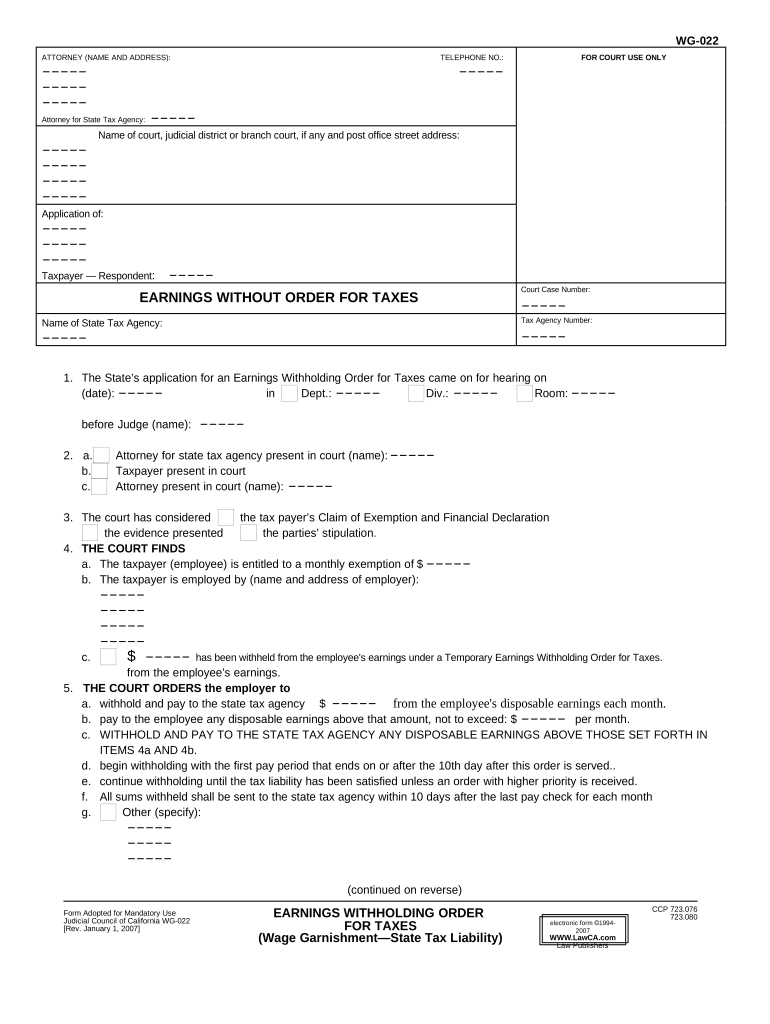
Begin by entering the attorney's name and address at the top of the form. This information is crucial for identification purposes.
Fill in the telephone number and details for court use, including the name of the court and judicial district.
In section 1, specify the date of hearing and department details. Ensure accuracy as this will be referenced in legal proceedings.
Complete section 4 by providing the taxpayer's monthly exemption amount and employer's details. This section determines how much can be withheld from earnings.
In section 5, indicate the amounts to be withheld from disposable earnings each month, ensuring compliance with legal requirements.
Review all entries for accuracy before finalizing your document. Use our platform’s tools to make any necessary adjustments easily.
Start using our platform today to fill out your CA Withholding form online for free!
Ca withholding formCa Withholding Employer loginCA withholding Form 2026California withholding allowance 0 or 1Ca withholding calculatorCa withholding ratesCA Withholding Form 592CA withholding DE 4
Security and compliance
At DocHub, your data security is our priority. We follow HIPAA, SOC2, GDPR, and other standards, so you can work on your documents with confidence.
Employees Withholding Allowance Certificate (DE 4) Rev. 56
Complete this form so that your employer can withhold the correct California state income tax from your pay. Personal Information. First, Middle, Last Name.Read more
On July 10, 2015, the DOE said it was withholding US$250 million in stimulus funding that had been allocated for HECA, saying the project had not metRead more
Cookie consent notice
This site uses cookies to enhance site navigation and personalize your experience.
By using this site you agree to our use of cookies as described in our Privacy Notice.
You can modify your selections by visiting our Cookie and Advertising Notice.