




Here's how it works

01. Edit your move out inspection letter online
Type text, add images, blackout confidential details, add comments, highlights and more.

02. Sign it in a few clicks
Draw your signature, type it, upload its image, or use your mobile device as a signature pad.

03. Share your form with others
Send move out inspection letter to tenant via email, link, or fax. You can also download it, export it or print it out.
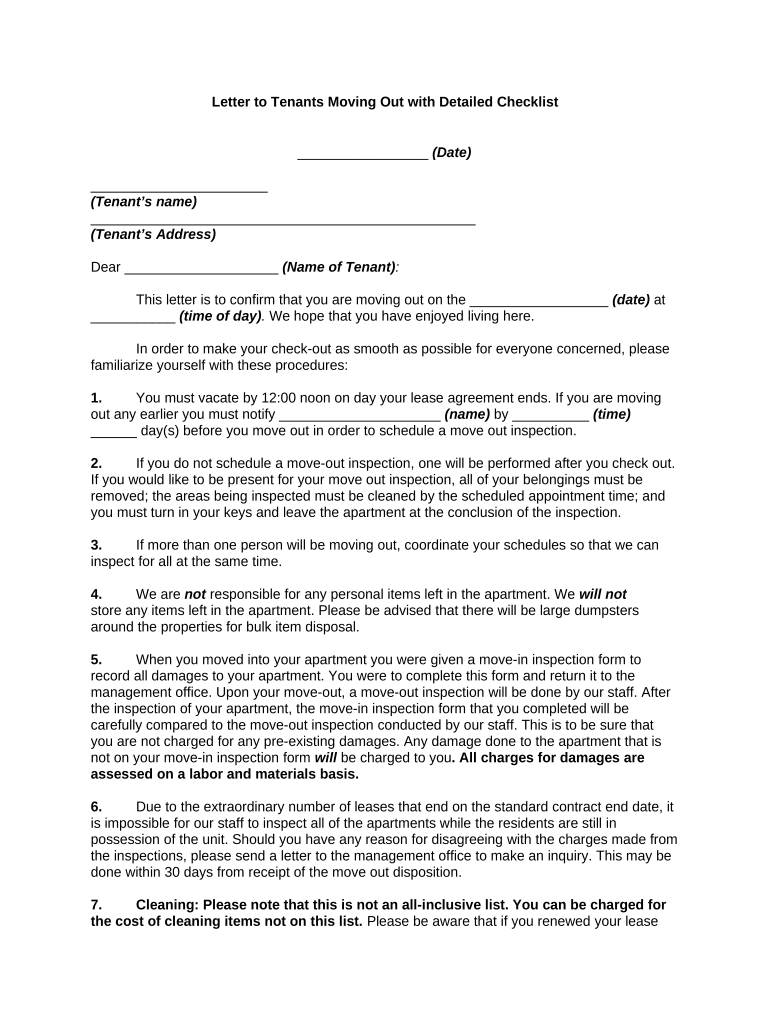
How to use or fill out tenants moving with our platform

- Click ‘Get Form’ to open the tenants moving document in the editor.
- Begin by entering the date at the top of the form, followed by the tenant's name and address. This personalizes your document and ensures clarity.
- Fill in the move-out date and time where indicated. This is crucial for scheduling inspections and ensuring a smooth transition.
- Review each checklist item carefully. For example, ensure you understand cleaning requirements for appliances like the refrigerator and stove, as well as any repairs needed before moving out.
- Complete any additional fields regarding key return and change of address forms. Make sure to note any fees associated with unreturned keys or mail forwarding.
- Finally, sign off on the document digitally using our platform’s signature feature, ensuring all parties have a record of this important communication.
Start using our platform today to streamline your moving process for free!
Fill out tenants moving online
It's free
It's free
Security and compliance
At DocHub, your data security is our priority. We follow HIPAA, SOC2, GDPR, and other standards, so you can work on your documents with confidence.
Learn more




