Type text, add images, blackout confidential details, add comments, highlights and more.
02. Sign it in a few clicks
Draw your signature, type it, upload its image, or use your mobile device as a signature pad.
03. Share your form with others
Send debtors answer form via email, link, or fax. You can also download it, export it or print it out.
How to use or fill out debtor answer with our platform
Ease of Setup
DocHub User Ratings on G2
Ease of Use
DocHub User Ratings on G2
Click ‘Get Form’ to open the debtor's answer in the editor.
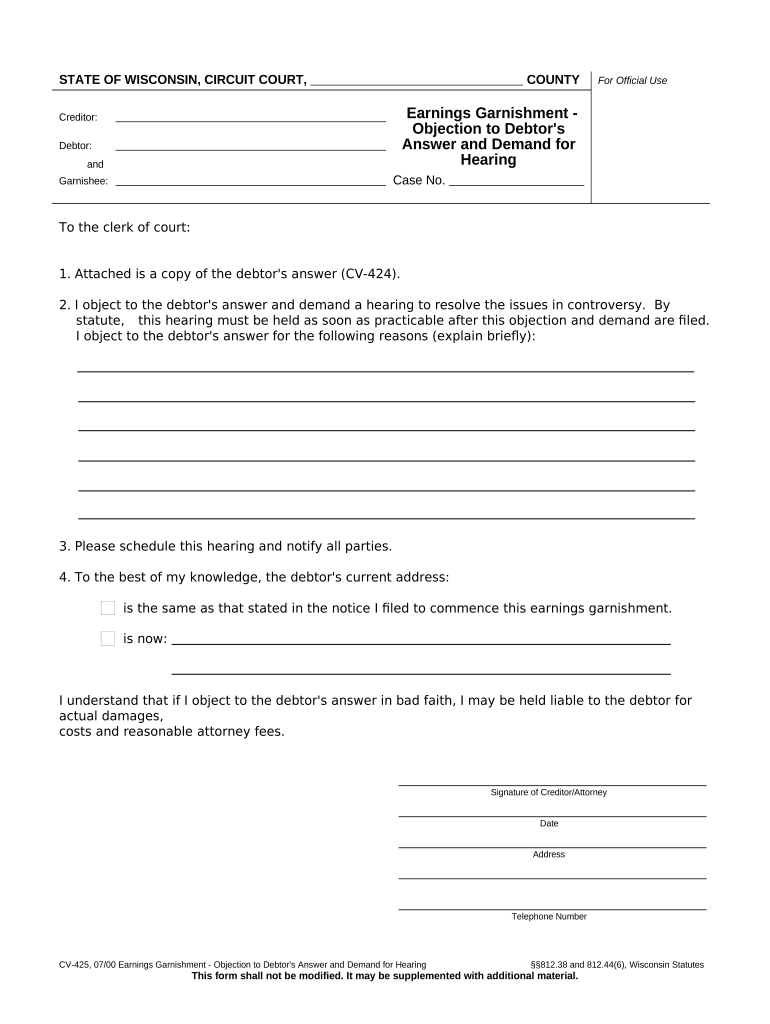
Begin by filling in the 'Creditor' and 'Debtor' sections with the appropriate names. Ensure accuracy as this information is crucial for identification.
In the 'Case No.' field, enter the specific case number associated with your garnishment. This helps in tracking and referencing your case effectively.
For the 'Garnishee' section, provide details of the third party involved in the garnishment process. This may include their name and contact information.
In the objection section, clearly state your reasons for objecting to the debtor's answer. Be concise yet thorough to ensure clarity during hearings.
Fill out your current address and telephone number accurately to facilitate communication regarding hearing schedules.
Finally, sign and date the document before submitting it through our platform for processing.
Start using our platform today to complete your debtor answer efficiently and for free!
Within 20 days after receipt of the answer, the judgment debtor or the United States may file a written objection to the answer and request a hearing. TheRead more
I understand that if I claim a complete exemption, limitation or defense in bad faith, I may be held liable to the creditor for actual damages, costs andRead more
Cookie consent notice
This site uses cookies to enhance site navigation and personalize your experience.
By using this site you agree to our use of cookies as described in our Privacy Notice.
You can modify your selections by visiting our Cookie and Advertising Notice.