




01. Edit your how to get out of paying restitution online
Type text, add images, blackout confidential details, add comments, highlights and more.

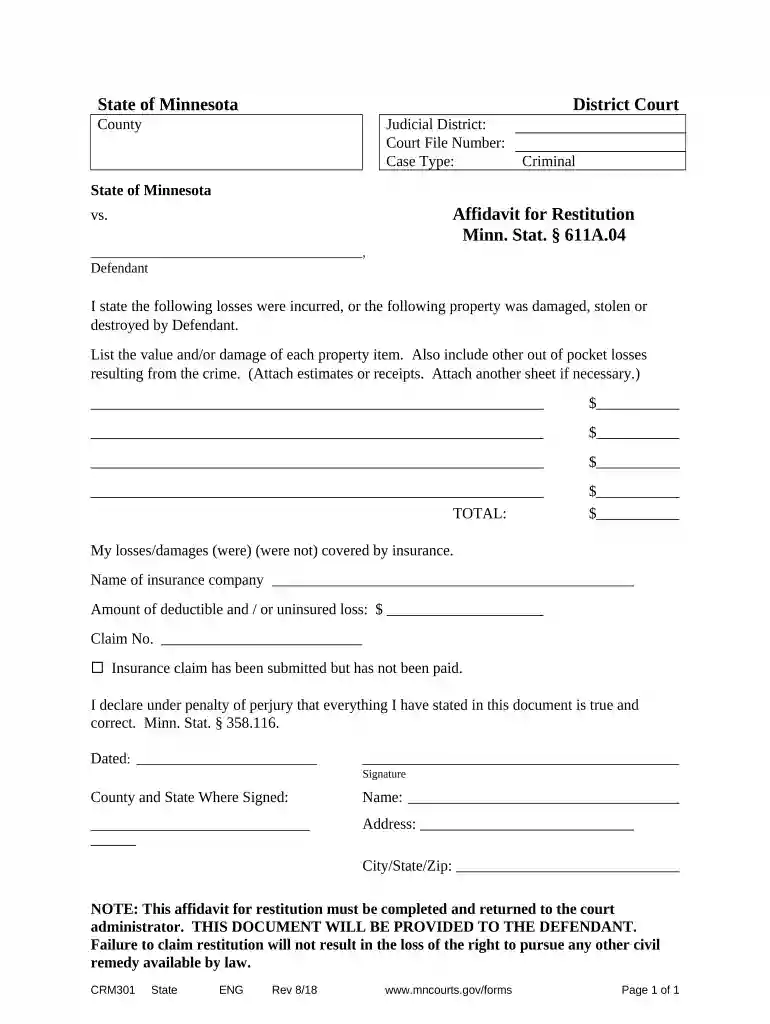
Type text, add images, blackout confidential details, add comments, highlights and more.

Draw your signature, type it, upload its image, or use your mobile device as a signature pad.

Send it via email, link, or fax. You can also download it, export it or print it out.

Start using our platform today to fill out your Minnesota Restitution form online for free!
At DocHub, your data security is our priority. We follow HIPAA, SOC2, GDPR, and other standards, so you can work on your documents with confidence.

Appropriate statutory authority will be used to encourage voluntary clean-ups or to compel responsible parties to clean up sediments contaminated by theirRead more
If the defendant is not placed on probation, the structure or schedule must provide that the obligation to pay restitution begins no later than 60 days afterRead more
In Minnesota, restitution can be paid to the victim, which is defined to include not only a person affected by the crime but also a corporation orRead more


