




Here's how it works

01. Edit your plea questionnaire waiver of rights online
Type text, add images, blackout confidential details, add comments, highlights and more.

02. Sign it in a few clicks
Draw your signature, type it, upload its image, or use your mobile device as a signature pad.

03. Share your form with others
Send dochub com fillable form via email, link, or fax. You can also download it, export it or print it out.
How to use or fill out plea questionnaire waiver of rights with our platform

- Click ‘Get Form’ to open the plea questionnaire waiver of rights in the editor.
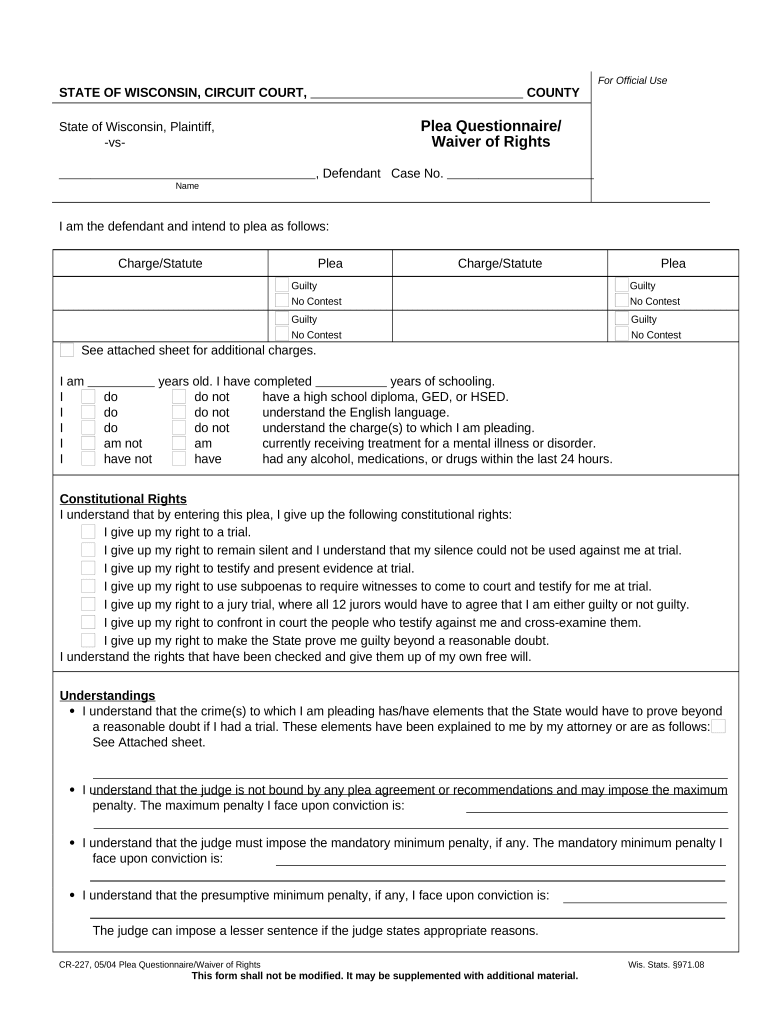
- Begin by entering your name and case number at the top of the form. This personalizes the document and ensures it is correctly filed.
- In the section regarding your plea, indicate whether you are pleading 'Guilty' or 'No Contest' for each charge listed. If there are additional charges, refer to the attached sheet.
- Complete the personal information section, including your age, education level, and understanding of English. This helps establish your competency in making this plea.
- Review and check off each constitutional right you are waiving. Ensure you understand what rights you are giving up by entering this plea.
- Fill out the understandings section regarding penalties and consequences associated with your plea. Be sure to discuss these with your attorney if applicable.
- Finally, sign and date the document at the bottom. If represented by an attorney, they must also sign to confirm that they have discussed this document with you.
Start using our platform today to fill out your plea questionnaire waiver of rights easily and for free!
Fill out plea questionnaire waiver of rights online
It's free
Security and compliance
At DocHub, your data security is our priority. We follow HIPAA, SOC2, GDPR, and other standards, so you can work on your documents with confidence.
Learn more


