Type text, add images, blackout confidential details, add comments, highlights and more.
02. Sign it in a few clicks
Draw your signature, type it, upload its image, or use your mobile device as a signature pad.
03. Share your form with others
Send it via email, link, or fax. You can also download it, export it or print it out.
How to use or fill out party to court with our platform
Ease of Setup
DocHub User Ratings on G2
Ease of Use
DocHub User Ratings on G2
Click ‘Get Form’ to open the party to court document in the editor.
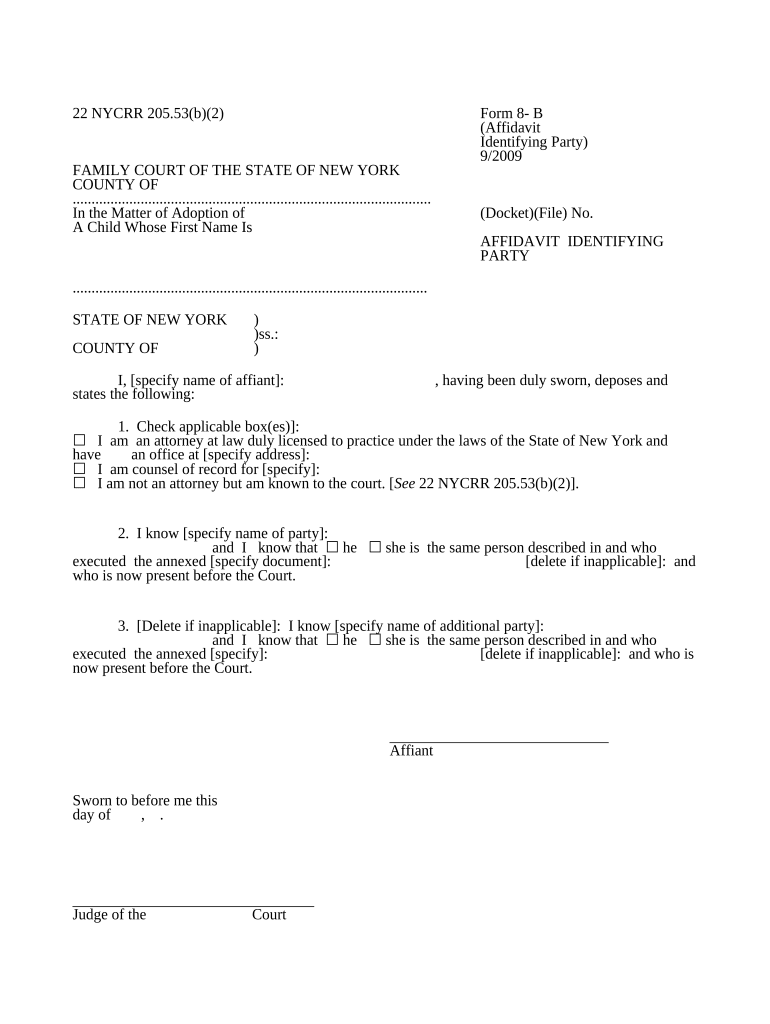
Begin by entering the county and docket number at the top of the form. This information is crucial for identifying your case.
In the section labeled 'I, [specify name of affiant]:', input your full name as the affiant. Ensure accuracy as this will be used in legal proceedings.
Check the applicable box that describes your status: whether you are an attorney, counsel of record, or known to the court. Fill in any required details such as your office address if you are an attorney.
Next, specify the name of the party involved and confirm their gender by checking either 'he' or 'she'.
If there is an additional party, repeat step 5 for them. If not applicable, delete that section.
Finally, sign and date the affidavit at the bottom before a notary public or judge.
Start using our platform today to complete your party to court form easily and for free!
Party to a lawsuit meaningWhat are the two parties in a civil case calledWhat are the two parties in a criminal case calledParty in lawsuit crossword clueParty in lawsuit starts with apParty in a lawsuit (8 letters)What is the party in a lawsuit calledParty in lawsuit synonym
Security and compliance
At DocHub, your data security is our priority. We follow HIPAA, SOC2, GDPR, and other standards, so you can work on your documents with confidence.
Commonly Used Terms | United States District Court
Party: The plaintiff or the defendant in a lawsuit. Plaintiff: The party that starts a civil lawsuit by filing a complaint. Pleadings: Written statements filedRead more
moving party | Wex | US Law | LII / Legal Information Institute
A term which refers to a party in a case who is making a motion. For example, if a plaintiff in a civil case moves for summary judgment, the plaintiff isRead more
FL-982 ORDER FOR PUBLICATION OR POSTING (Family law)
Posting Location: You must have someone, 18 years of age or older and not a party to the case, post a copy of this Order for. Publication or Posting (form FL-Read more
Cookie consent notice
This site uses cookies to enhance site navigation and personalize your experience.
By using this site you agree to our use of cookies as described in our Privacy Notice.
You can modify your selections by visiting our Cookie and Advertising Notice.