Type text, add images, blackout confidential details, add comments, highlights and more.
02. Sign it in a few clicks
Draw your signature, type it, upload its image, or use your mobile device as a signature pad.
03. Share your form with others
Send it via email, link, or fax. You can also download it, export it or print it out.
How to use or fill out deed trust amended with our platform
Ease of Setup
DocHub User Ratings on G2
Ease of Use
DocHub User Ratings on G2
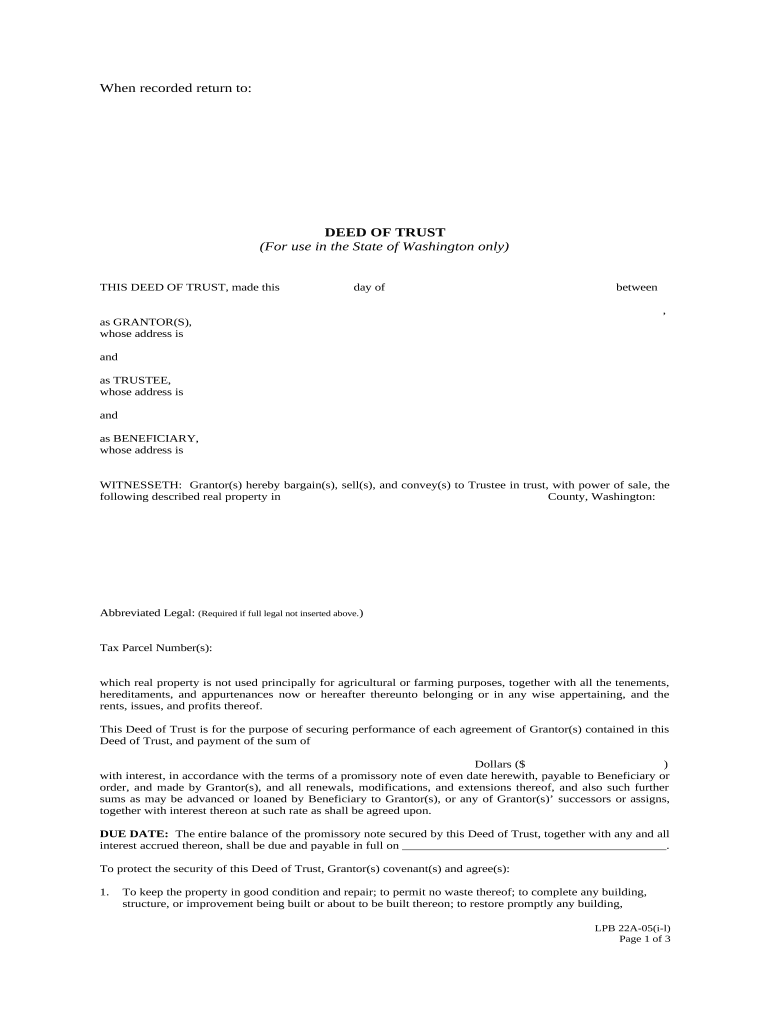
Click ‘Get Form’ to open the deed trust amended in the editor.
Begin by entering the date of execution at the top of the form. This is crucial for establishing the timeline of the agreement.
Fill in the names and addresses of all parties involved: Grantor(s), Trustee, and Beneficiary. Ensure accuracy as this information is vital for legal purposes.
In the property description section, provide a detailed description of the real property being secured, including any abbreviated legal descriptions and tax parcel numbers.
Specify the loan amount in dollars and include any applicable interest rates as per your promissory note.
Complete sections regarding covenants, such as maintaining property condition and insurance requirements. These are essential for protecting both parties' interests.
Review all entries for accuracy before saving or sharing your completed document. Utilize our platform’s features to ensure everything is correct.
Start editing your deed trust amended today for free on our platform!
Deeds of Trust | UT County Technical Assistance Service
The register is required to index the deed of trust amendments and other instruments affecting or modifying the original deed of trust in separate direct andRead more
Cookie consent notice
This site uses cookies to enhance site navigation and personalize your experience.
By using this site you agree to our use of cookies as described in our Privacy Notice.
You can modify your selections by visiting our Cookie and Advertising Notice.