Type text, add images, blackout confidential details, add comments, highlights and more.
02. Sign it in a few clicks
Draw your signature, type it, upload its image, or use your mobile device as a signature pad.
03. Share your form with others
Send it via email, link, or fax. You can also download it, export it or print it out.
How to use or fill out relinquishment form with our platform
Ease of Setup
DocHub User Ratings on G2
Ease of Use
DocHub User Ratings on G2
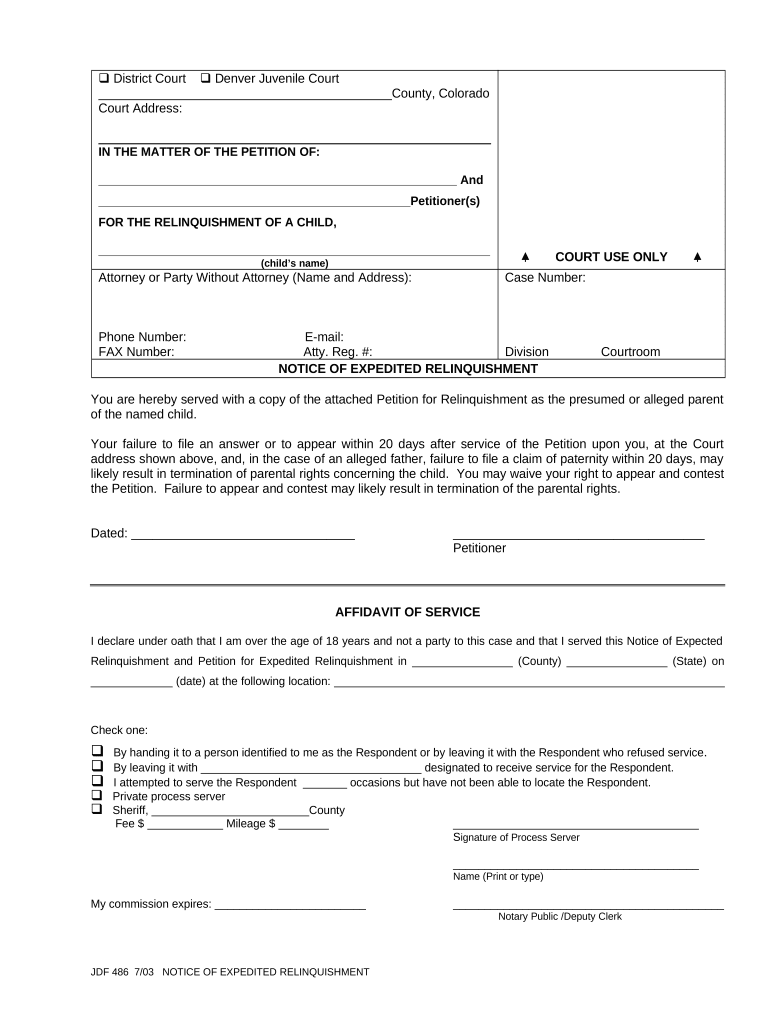
Click ‘Get Form’ to open the relinquishment form in the editor.
Begin by entering the names of the petitioners in the designated fields at the top of the form. Ensure that all names are spelled correctly for legal accuracy.
Fill in the child's name where indicated. This is crucial as it identifies the subject of the relinquishment.
Provide your contact information, including phone number, fax number, and email address. This ensures that you can be reached regarding any updates or requirements related to your petition.
Complete the case number field if applicable. If you do not have a case number yet, leave this blank.
Review and sign the affidavit of service section, ensuring that you accurately document how and when you served notice to all parties involved.
Finally, double-check all entries for accuracy before saving or submitting your completed form through our platform.
Start using our platform today to easily fill out your relinquishment form for free!
T-237 Relinquishment of a Georgia Prestige College
Form T-237 Relinquishment of a Georgia Prestige College Commemorative or Other Special License Plate Not Requiring Special Qualifications (PDF, 198.17 KB)Read more
Jul 3, 2024 relinquish command being sent from the OAC control PC, a four digit Personal Identification Number (PIN) may be entered through the keypadRead more
PHS 3734 (Rev. 08/23), Official Statement Relinquishing
Do not return the completed form to this address. (date). Name of Institution. Address (city and state). Principal Investigator on Public Health Service grantRead more
Cookie consent notice
This site uses cookies to enhance site navigation and personalize your experience.
By using this site you agree to our use of cookies as described in our Privacy Notice.
You can modify your selections by visiting our Cookie and Advertising Notice.