Type text, add images, blackout confidential details, add comments, highlights and more.
02. Sign it in a few clicks
Draw your signature, type it, upload its image, or use your mobile device as a signature pad.
03. Share your form with others
Send it via email, link, or fax. You can also download it, export it or print it out.
How to use or fill out motion sell with our platform
Ease of Setup
DocHub User Ratings on G2
Ease of Use
DocHub User Ratings on G2
Click ‘Get Form’ to open the motion sell document in the editor.
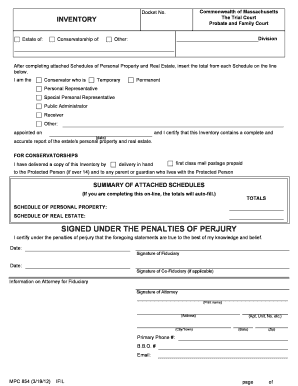
In Part I, enter your name as the requester of the license to sell real estate. Provide details about the property, including the book and page number and the town where the deed is recorded.
Check the appropriate box that applies to your situation and complete the corresponding paragraph explaining why the sale is necessary or beneficial for the estate.
Fill in the date and sign at the bottom of Part I, ensuring your printed name is clear.
In Part II, provide details of your oath by filling in where and when you appeared before a notary or probate judge. Ensure they sign as well.
In Part III, gather signatures from all interested parties. Each person should print their name, address, and telephone number before signing to consent to the license.
Start using our platform today for free to streamline your motion sell process!
Rule 6004. Use, Sale, or Lease of Property - Law.Cornell.Edu
An objection to a proposed use, sale, or lease of property must be filed and served at least 7 days before the date set for the proposed action or within theRead more
A motion to sell property of the estate should include the
A motion to sell property of the estate should include the following information: 1. A description of the property to be sold;. 2. The proposed sales priceRead more
Cookie consent notice
This site uses cookies to enhance site navigation and personalize your experience.
By using this site you agree to our use of cookies as described in our Privacy Notice.
You can modify your selections by visiting our Cookie and Advertising Notice.