Type text, add images, blackout confidential details, add comments, highlights and more.
02. Sign it in a few clicks
Draw your signature, type it, upload its image, or use your mobile device as a signature pad.
03. Share your form with others
Send it via email, link, or fax. You can also download it, export it or print it out.
How to use or fill out tx annuity with our platform
Ease of Setup
DocHub User Ratings on G2
Ease of Use
DocHub User Ratings on G2
Click ‘Get Form’ to open the tx annuity application in the editor.
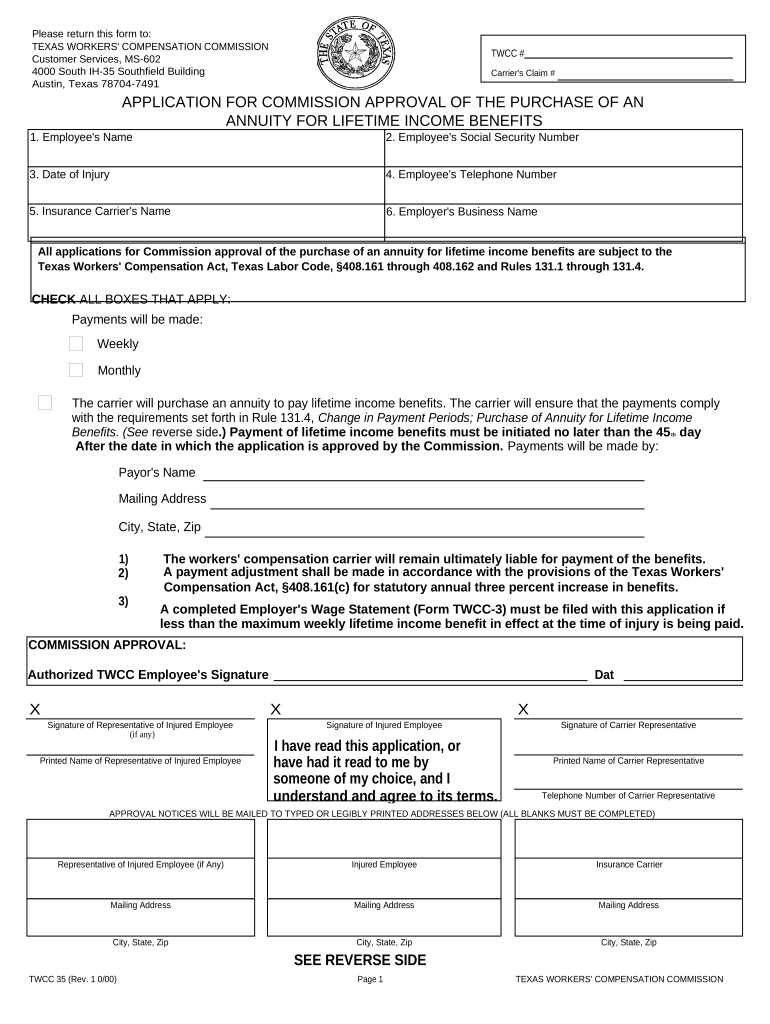
Begin by entering the Employee's Name and Social Security Number in the designated fields. This information is crucial for identification purposes.
Fill in the Date of Injury and Employee's Telephone Number. Ensure these details are accurate to avoid processing delays.
Next, provide the Insurance Carrier's Name and Employer's Business Name. This helps establish the context of the claim.
Check all applicable boxes regarding payment frequency (Weekly or Monthly) and ensure that you understand the requirements outlined in Rule 131.4.
Complete the Payor's Name and Mailing Address sections, ensuring all information is legible for proper communication.
Finally, gather signatures from all required parties, including the injured employee and their representative, if applicable. Review all entries for accuracy before submission.
Start filling out your tx annuity form online for free today!
Nov 20, 2009 A DL380 G5 Storage Server is the fast and easy way to add high-performance network file storage to your enterprise or workgroup IT.Read more
Cookie consent notice
This site uses cookies to enhance site navigation and personalize your experience.
By using this site you agree to our use of cookies as described in our Privacy Notice.
You can modify your selections by visiting our Cookie and Advertising Notice.