Type text, add images, blackout confidential details, add comments, highlights and more.
02. Sign it in a few clicks
Draw your signature, type it, upload its image, or use your mobile device as a signature pad.
03. Share your form with others
Send it via email, link, or fax. You can also download it, export it or print it out.
How to use or fill out formal administration with our platform
Ease of Setup
DocHub User Ratings on G2
Ease of Use
DocHub User Ratings on G2
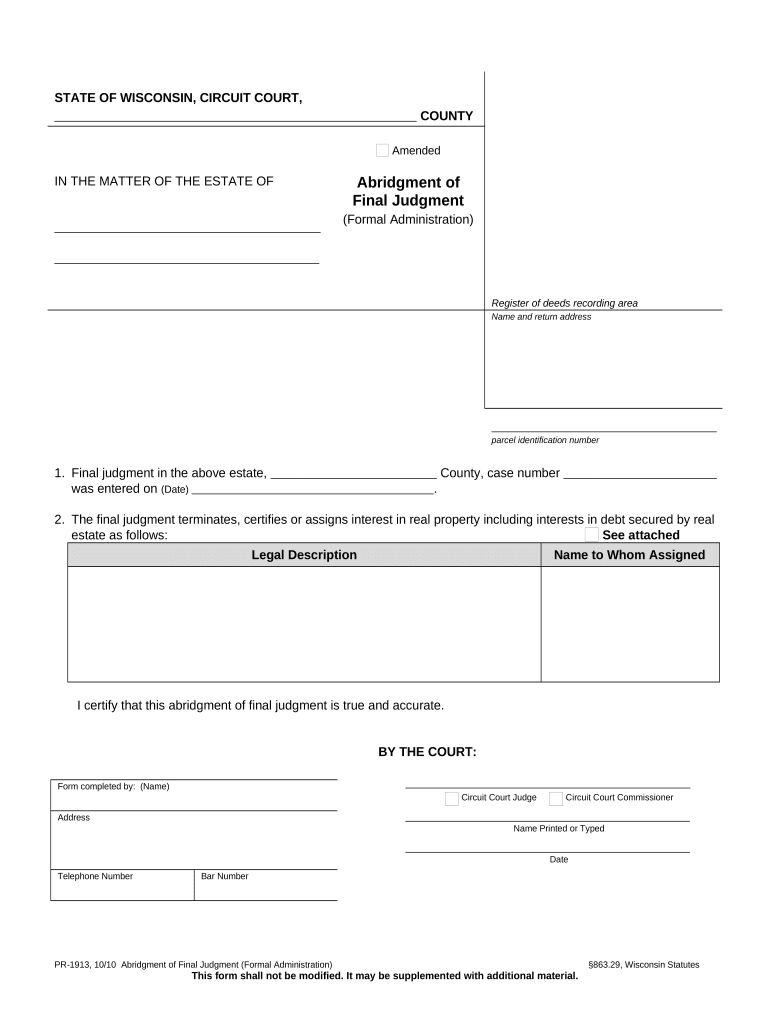
Click ‘Get Form’ to open the formal administration document in the editor.
Begin by entering the name and return address in the designated section at the top of the form. This information is crucial for proper identification and correspondence.
Fill in the parcel identification number, which is essential for identifying the specific property involved in the estate.
In section one, indicate the date when the final judgment was entered along with the county and case number. This provides a legal reference for your records.
For section two, detail how interests in real property are assigned. Attach any necessary legal descriptions and specify to whom these interests are assigned.
Complete the certification by entering your name as it should appear, along with your title (Circuit Court Judge or Commissioner), address, date, telephone number, and bar number if applicable.
Start using our platform today to streamline your formal administration process for free!
Formal administration vs probateFormal administration floridaIndependent administrationFormal administration florida probateSummary administrationPetition for administrationHow to get Letters of Administration without willPetition for summary administration
Security and compliance
At DocHub, your data security is our priority. We follow HIPAA, SOC2, GDPR, and other standards, so you can work on your documents with confidence.
Cookie consent notice
This site uses cookies to enhance site navigation and personalize your experience.
By using this site you agree to our use of cookies as described in our Privacy Notice.
You can modify your selections by visiting our Cookie and Advertising Notice.