Type text, add images, blackout confidential details, add comments, highlights and more.
02. Sign it in a few clicks
Draw your signature, type it, upload its image, or use your mobile device as a signature pad.
03. Share your form with others
Send it via email, link, or fax. You can also download it, export it or print it out.
How to use or fill out mn termination with our platform
Ease of Setup
DocHub User Ratings on G2
Ease of Use
DocHub User Ratings on G2
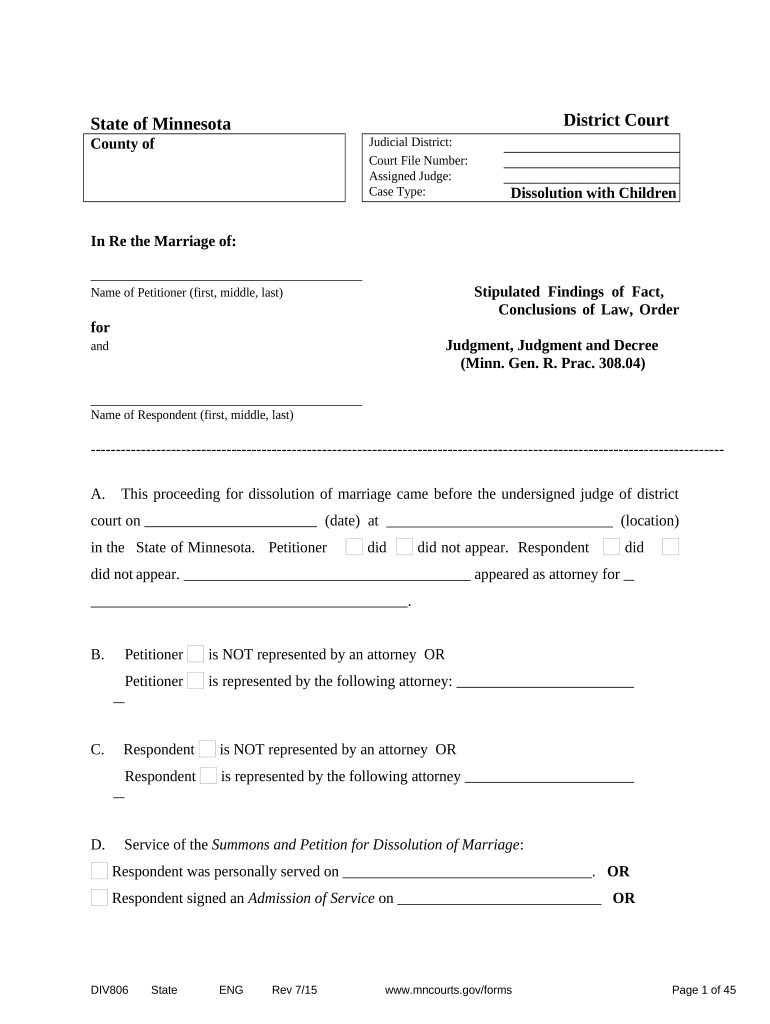
Click ‘Get Form’ to open the mn termination document in the editor.
Begin by filling in the 'Judicial District' and 'Court File Number' at the top of the form. This information is essential for identifying your case.
In section A, indicate whether the Petitioner and Respondent appeared at the court hearing by checking the appropriate boxes.
Complete sections B through D by providing details about legal representation for both parties, if applicable.
In section E, confirm whether an Answer and Counter-Petition were served to the Petitioner. If yes, provide the date of service.
Proceed to fill out personal information for both Petitioner and Respondent in sections F through H, including names, addresses, and dates of birth.
Continue through each section methodically, ensuring all required fields are completed accurately. Pay special attention to custody arrangements and financial disclosures in later sections.
Start using our platform today to streamline your mn termination process for free!
Employment termination | Minnesota Department of Labor and
Minnesota is an employment at will state. An employee can quit for any reason; an employer can fire any employee for any reason as long as that reason is notRead more
Angamos power station - Global Energy Monitor - GEM.wiki
BHP had been scheduled to purchase power from the Angamos coal plant through 2029, but now will discontinue its energy purchases from AES Gener effective AugustRead more
Cookie consent notice
This site uses cookies to enhance site navigation and personalize your experience.
By using this site you agree to our use of cookies as described in our Privacy Notice.
You can modify your selections by visiting our Cookie and Advertising Notice.