




01. Edit your answer to complaint form online
Type text, add images, blackout confidential details, add comments, highlights and more.

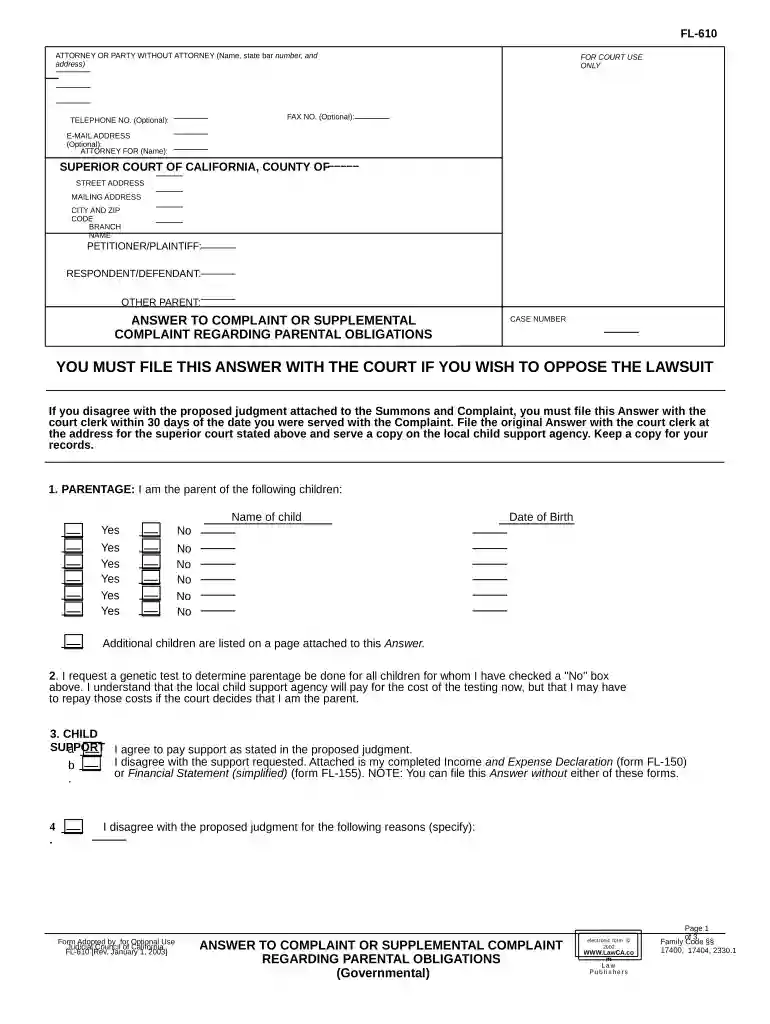
Type text, add images, blackout confidential details, add comments, highlights and more.

Draw your signature, type it, upload its image, or use your mobile device as a signature pad.

Send it via email, link, or fax. You can also download it, export it or print it out.

Start using our platform today to fill out your California Answer Complaint easily and for free!
At DocHub, your data security is our priority. We follow HIPAA, SOC2, GDPR, and other standards, so you can work on your documents with confidence.


The Complaint as a whole, and each purported cause of action alleged and remedy sought therein, is barred in whole or in part by the applicable statute ofRead more
You must fill out an Answer, serve the plaintiff, and file your Answer form with the court. Generally, this is due within 30 days after you were served.Read more
A Provider/Practitioner grievance or complaint is described in Title 22, California Code of Regulations (CCR), as a written entry into the appeals processRead more


