Type text, add images, blackout confidential details, add comments, highlights and more.
02. Sign it in a few clicks
Draw your signature, type it, upload its image, or use your mobile device as a signature pad.
03. Share your form with others
Send it via email, link, or fax. You can also download it, export it or print it out.
How to use or fill out 13 plan with our platform
Ease of Setup
DocHub User Ratings on G2
Ease of Use
DocHub User Ratings on G2
Click ‘Get Form’ to open the 13 plan in the editor.
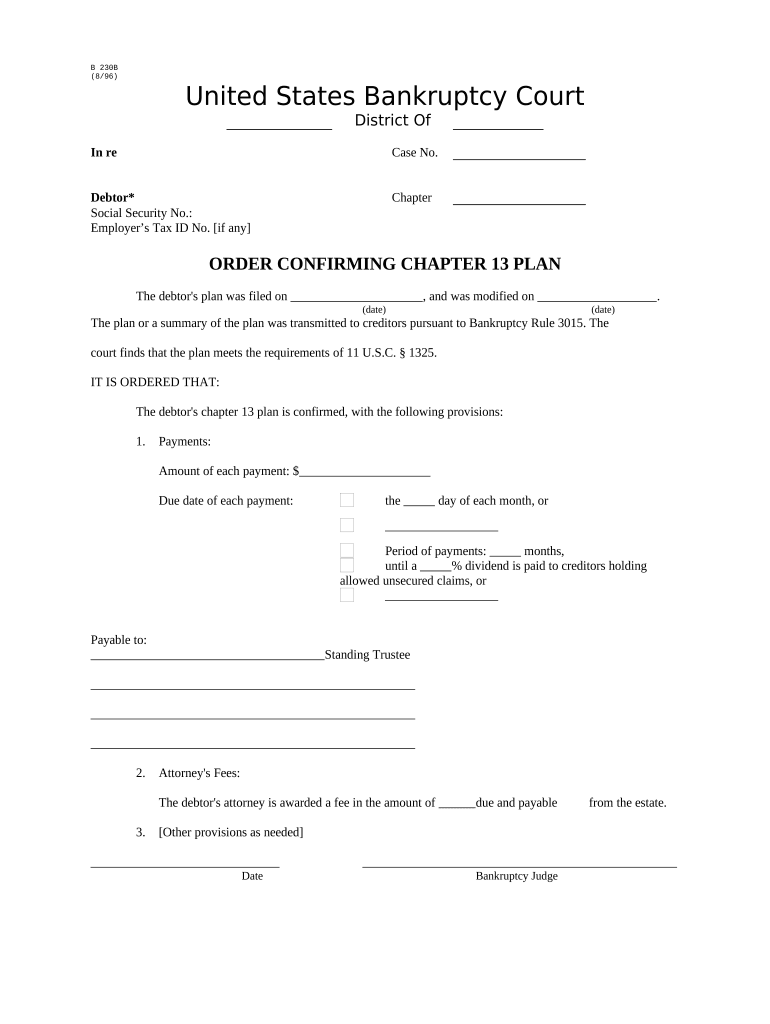
Begin by entering the case number and debtor's information, including their Social Security Number and Employer’s Tax ID Number if applicable.
Specify the chapter of bankruptcy by selecting 'Chapter 13' from the options provided.
Fill in the dates for when the plan was filed and modified. Ensure these are accurate as they are crucial for court records.
Detail the payment structure: input the amount of each payment, due date, and period of payments. Clearly state any dividend percentages for unsecured claims.
Indicate who payments will be made to, typically a Standing Trustee, ensuring all details are correct.
Enter attorney's fees awarded to the debtor's attorney, specifying when these fees are due from the estate.
Review all entries for accuracy before finalizing your document. Use our platform’s tools to make any necessary adjustments.
Start using our platform today to effortlessly complete your 13 plan form online for free!
Chapter 13 Plan formChapter 13 plan exampleOfficial Form 113 Chapter 13 PlanChapter 13 Plan pdfHow to fill out Chapter 13 plan formChapter 13 plan instructionsNational chapter 13 planChapter 13 repayment plan calculator
Security and compliance
At DocHub, your data security is our priority. We follow HIPAA, SOC2, GDPR, and other standards, so you can work on your documents with confidence.
Jun 27, 2023 Jawa-11 through Jawa-13 power stations are three coal-fired power plants shown in the PT PLN 2015-2024 long range supply plan for Indonesia.
A chapter 13 bankruptcy is also called a wage earners plan. It enables individuals with regular income to develop a plan to repay all or part of their debts.Read more
Cookie consent notice
This site uses cookies to enhance site navigation and personalize your experience.
By using this site you agree to our use of cookies as described in our Privacy Notice.
You can modify your selections by visiting our Cookie and Advertising Notice.