Form 1301-2026

Get Form
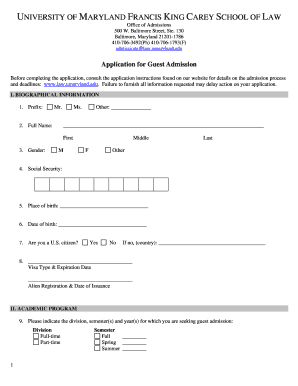
formulario 1301 Preview on Page 1

Here's how it works

01. Edit your formulario 1301 online
Type text, add images, blackout confidential details, add comments, highlights and more.
02. Sign it in a few clicks
Draw your signature, type it, upload its image, or use your mobile device as a signature pad.
03. Share your form with others
Send form 1301 via email, link, or fax. You can also download it, export it or print it out.

How to use or fill out form 1301 with our platform

Form edit decoration
9.5
Ease of Setup
DocHub User Ratings on G2
9.0
Ease of Use
DocHub User Ratings on G2
  1. Click ‘Get Form’ to open it in the editor.
  2. Begin by entering the court address and selecting the appropriate court type at the top of the form.
  3. Fill in the names of the Petitioner and Co-Petitioner/Respondent, ensuring all details are accurate.
  4. Provide your contact information, including phone number, email, and attorney registration number if applicable.
  5. In the section for 'Petitioner's Verified Motion For', check the box corresponding to your request: publication of summons, service by certified mail, or publication by consolidated notice.
  6. Detail your efforts to locate the Respondent in section 2. Be specific about methods used and any findings.
  7. Complete sections regarding known addresses and any relevant property interests or parental responsibilities.
  8. Finally, sign and date the verification section to affirm that all information is true to your knowledge.

Start using our platform today for free to streamline your document editing and form completion!

be ready to get more

Complete this form in 5 minutes or less

Get form

Got questions?

We have answers to the most popular questions from our customers. If you can't find an answer to your question, please contact us.
Contact us
The steps to be followed for raising the refund re-issue request are: Login to the e-filing portal as the legal heir. Navigate to Services and then select Refund Reissue. Enter the PAN of the deceased taxpayer. Verify the assessment year and ensure that they are correct.
If a tax refund is due, the person claiming the refund must fill out IRS Form 1310: Statement of Person Claiming Refund Due to Deceased Taxpayer unless the person is a surviving spouse filing a joint return or a court-appointed personal representative.
Filing the final return The executor usually files a joint return, but the surviving spouse can file it if no executor or administrator has been appointed.
Form 1301 is the tax return filed with the Israel Tax Authority. Upon processing, the Israel Tax Authority will send the taxpayer a tax assessment, shumat mas. Married filers will be assessed jointly but can request separate assessments, if need be.
If you are filing Form 1310 separately, send it to the same Internal Revenue Service Center where the original return was filed. If the original return was filed electronically, mail Form 1310 to the Internal Revenue Service Center designated for the address shown on your completed Form 1310 above.

Security and compliance

At DocHub, your data security is our priority. We follow HIPAA, SOC2, GDPR, and other standards, so you can work on your documents with confidence.

Learn more
ccpa2
pci-dss
gdpr-compliance
hipaa
soc-compliance

People also ask

Form 1310 is a tax form that is used to claim a refund for a deceased taxpayer. Form 1310 informs the Internal Revenue Service (IRS) that a taxpayer has died and that a refund is being claimed by their beneficiaries and/or estate.

1301 form