Type text, add images, blackout confidential details, add comments, highlights and more.
02. Sign it in a few clicks
Draw your signature, type it, upload its image, or use your mobile device as a signature pad.
03. Share your form with others
Send it via email, link, or fax. You can also download it, export it or print it out.
How to use or fill out CA Protective Order with our platform
Ease of Setup
DocHub User Ratings on G2
Ease of Use
DocHub User Ratings on G2
Click ‘Get Form’ to open the CA Protective Order in the editor.
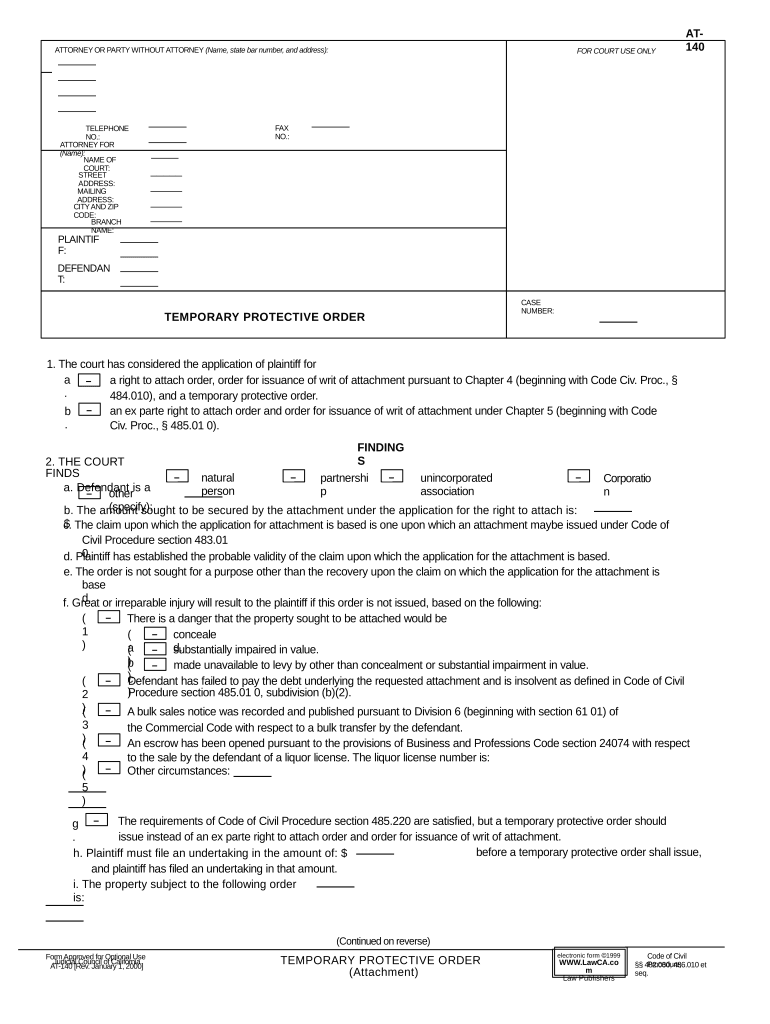
Begin by filling in your details as the plaintiff. Enter your name, address, and contact information in the designated fields at the top of the form.
Next, provide information about the defendant. Include their name and any relevant details that may assist in identifying them.
In section 1, specify whether you are applying for a right to attach order or a temporary protective order. Clearly indicate your choice by checking the appropriate box.
Proceed to section 2 where you will outline the findings. Fill in each subsection with accurate information regarding the claim and circumstances surrounding it.
Complete section 3 by detailing any orders you wish to impose on the defendant regarding their property. Be specific about restrictions and conditions.
Finally, review all entries for accuracy before saving or printing your completed form for submission.
Start using our platform today to easily fill out your CA Protective Order for free!
Criminal protective order vs restraining orderDomestic violence restraining orderCivil harassment restraining orderLos Angeles County restraining order lookupEPO protective orderCriminal Protective order lookupDomestic violence restraining order (DVRO)How to get an emergency protective order
Security and compliance
At DocHub, your data security is our priority. We follow HIPAA, SOC2, GDPR, and other standards, so you can work on your documents with confidence.
Global Warming Solutions Act of 2006 - Global Energy Monitor
The law requires that by 2020 the states greenhouse gas emissions be reduced to 1990 levels, a roughly 25% reduction under business as usual estimates.Read more
A judge can issue a protective order while a criminal case is ongoing Not contact people protected by the order Not harass, stalk, threaten or hurt peopleRead more
Typically lasts 10 to 25 days Issued by a court without the other party present Provides immediate legal protection Leads to a full court hearing for a long-Read more
Cookie consent notice
This site uses cookies to enhance site navigation and personalize your experience.
By using this site you agree to our use of cookies as described in our Privacy Notice.
You can modify your selections by visiting our Cookie and Advertising Notice.