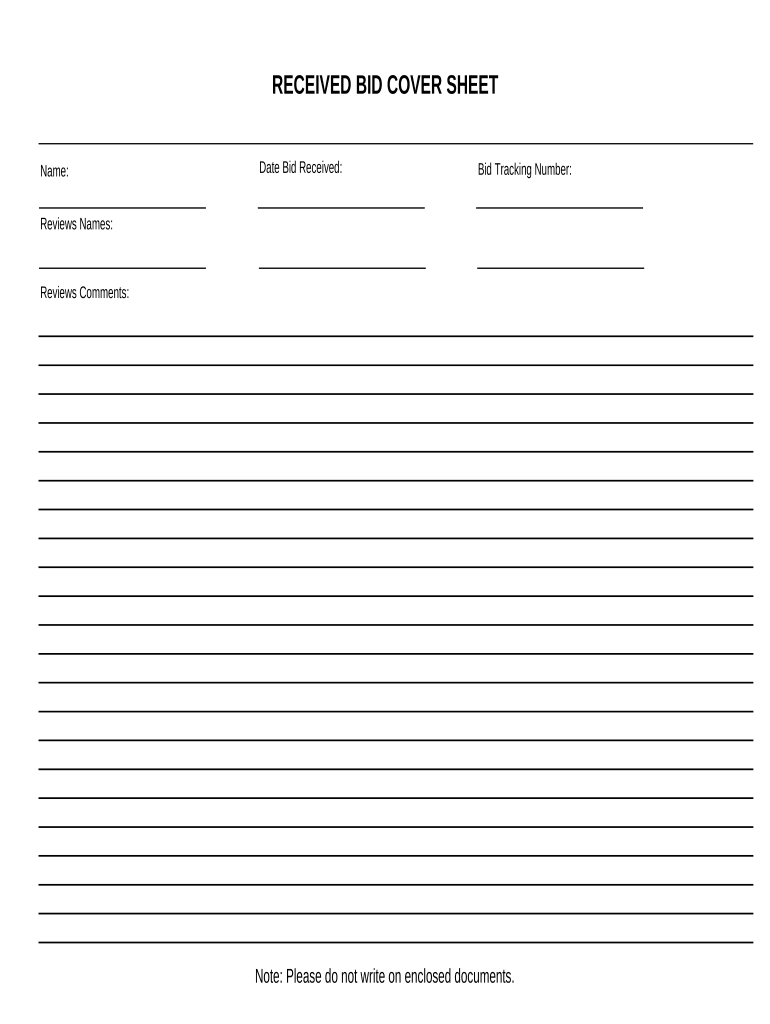
Received Bid Cover Sheet 2025

Get Form
bid cover sheet Preview on Page 1

Here's how it works

01. Edit your bid cover sheet online
Type text, add images, blackout confidential details, add comments, highlights and more.
02. Sign it in a few clicks
Draw your signature, type it, upload its image, or use your mobile device as a signature pad.
03. Share your form with others
Send lexile conversion chart pdf via email, link, or fax. You can also download it, export it or print it out.

How to use or fill out Received Bid Cover Sheet with our platform

Form edit decoration
9.5
Ease of Setup
DocHub User Ratings on G2
9.0
Ease of Use
DocHub User Ratings on G2
  1. Click ‘Get Form’ to open the Received Bid Cover Sheet in the editor.
  2. Begin by entering your name in the designated field. This identifies who is submitting the bid.
  3. Next, input the date the bid was received. This helps track when submissions were made.
  4. Fill in the Bid Tracking Number. This unique identifier is crucial for referencing your bid throughout the review process.
  5. In the Reviews Names section, list all individuals involved in reviewing the bid. This promotes transparency and accountability.
  6. Finally, provide any comments from reviewers in the Reviews Comments section. This feedback can be vital for future bids.

Start using our platform today to streamline your document editing and form completion for free!

be ready to get more

Complete this form in 5 minutes or less

Get form

Got questions?

We have answers to the most popular questions from our customers. If you can't find an answer to your question, please contact us.
Contact us
Key Elements of a Proposal Cover Sheet Submitting Organization Details:Include your company name, address, and contact information. Client Information:Mention the issuing organizations name and address, ensuring accuracy and alignment with the RFP. Proposal Date:Specify the date your proposal is submitted.
Bid Data Sheet . (BDS) means such part of this Bid Document used to reflect specific assignment conditions. Bid Data Sheet or BDS means the bid data in Section II, Bid Data Sheet of this Bidding Document used to reflect specific requirements and/or conditions.
Steps for writing a project proposal 1 Define your objectives. 2 Understand your audience. 3 Research and planning. 4 Outline the proposal. 5 Write the introduction. 6 Define the scope and methodology. 7 Budgeting. 8 Team and qualifications.
The key difference between a bid and a cover letter is that a bid is a detailed proposal specific to a project, while a cover letter is a general overview of qualifications and is typically used with a resume.
Like your dissertation or thesis, the proposal will usually have a title page that includes: The proposed title of your project. Your name. Your supervisors name. Your institution and department.

People also ask

Here are the key elements every bid proposal should include: Clients name and contact information. Your business name and contact information. A detailed project description. Services or products provided. Pricing estimate. Terms and conditions. Estimated timeline.
A proposal cover page is crucial for making a strong first impression and should communicate essential details about the proposal. A strong cover page should be clear, concise, and reflect the brands values, with a touch of creativity and personalization.

Related links