Mn confidential information 2026

Get Form
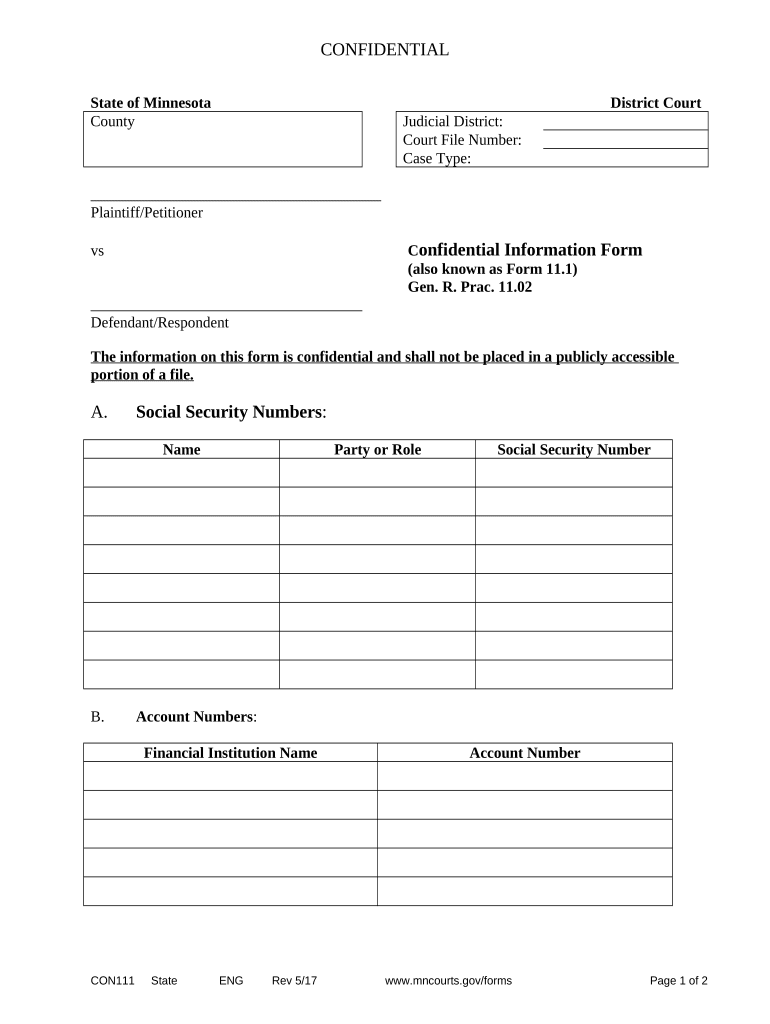
mn confidential information Preview on Page 1

Here's how it works

01. Edit your form online
Type text, add images, blackout confidential details, add comments, highlights and more.
02. Sign it in a few clicks
Draw your signature, type it, upload its image, or use your mobile device as a signature pad.
03. Share your form with others
Send it via email, link, or fax. You can also download it, export it or print it out.

How to use or fill out mn confidential information with our platform

Form edit decoration
9.5
Ease of Setup
DocHub User Ratings on G2
9.0
Ease of Use
DocHub User Ratings on G2
  1. Click ‘Get Form’ to open the mn confidential information form in the editor.
  2. Begin by entering the Judicial District and Court File Number at the top of the form. This identifies your case within the court system.
  3. In section A, provide Social Security Numbers for all relevant parties. Ensure accuracy as this information is sensitive and must be kept confidential.
  4. Next, fill in the Party or Role along with Account Numbers in section B. Include the Financial Institution Name associated with each account.
  5. In section C, enter Employer Identification Numbers and corresponding Employer names. This is crucial for financial verification.
  6. Finally, complete the submission details by printing or typing your name, signing, and providing your attorney registration number if applicable. Don’t forget to include your contact information and date.

Start using our platform today to easily fill out your mn confidential information form for free!

be ready to get more

Complete this form in 5 minutes or less

Get form

Got questions?

We have answers to the most popular questions from our customers. If you can't find an answer to your question, please contact us.
Contact us
Confidential information is information disclosed by one party to another in any way that is designated as confidential. It can be communicated directly, indirectly, orally, in written form or by inspection of tangible objects like documents, prototypes, samples, production plants and equipment.
Examples of confidential information include a persons phone number and address, medical records, and social security. Companies also have confidential information such as financial records, trade secrets, customer information, and marketing strategies.
Typically, these exclusions include information that is publicly known, already known by the receiving party prior to disclosure, independently developed by the receiving party, or disclosed by a third party without breach of any confidentiality obligation.
- It includes any information one party discloses to the other, whether marked confidential or reasonably obvious due to its nature and the circumstances. - Confidential information covers details about business, operations, products, services, customers, suppliers, employees, finances, intellectual property, etc.
Sensitive information often includes personal details such as names, addresses, social security numbers, and medical records. Safeguarding this information is crucial to protecting individuals privacy and preventing identity theft, fraud, or other forms of exploitation.

Security and compliance

At DocHub, your data security is our priority. We follow HIPAA, SOC2, GDPR, and other standards, so you can work on your documents with confidence.

Learn more
ccpa2
pci-dss
gdpr-compliance
hipaa
soc-compliance
be ready to get more

Complete this form in 5 minutes or less

Get form

People also ask

Confidential information shall not include the following: (a) information that, at the time of disclosure, is in the public domain; (b) information that, after disclosure, is published or otherwise becomes part of the public domain through no fault of the recipient; (c) information that the recipient can show already
A confidential data classification means a limited group of individuals or parties can access the sensitive information, often requiring clearance or special authorization.
The types of information that is considered confidential can include name, date of birth, age, sex and address. current contact details of family, guardian etc. bank details. medical history or records. personal care issues. service records and file progress notes. individual personal plans. assessments or reports.

Related links