Type text, add images, blackout confidential details, add comments, highlights and more.
02. Sign it in a few clicks
Draw your signature, type it, upload its image, or use your mobile device as a signature pad.
03. Share your form with others
Send it via email, link, or fax. You can also download it, export it or print it out.
How to use or fill out va lease with our platform
Ease of Setup
DocHub User Ratings on G2
Ease of Use
DocHub User Ratings on G2
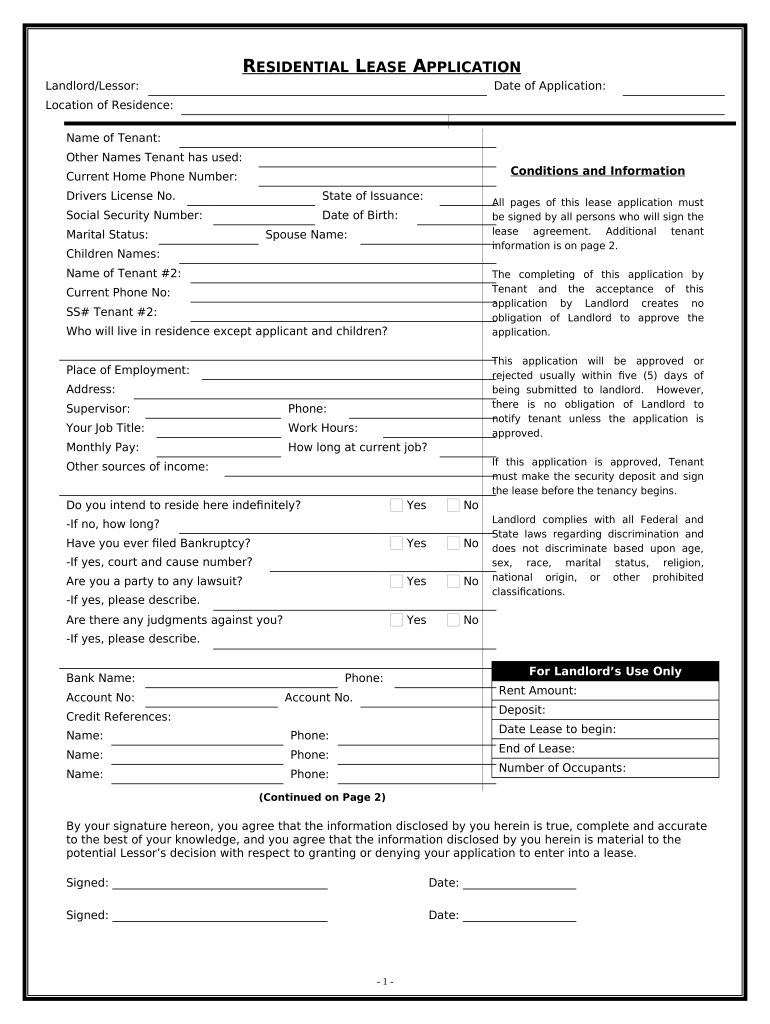
Click ‘Get Form’ to open the va lease application in the editor.
Begin by entering your personal information, including your name, date of application, and current home phone number. Ensure accuracy as this information is crucial for processing.
Fill in details about your employment, including your place of employment, job title, and monthly pay. This section helps landlords assess your financial stability.
Complete the sections regarding any additional tenants or dependents living with you. This includes names and relationships to ensure all occupants are documented.
Review the conditions regarding pets and previous rental history. Be honest about any past evictions or bankruptcies as this can impact your application.
Finally, sign and date the application at the bottom. All applicants must provide their signatures to validate the information provided.
Start filling out your va lease today for free using our platform!
VIRGINIA REALTORS. RESIDENTIAL LEASE. (This is a legally binding contract. If not understood, seek competent advice before signing.) EFFECTIVE DATE OF LEASE:Read more
Lease Acquisition Management Policies and Procedures
Apr 15, 2026 The tables below list CFM ORP Enterprise-Wide Real Property Lease Acquisition and Management Policies and Directives to be adhered to by VAsRead more
Apr 30, 2021 Any adult citizen of the United States may obtain and hold Federal coal leases. Minors may not acquire leases, but a lease may issued to a legalRead more
Cookie consent notice
This site uses cookies to enhance site navigation and personalize your experience.
By using this site you agree to our use of cookies as described in our Privacy Notice.
You can modify your selections by visiting our Cookie and Advertising Notice.