Type text, add images, blackout confidential details, add comments, highlights and more.
02. Sign it in a few clicks
Draw your signature, type it, upload its image, or use your mobile device as a signature pad.
03. Share your form with others
Send fnb dispute form via email, link, or fax. You can also download it, export it or print it out.
How to use or fill out fnb dispute form with our platform
Ease of Setup
DocHub User Ratings on G2
Ease of Use
DocHub User Ratings on G2
Click ‘Get Form’ to open the fnb dispute form in the editor.
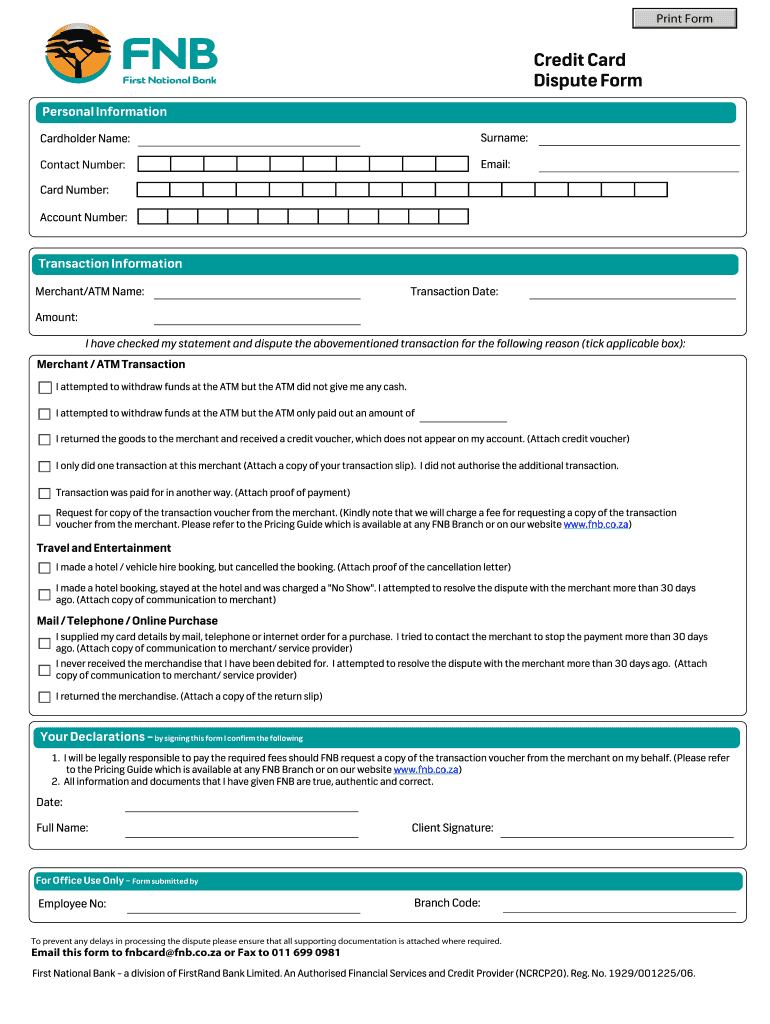
Begin by filling in your personal information. Enter your cardholder name, surname, contact number, email, card number, and account number in the designated fields.
Next, provide transaction information. Fill in the merchant/ATM name, transaction date, and amount. Ensure accuracy as this information is crucial for processing your dispute.
Select the reason for your dispute by ticking the applicable box. Depending on your situation (e.g., ATM issues, unauthorized transactions), attach any required documentation such as credit vouchers or communication with merchants.
In the declarations section, confirm that all provided information is true and that you understand any fees associated with requesting transaction vouchers.
Finally, sign and date the form. Ensure all supporting documents are attached before submitting.
Start using our platform today to fill out your fnb dispute form easily and for free!
Fnb dispute form pdfFnb dispute form pdf downloadFnb dispute form onlineFnb dispute form downloadFnb cheque and debit card dispute formFNB disputes contact numberHow to dispute transaction on FNB AppFNB dispute Email address
Security and compliance
At DocHub, your data security is our priority. We follow HIPAA, SOC2, GDPR, and other standards, so you can work on your documents with confidence.
Consent Order - United States v. First National Bank of
Feb 13, 2024 If the Parties are unable to resolve their differences, either Party may bring the dispute to the Court for resolution. proceeding by orRead more
ARBITRATION. The Customer and the Bank agree that, at the request of either party, the parties will resolve all disputes, claims or controversies arising out ofRead more
Cookie consent notice
This site uses cookies to enhance site navigation and personalize your experience.
By using this site you agree to our use of cookies as described in our Privacy Notice.
You can modify your selections by visiting our Cookie and Advertising Notice.