Document Locator and Personal Information Package including burial information form - Georgia 2025

Get Form
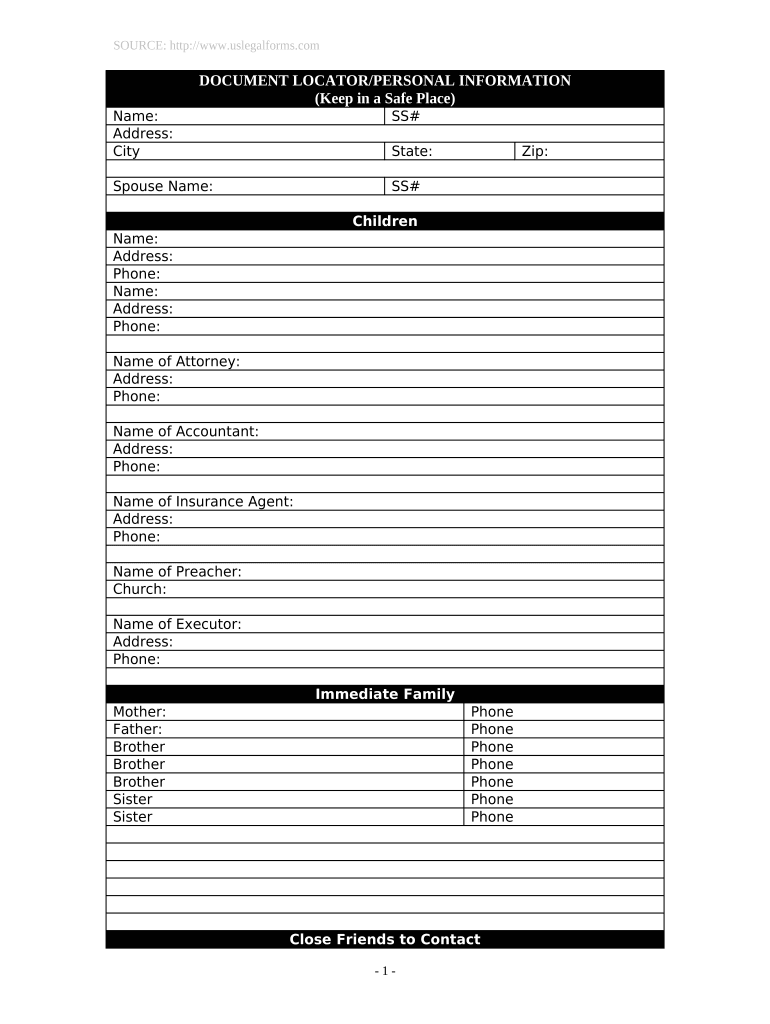
Document Locator and Personal Information Package including burial information form - Georgia Preview on Page 1

Here's how it works

01. Edit your form online
Type text, add images, blackout confidential details, add comments, highlights and more.
02. Sign it in a few clicks
Draw your signature, type it, upload its image, or use your mobile device as a signature pad.
03. Share your form with others
Send it via email, link, or fax. You can also download it, export it or print it out.

How to use or fill out Document Locator and Personal Information Package including burial information form - Georgia

Form edit decoration
9.5
Ease of Setup
DocHub User Ratings on G2
9.0
Ease of Use
DocHub User Ratings on G2
  1. Click ‘Get Form’ to open it in the editor.
  2. Begin by entering your personal details in the 'Name', 'Address', and 'City' fields. Ensure accuracy as this information is crucial for identification.
  3. Fill in the Social Security Numbers (SS#) for yourself and your spouse, if applicable. This step is important for legal documentation.
  4. List your children’s names, addresses, and phone numbers in the designated sections. This helps keep track of immediate family contacts.
  5. Provide contact information for your attorney, accountant, insurance agent, preacher, and executor. This ensures that all necessary parties are easily reachable.
  6. In the 'Location of Important Documents' section, specify where key documents like wills, birth certificates, and insurance policies are stored.
  7. Complete the 'Burial Information' section by entering cemetery details and whether you have a deed.
  8. Finally, add any notes or messages to loved ones at the end of the form to convey important sentiments or instructions.

Start using our platform today to complete your Document Locator and Personal Information Package effortlessly!

be ready to get more

Complete this form in 5 minutes or less

Get form

Got questions?

We have answers to the most popular questions from our customers. If you can't find an answer to your question, please contact us.
Contact us

If you often work with documents stored in your Google Drive, DocHub is a superb option for you to easily and quickly fill out, adjust, and approve them. This editor integrates well with Google apps, so you can export your Document Locator and Personal Information Package including burial information form - Georgia from your Google Drive to the editor without the need of downloading and re-uploading it. Right-click on your document, select Open With → DocHub PDF Sign and Edit. In our editor, add and assign Signature Fields for all parties involved, then click on the Menu option above → Send → select how you want to share your form.

With DocHub, you have several convenient methods to edit your Document Locator and Personal Information Package including burial information form - Georgia online. You can drag and drop the form and edit it directly at the DocHub website or use our browser extension to fill out your form immediately. On top of that, you can edit your PDF on your phone, as DocHub works with all the available mobile platforms.