Type text, add images, blackout confidential details, add comments, highlights and more.
02. Sign it in a few clicks
Draw your signature, type it, upload its image, or use your mobile device as a signature pad.
03. Share your form with others
Send it via email, link, or fax. You can also download it, export it or print it out.
How to use or fill out Balance Sheet Deposits with our platform
Ease of Setup
DocHub User Ratings on G2
Ease of Use
DocHub User Ratings on G2
Click ‘Get Form’ to open the Balance Sheet Deposits in the editor.
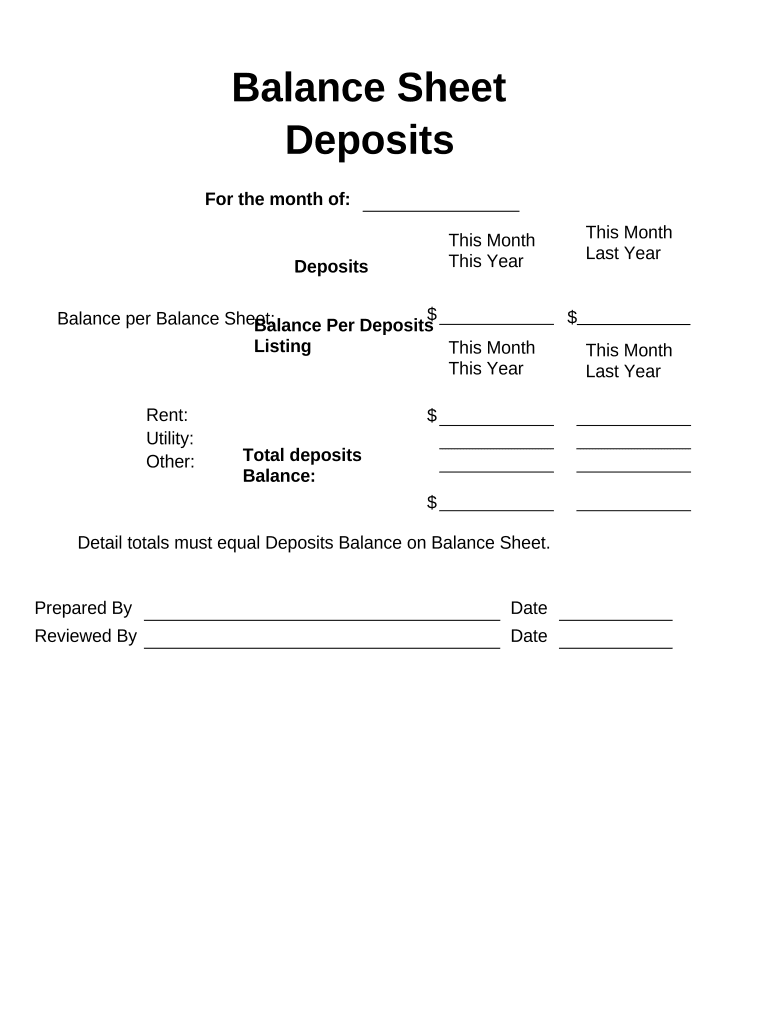
Begin by entering the month for which you are preparing the deposits at the top of the form.
In the 'Deposits' section, input the total amount of deposits for this month. Ensure accuracy as this will reflect on your balance sheet.
Fill in the 'Balance per Balance Sheet' and 'Balance Per Deposits Listing' fields with corresponding figures from your records.
Detail each deposit type under 'Rent', 'Utility', and 'Other'. Specify amounts for both 'This Month' and 'Last Year' to provide a comparative view.
Calculate and enter the total deposits and balance at the bottom of the form, ensuring that detail totals equal deposits balance on your balance sheet.
Finally, complete the 'Prepared By' and 'Reviewed By' sections along with their respective dates before saving or sharing your document.
Start using our platform today to streamline your Balance Sheet Deposits process for free!
Mar 26, 2025 Banks fund their operations by taking deposits from customers and those deposits are legally debts owed to its customers. The dominant asset onRead more
Assets and Liabilities of Commercial Banks in the United
Percent changes are at a simple annual rate and have been adjusted to remove the effects of nonbank structure activity of $5 billion or more, as well as theRead more
Cookie consent notice
This site uses cookies to enhance site navigation and personalize your experience.
By using this site you agree to our use of cookies as described in our Privacy Notice.
You can modify your selections by visiting our Cookie and Advertising Notice.