




Here's how it works

01. Edit your workers compensation board site dochub com online
Type text, add images, blackout confidential details, add comments, highlights and more.

02. Sign it in a few clicks
Draw your signature, type it, upload its image, or use your mobile device as a signature pad.

03. Share your form with others
Send new york workers compensation forms via email, link, or fax. You can also download it, export it or print it out.
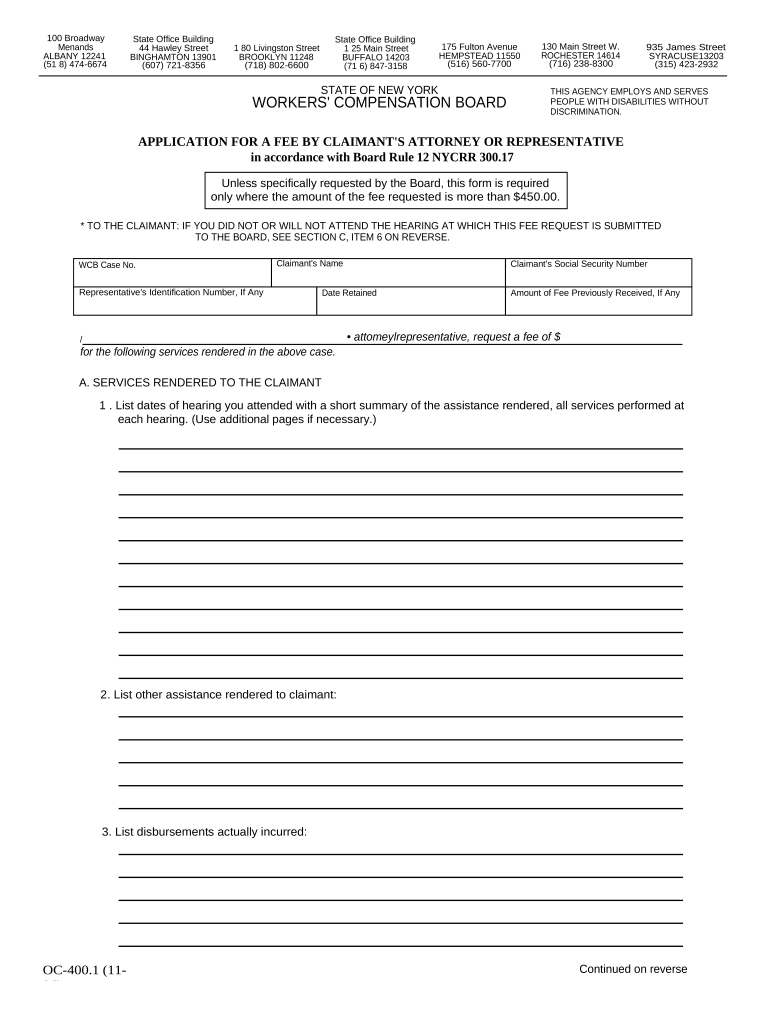
How to use or fill out New York Compensation with our platform

- Click ‘Get Form’ to open the New York Compensation form in the editor.
- Begin by entering the WCB Case Number at the top of the form. This is essential for tracking your application.
- Fill in the Claimant's Name and Social Security Number accurately to ensure proper identification.
- Indicate the Date Retained and any Amount of Fee Previously Received, if applicable, to provide context for your request.
- In Section A, list dates of hearings attended along with a brief summary of services rendered. Use additional pages if necessary.
- Detail any other assistance provided to the claimant and list disbursements incurred in Section A.
- If applicable, complete Section B regarding any substitution of attorney or representative, ensuring all previous representatives are noted.
- For Section C, if the claimant is not present at the hearing, affirm that a copy of this application was mailed to them and include relevant dates.
- Finally, sign and date the form before submitting it through our platform for processing.
Start filling out your New York Compensation form online for free today!
Fill out new york compensation online
It's free
Security and compliance
At DocHub, your data security is our priority. We follow HIPAA, SOC2, GDPR, and other standards, so you can work on your documents with confidence.
Learn more


