Type text, add images, blackout confidential details, add comments, highlights and more.
02. Sign it in a few clicks
Draw your signature, type it, upload its image, or use your mobile device as a signature pad.
03. Share your form with others
Send state sacramento ca via email, link, or fax. You can also download it, export it or print it out.
How to use or fill out si 200 with our platform
Ease of Setup
DocHub User Ratings on G2
Ease of Use
DocHub User Ratings on G2
Click ‘Get Form’ to open the si 200 in the editor.
Begin by entering your personal information in the designated fields, including your name, address, and contact details. Ensure accuracy for seamless processing.
Next, navigate to the section that requires specific data related to your application. Fill in all required fields carefully, as incomplete information may delay your submission.
Review any additional sections that may pertain to your eligibility or qualifications. Use our platform’s tools to highlight or annotate important notes for clarity.
Once all fields are completed, utilize the signature feature to sign electronically. This step is crucial for validating your submission.
Finally, click ‘Submit’ to send your completed si 200 form directly from the editor. You can also save a copy for your records.
Start using our platform today for free and streamline your si 200 form completion!
Free Electronic Copy for Statements of Information Filed
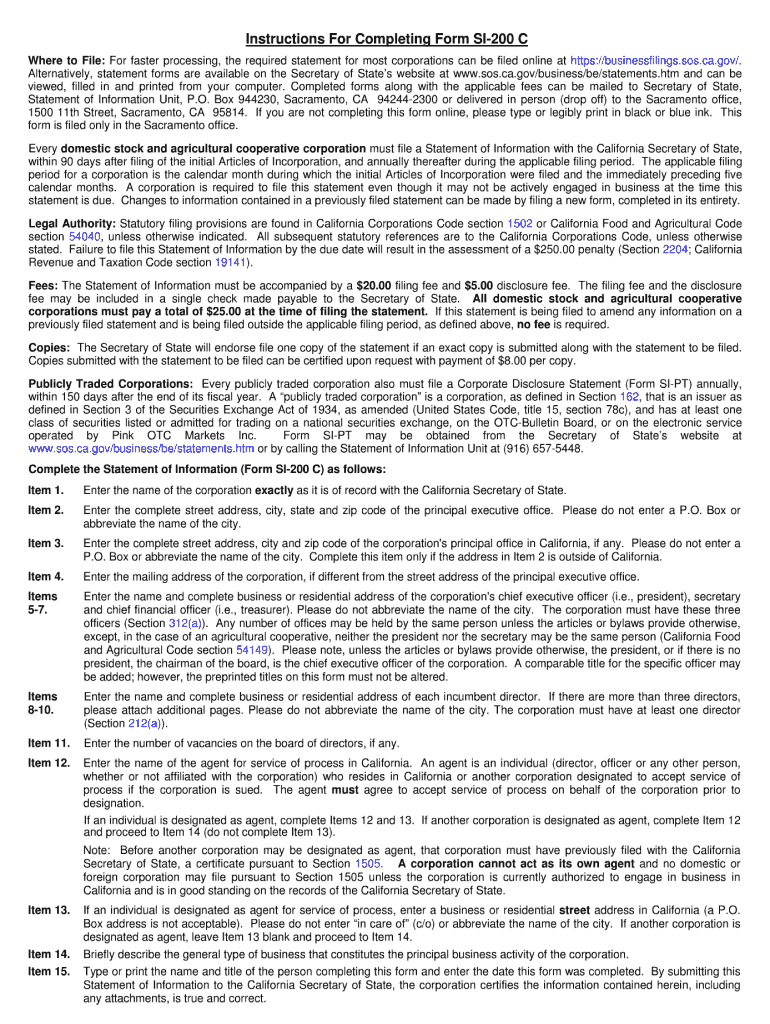
Oct 14, 2013 Complete the Statement of Information (Form SI-200) as follows: Item 1. Enter the name of the corporation exactly as it is of record withRead more
The PCIe-200i and PCIe-200i-SI PCI Express 2-port industrial serial I/O cards are plug and play high-speed serial I/O expansion cards for the PCI Express bus.Read more
Jul 2, 2025 This is a capstone course that ties together concepts from the Data Science curriculum to solve a practical problem. Requisites: Course: SI200.Read more
Cookie consent notice
This site uses cookies to enhance site navigation and personalize your experience.
By using this site you agree to our use of cookies as described in our Privacy Notice.
You can modify your selections by visiting our Cookie and Advertising Notice.