Type text, add images, blackout confidential details, add comments, highlights and more.

02. Sign it in a few clicks
Draw your signature, type it, upload its image, or use your mobile device as a signature pad.

03. Share your form with others
Send it via email, link, or fax. You can also download it, export it or print it out.

How to use or fill out unlawful detainer with our platform
Ease of Setup
DocHub User Ratings on G2
Ease of Use
DocHub User Ratings on G2
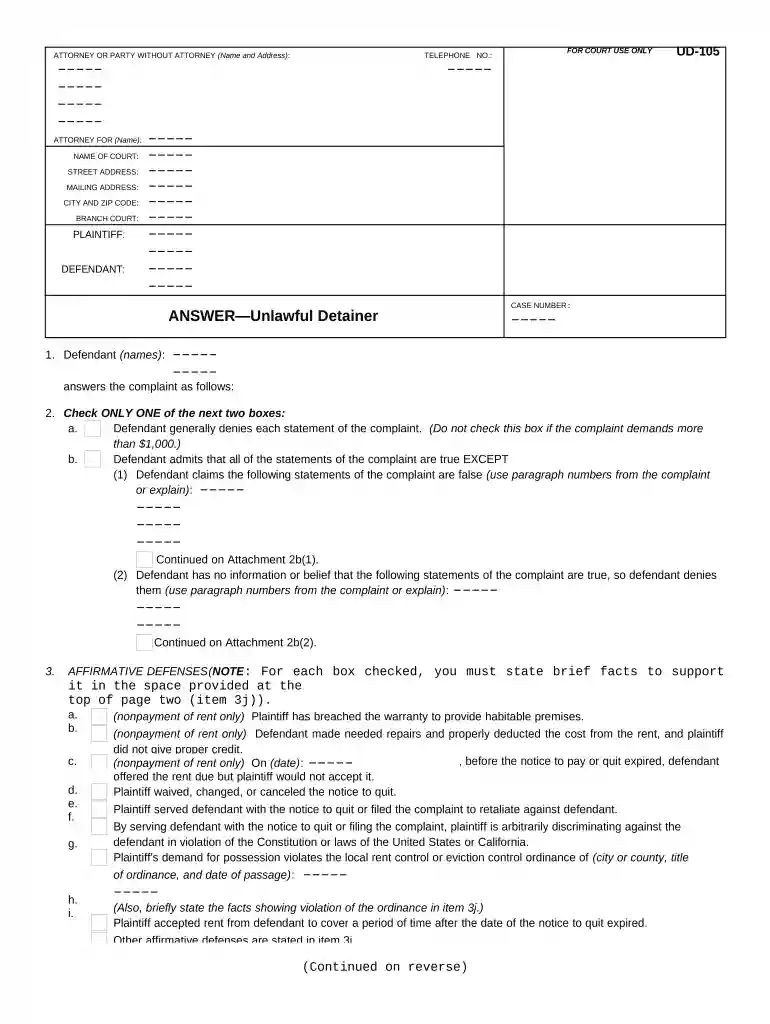
Click ‘Get Form’ to open the unlawful detainer document in the editor.
Begin by filling in your name and address as the defendant in the designated fields. Ensure accuracy, as this information is crucial for court records.
In section 1, provide the case number and list all defendants involved. This helps identify your specific case.
For section 2, choose whether you deny or admit the statements of the complaint. If admitting, specify which statements are false or for which you lack information.
In section 3, check any affirmative defenses that apply to your situation. Be sure to provide supporting facts in item 3j on page two.
Complete sections 4 and 5 by detailing any other statements or requests you have regarding the complaint, such as costs incurred or repairs needed.
Finally, sign and date the document at the bottom to verify its accuracy before submitting it to court.
Start using our platform today for free to streamline your unlawful detainer process!
What happens when you get an unlawful detainerUnlawful detainer lawyerUnlawful detainer vs evictionCan a tenant win an unlawful detainerUnlawful Detainer case searchUnlawful Detainer Los AngelesUnlawful Detainer SacramentoUnlawful detainer San Bernardino County
Security and compliance
At DocHub, your data security is our priority. We follow HIPAA, SOC2, GDPR, and other standards, so you can work on your documents with confidence.
This is called an unlawful detainer case, and its how a landlord legally evicts a tenant The landlord must have someone give the court papers to the tenant.Read more
Cookie consent notice
This site uses cookies to enhance site navigation and personalize your experience.
By using this site you agree to our use of cookies as described in our Privacy Notice.
You can modify your selections by visiting our Cookie and Advertising Notice.