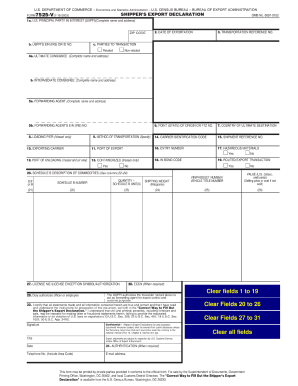
Type text, add images, blackout confidential details, add comments, highlights and more.
02. Sign it in a few clicks
Draw your signature, type it, upload its image, or use your mobile device as a signature pad.
03. Share your form with others
Send it via email, link, or fax. You can also download it, export it or print it out.
How to use or fill out selling buying estate with our platform
Ease of Setup
DocHub User Ratings on G2
Ease of Use
DocHub User Ratings on G2
Click ‘Get Form’ to open it in the editor.
Begin by entering your personal information in the designated fields, including your name, address, and contact details. This ensures that all parties involved have accurate contact information.
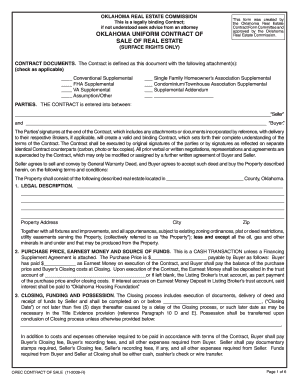
Next, navigate to the financing section. Here, you will need to specify your loan type and amount. Make sure to include any relevant details about mortgage insurance or down payments.
Proceed to the property details section. Fill in the specifics of the property being sold or purchased, such as its address, size, and any included fixtures or appliances.
In the contract terms section, outline any contingencies or special conditions that apply to the sale. This could include inspection requirements or financing conditions.
Finally, review all entered information for accuracy before signing electronically. Utilize our platform’s features to save and share your completed document with relevant parties.
Start using our platform today for free and streamline your real estate transactions!
Pros and cons of selling buying estateSelling buying estate redditBuying an estate sale houseHow does an estate sale work when selling a houseEstate Sales near meWhat does an estate sale mean when buying a housePros and cons of buying an estate sale houseEstate sale mistakes
Security and compliance
At DocHub, your data security is our priority. We follow HIPAA, SOC2, GDPR, and other standards, so you can work on your documents with confidence.
GSA sells a wide variety of surplus federal real property to the public via competitive sales. Property can be located in any of the 50 states, the District ofRead more
You can view the stable capacity of your estate, purchase new facilities like the Roundpen and use the Premium Account features Care for all and Roundpen all.Read more
Cookie consent notice
This site uses cookies to enhance site navigation and personalize your experience.
By using this site you agree to our use of cookies as described in our Privacy Notice.
You can modify your selections by visiting our Cookie and Advertising Notice.