Form police vetting pdf 2026

Get Form
nz police vetting form online Preview on Page 1

Here's how it works

01. Edit your nz police vetting form online online
Type text, add images, blackout confidential details, add comments, highlights and more.
02. Sign it in a few clicks
Draw your signature, type it, upload its image, or use your mobile device as a signature pad.
03. Share your form with others
Send nz police vetting form via email, link, or fax. You can also download it, export it or print it out.

How to use or fill out form police vetting pdf with our platform

Form edit decoration
9.5
Ease of Setup
DocHub User Ratings on G2
9.0
Ease of Use
DocHub User Ratings on G2
  1. Click ‘Get Form’ to open the police vetting PDF in the editor.
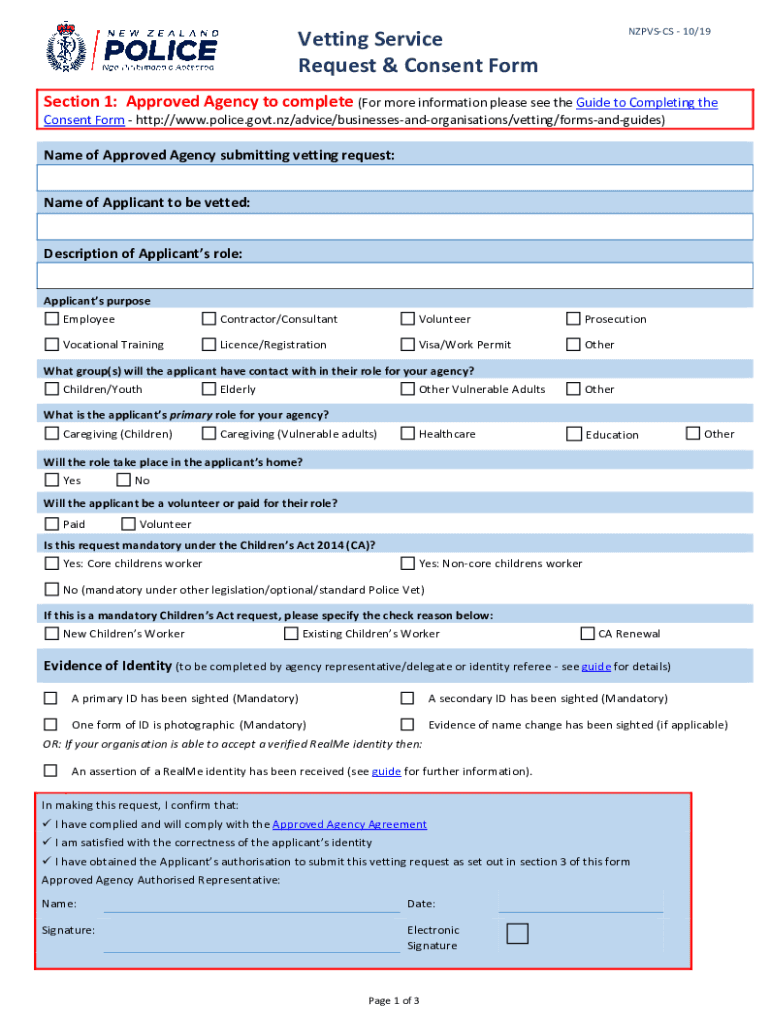
  2. In Section 1, enter the name of the Approved Agency and the applicant's details, including their role and purpose. Select from options like Employee, Contractor, or Volunteer.
  3. Indicate the groups the applicant will interact with, such as Children/Youth or Vulnerable Adults. This helps clarify the context of the vetting request.
  4. Complete Section 2 by having the applicant fill in their personal information. Ensure mandatory fields like Family Name, Given Names, Gender, and Date of Birth are accurately filled out.
  5. In Section 3, confirm that the applicant understands and consents to the release of their information. They should sign electronically to authorize this consent.

Start using our platform today for free to streamline your document editing and form completion!

See more form police vetting pdf versions

We've got more versions of the form police vetting pdf form. Select the right form police vetting pdf version from the list and start editing it straight away!
Versions Form popularity Fillable & printable
2019 4.8 Satisfied (45 Votes)
2019 4.4 Satisfied (104 Votes)
2018 4.3 Satisfied (47 Votes)
2018 4 Satisfied (27 Votes)
2015 4.3 Satisfied (59 Votes)
2014 4.5 Satisfied (61 Votes)
be ready to get more

Complete this form in 5 minutes or less

Get form

Got questions?

We have answers to the most popular questions from our customers. If you can't find an answer to your question, please contact us.
Contact us
In order to establish your identity for vetting purposes, an individual must provide documentary proof of each of the following: Valid Photographic ID to include name and date of birth. Evidence of current address. (Statements from store cards/catalogue companies or Mobile phone bills are not acceptable)
P60, P45 or Payslip (with home address) Utility bill e.g. gas, electricity, television, broadband (must be less than 6 months old. Public services card/social services card/medical card. Bank/Building Society/Credit Union statement. Credit/debit cards/passbooks (only one per institution) Membership card.
This could be: your New Zealand passport (current or expired up to two years) a current Kiwi Access/18+ card. current photographic student ID. your New Zealand driver licence (current or expired up to two years. any photographic document from Table 1: Primary documents.
You must have: no convictions within the last seven years. never been sentenced to a prison sentence. never been ordered by a court, following a criminal case, to be held in a hospital due to your mental condition, instead of being sentenced.
The New Zealand Police website describes what a Police vet is and sets out the process. Police vetting applications may take up to 20 business days to process. A Police vet must be updated by the employer at least every 3 years.

People also ask

What forms of identity are acceptable as proof of identity? The New Zealand Police Vetting Service require the agency to check all details provided for an applicant against at least two forms of identity documents. At least one form must be photographic ID (e.g. Passport, Firearms Licence).

online police vetting form