



01. Edit your become va approved appraiser online
Type text, add images, blackout confidential details, add comments, highlights and more.

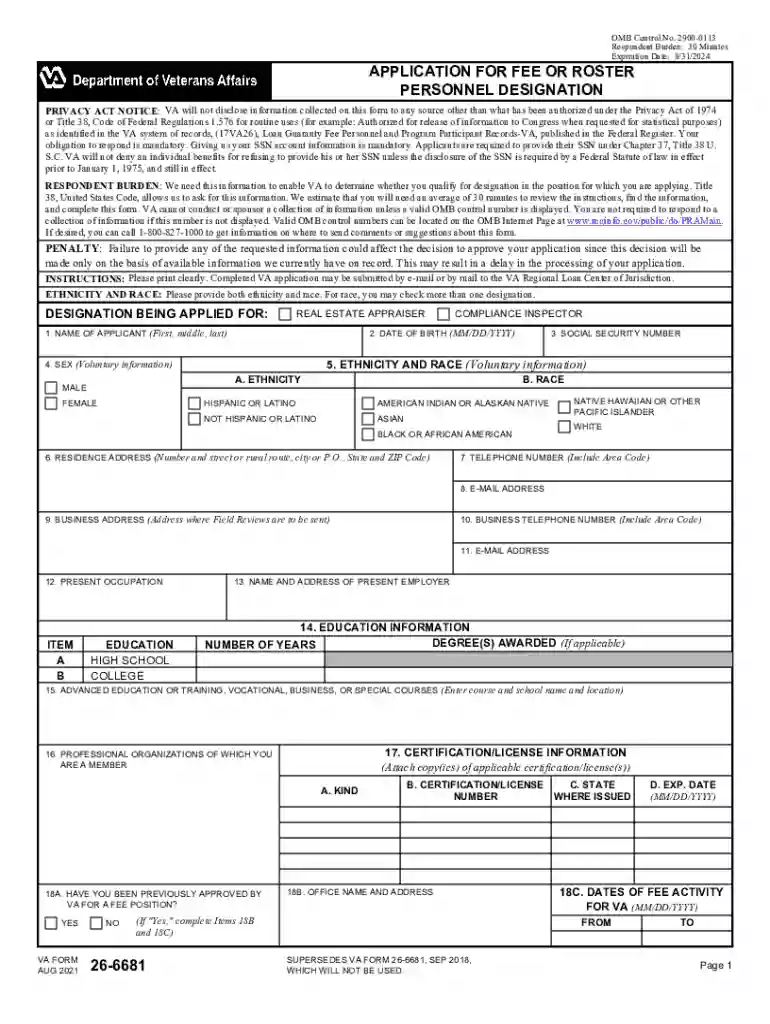
Type text, add images, blackout confidential details, add comments, highlights and more.

Draw your signature, type it, upload its image, or use your mobile device as a signature pad.

Send va appraiser application via email, link, or fax. You can also download it, export it or print it out.

Start using our platform today to streamline your VA Appraiser Application process for free!
We've got more versions of the become va approved appraiser form. Select the right become va approved appraiser version from the list and start editing it straight away!
Yes, a typed name is accepted as a valid electronic signature when you add it to your paperwork utilizing a compliant solution like DocHub. Simply import your become a va appraiser to our editor, click Sign in the top tool pane → Create your signature → Type your name in the appropriate tab, and decide how it will appear on your document.
You may quickly fill out, modify, and even eSign your va form 26 6681 utilizing DocHub. Create a new account and start your free trial. After that, you can upload the file with the form and easily make all the needed edits. No need to print on paper or use a third-party application to sign it, as you can place your electronic signature on your document quicker via DocHub.
At DocHub, your data security is our priority. We follow HIPAA, SOC2, GDPR, and other standards, so you can work on your documents with confidence.
Appraiser and Inspector Fee Panel Application: To be completed and submitted by qualified applicants for VA Appraiser or Compliance Inspector.Read more
Appraisers/SARs Page Fee Appraiser Application Appraisal Fees and Timeliness Staff Appraisal Reviewer (SAR) Information SAR Application: LAPP ProgramRead more
The report distribution facility consists of a started task, the z/OS and OS/390 batch capture interface, CICS administration and monitoring facilities,Read more


