



Here's how it works



How to use or fill out allina release of information form with our platform

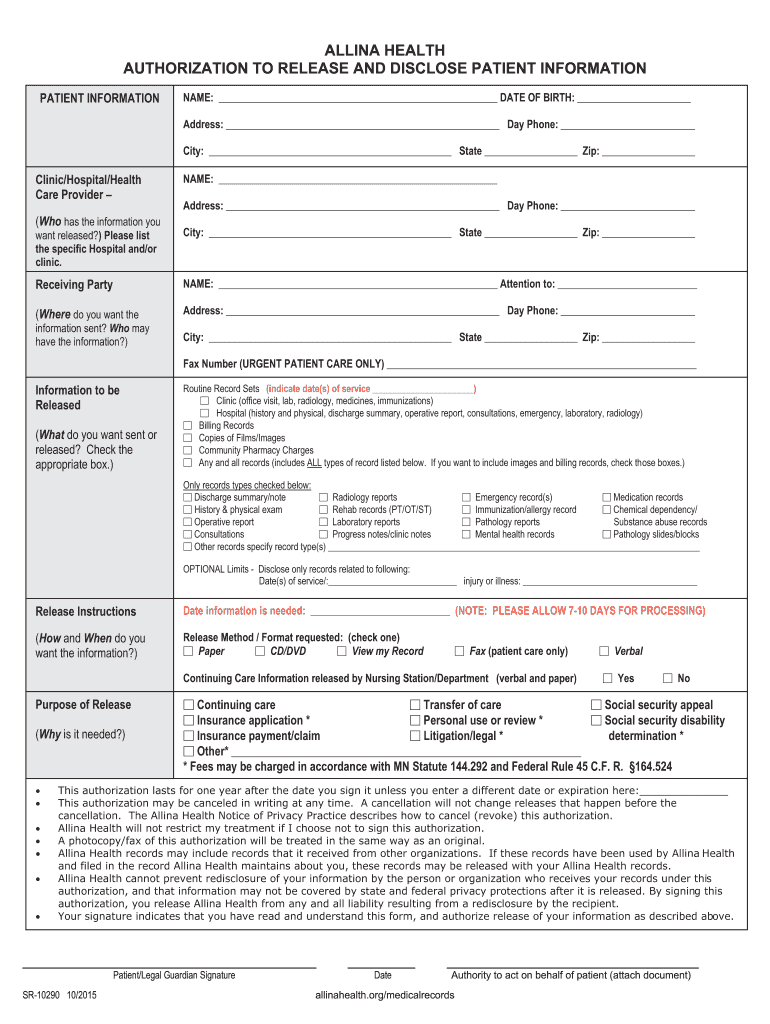
- Click ‘Get Form’ to open the Allina Release of Information form in the editor.
- Begin by filling out the Patient Information section. Enter your full name, date of birth, address, and contact number clearly.
- In the Clinic/Hospital/Health Care Provider section, specify the name and address of the facility from which you are requesting information. Be precise to ensure accurate processing.
- Next, complete the Receiving Party section with the name and contact details of where you want the information sent. Include attention details if necessary.
- In the Information to be Released section, check all relevant boxes indicating what records you wish to obtain. If applicable, specify dates of service for routine record sets.
- Fill out Release Instructions by selecting how you would like to receive your information (e.g., paper, fax).
- Lastly, indicate the Purpose of Release by checking appropriate reasons for your request and sign at the bottom to authorize.
Start using our platform today for free to streamline your document editing and signing process!
It's free
See more allina release of information form versions
Got questions?
Can I type my electronic signature on my allina form?
Sure, a typed name is accepted as a valid electronic signature when you add it to your form utilizing a compliant solution like DocHub. Simply upload your allina form to our editor, click Sign in the top tool pane → Create your signature → Type your name in the appropriate tab, and decide how it will look on your document.
How to fill out allina records release form online for free in 2024?
Having a swift editing system like DocHub, you do not need anything but a browser and internet connection to edit your allina records release form online easily. Upload your document or find the relevant form in DocHub’s catalog, open our editor with one click, and finish it digitally. To edit your forms anytime, sign up a free account with DocHub.
What are the two most common types of medical records?
What is problem oriented medical record?
What is the difference between source oriented and problem oriented medical record?
Security and compliance
At DocHub, your data security is our priority. We follow HIPAA, SOC2, GDPR, and other standards, so you can work on your documents with confidence.
Learn more