Type text, add images, blackout confidential details, add comments, highlights and more.
02. Sign it in a few clicks
Draw your signature, type it, upload its image, or use your mobile device as a signature pad.
03. Share your form with others
Send it via email, link, or fax. You can also download it, export it or print it out.
How to use or fill out vrlta form with our platform
Ease of Setup
DocHub User Ratings on G2
Ease of Use
DocHub User Ratings on G2
Click ‘Get Form’ to open the vrlta form in the editor.
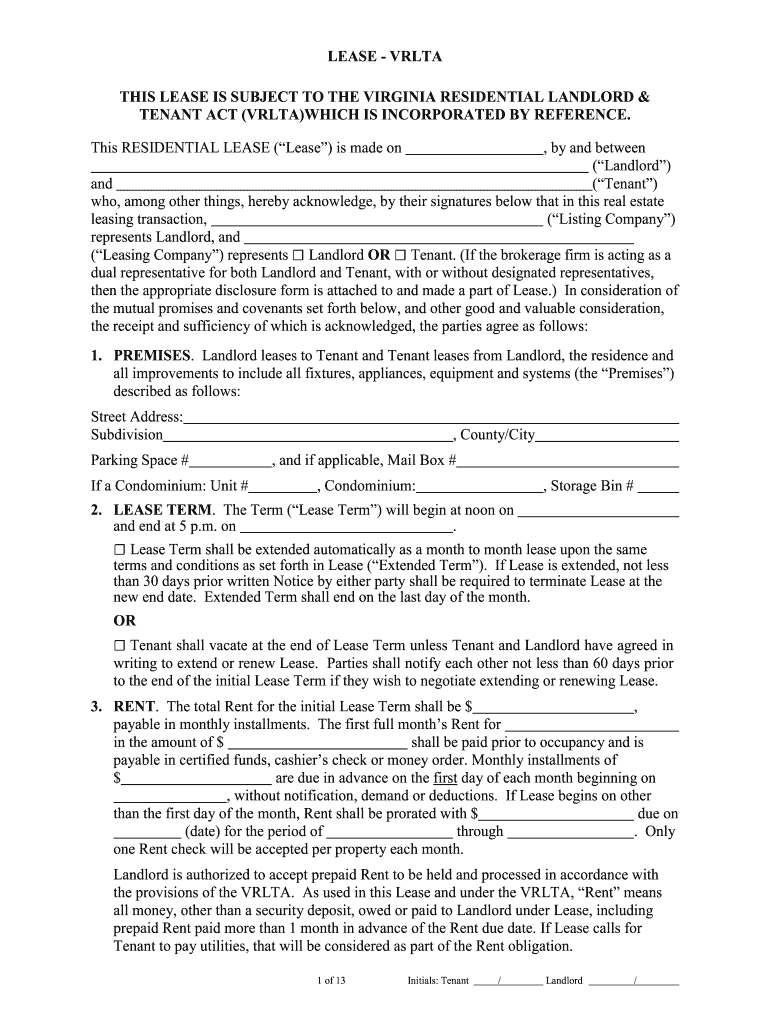
Begin by entering the date of the lease at the top of the form. This is crucial for establishing the timeline of your agreement.
Fill in the names of both the Landlord and Tenant in their respective fields. Ensure that all parties are correctly identified to avoid any legal issues.
Complete the 'Premises' section by providing the full street address, including any unit or parking space numbers as applicable.
Specify the Lease Term dates, indicating when it begins and ends. If applicable, check if it will automatically extend month-to-month.
In the Rent section, clearly state the total rent amount and payment schedule. Make sure to include details about any prorated rent if necessary.
Review additional sections regarding utilities, maintenance responsibilities, and tenant obligations to ensure compliance with all terms outlined in the lease.
Start filling out your vrlta form today for free using our platform!
The VRLTA establishes the rights and obligations of landlords and tenants in Virginia. The VRLTA supersedes all local, county, and municipal landlord and tenantRead more
Virginia Statement of Tenant Rights and Responsibilities
Jul 1, 2025 Under the VRLTA, a landlord is required to provide a tenant a written lease. If a landlord fails to do so, the VRLTA still protects a tenantRead more
Cookie consent notice
This site uses cookies to enhance site navigation and personalize your experience.
By using this site you agree to our use of cookies as described in our Privacy Notice.
You can modify your selections by visiting our Cookie and Advertising Notice.