




Here's how it works

01. Edit your masshealth disability supplement form online
Type text, add images, blackout confidential details, add comments, highlights and more.

02. Sign it in a few clicks
Draw your signature, type it, upload its image, or use your mobile device as a signature pad.

03. Share your form with others
Send masshealth adult disability supplement via email, link, or fax. You can also download it, export it or print it out.
How to use or fill out the MassHealth form with our platform

- Click ‘Get Form’ to open the MassHealth Adult Disability Supplement in the editor.
- Begin by filling in your personal information, including your last name, first name, social security number, and contact details. Ensure all entries are clear and legible.
- In Part 1, list all medical and mental health problems you have experienced. Provide detailed descriptions of symptoms and treatments received.
- For Part 2, document all medical and mental health providers you have seen in the past year. Include their names, reasons for visits, and whether these visits occurred within the last year.
- In Part 3, indicate your living situation by checking the appropriate box. This helps assess your environment.
- Complete Parts 4 through 9 by answering questions about your daily activities, language proficiency, education history, work experience, and finally sign where indicated to confirm accuracy.
Start using our platform today to fill out your MassHealth form easily and for free!
Fill out masshealth form online
It's free
It's free
See more masshealth form versions
We've got more versions of the masshealth form form. Select the right masshealth form version from the list and start editing it straight away!
Security and compliance
At DocHub, your data security is our priority. We follow HIPAA, SOC2, GDPR, and other standards, so you can work on your documents with confidence.
Learn more


Related forms
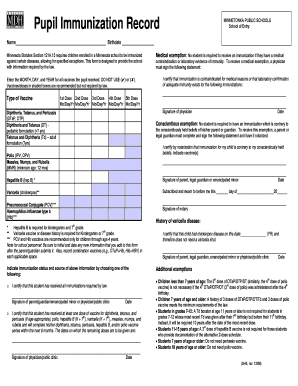
Pupil Immunization Record, English - Minnesota Dept of Health Form for parents to record a child's s
Pupil Immunization Record, English - Minnesota Dept of Health Form for parents to record a child's s
The document is a Pupil Immunization Record for Minnetonka Public Schools, outlining the immunization requirements for c ...

UWC APPLICATION CONSENT FORM APPLICATION TO STUDY
The UWC Application Consent Form for 2024 outlines the commitment to confidentiality and lawful use of personal informat ...
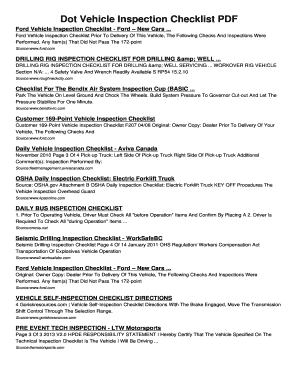
Dot Vehicle Inspection Checklist PDF Dot Vehicle Inspection Checklist
The document provides a comprehensive overview of various vehicle inspection checklists, including those for Ford vehicl ...

Uva second writing requirement
The document outlines the process for students at the University of Virginia to certify their completion of the Second W ...

The Right to a Written Statement of Employment Particulars
The document outlines the requirements of the Employment Rights Act 1996 regarding an employee's right to receive a writ ...