Paye a1 2026

Get Form
a1 form Preview on Page 1

Here's how it works

01. Edit your a1 form online
Type text, add images, blackout confidential details, add comments, highlights and more.
02. Sign it in a few clicks
Draw your signature, type it, upload its image, or use your mobile device as a signature pad.
03. Share your form with others
Send a1 form revenue via email, link, or fax. You can also download it, export it or print it out.

How to use or fill out PAYE A1 with our platform

Form edit decoration
9.5
Ease of Setup
DocHub User Ratings on G2
9.0
Ease of Use
DocHub User Ratings on G2
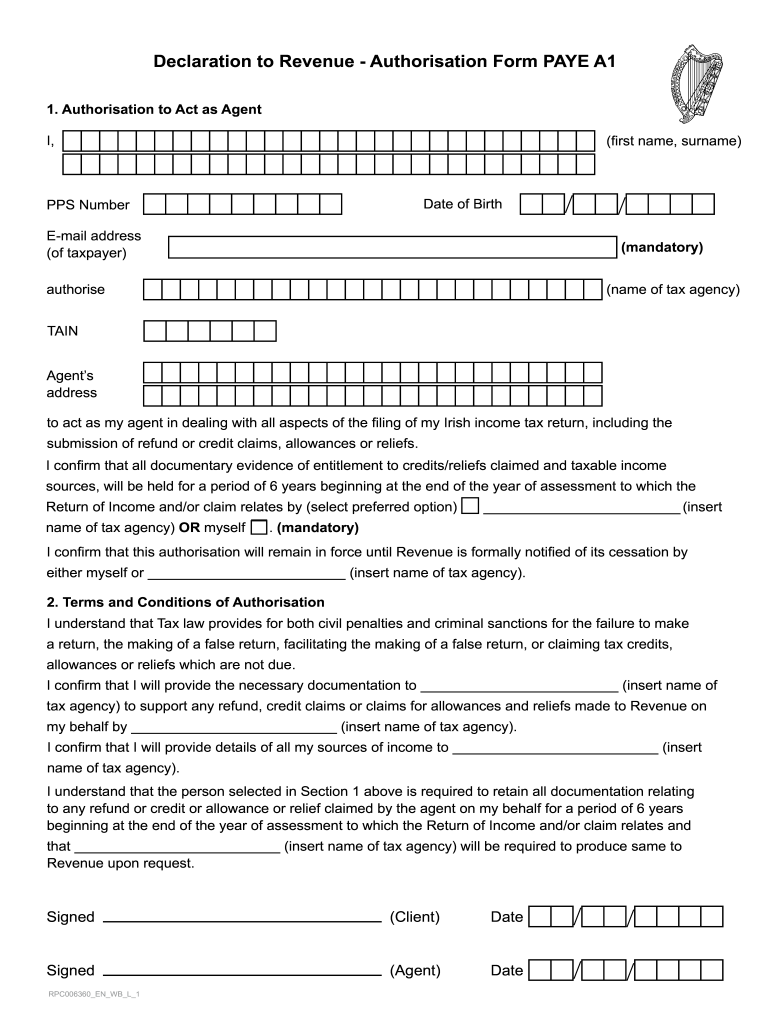
  1. Click ‘Get Form’ to open the PAYE A1 in the editor.
  2. Begin by entering your first name and surname in the designated fields. Ensure accuracy as this information is mandatory.
  3. Fill in your Date of Birth and PPS Number, which are also required for identification purposes.
  4. Provide your email address to facilitate communication regarding your tax matters.
  5. In the section for authorizing an agent, input the name of the tax agency you wish to authorize along with their TAIN and address.
  6. Select your preferred option regarding who will retain documentation related to credits/reliefs claimed.
  7. Review the Terms and Conditions of Authorisation carefully, ensuring you understand your obligations before signing.
  8. Finally, sign and date both sections for yourself and the agent to complete the form.

Start using our platform today for free to streamline your PAYE A1 form completion!

See more paye a1 versions

We've got more versions of the paye a1 form. Select the right paye a1 version from the list and start editing it straight away!
Versions Form popularity Fillable & printable
2021 4.1 Satisfied (31 Votes)
2015 4 Satisfied (25 Votes)
be ready to get more

Complete this form in 5 minutes or less

Get form

Got questions?

We have answers to the most popular questions from our customers. If you can't find an answer to your question, please contact us.
Contact us
To qualify for the PAYE Plan you must be a new borrower. This means that you must have had no outstanding balance on a Direct Loan or FFEL Program loan when you received a Direct Loan or FFEL Program loan on or after Oct. 1, 2007, and you must have received a disbursement of a Direct Loan on or after Oct. 1, 2011.
The PAYE Plan is available to borrowers who have Direct Subsidized Loans, Direct Unsubsidized Loans, grad PLUS loans, and Direct Consolidation Loans. Parent PLUS loans arent eligible.
The Pay As You Earn (PAYE) Plan is a repayment plan with monthly payments that are generally equal to 10% of your discretionary income, divided by 12, but never more than the 10-year Standard Repayment amount.
PAYE also known as Pay-As-You-Earn, is a tax paid to the BIR once you cross the monthly income barrier of $7500 or annual earnings of $90,000 (Effective of Jan 1st, 2023) you pay 25% of the added value. As an employer you pay employees taxes to BIR directly from their salary.
For 2024, the minimum income for Single filing status for filers under age 65 is $14,600 . If your income is below that threshold, you generally do not need to file a federal tax return. Find more information on the minimum income filing thresholds for this tax year below.

Security and compliance

At DocHub, your data security is our priority. We follow HIPAA, SOC2, GDPR, and other standards, so you can work on your documents with confidence.

Learn more
ccpa2
pci-dss
gdpr-compliance
hipaa
soc-compliance