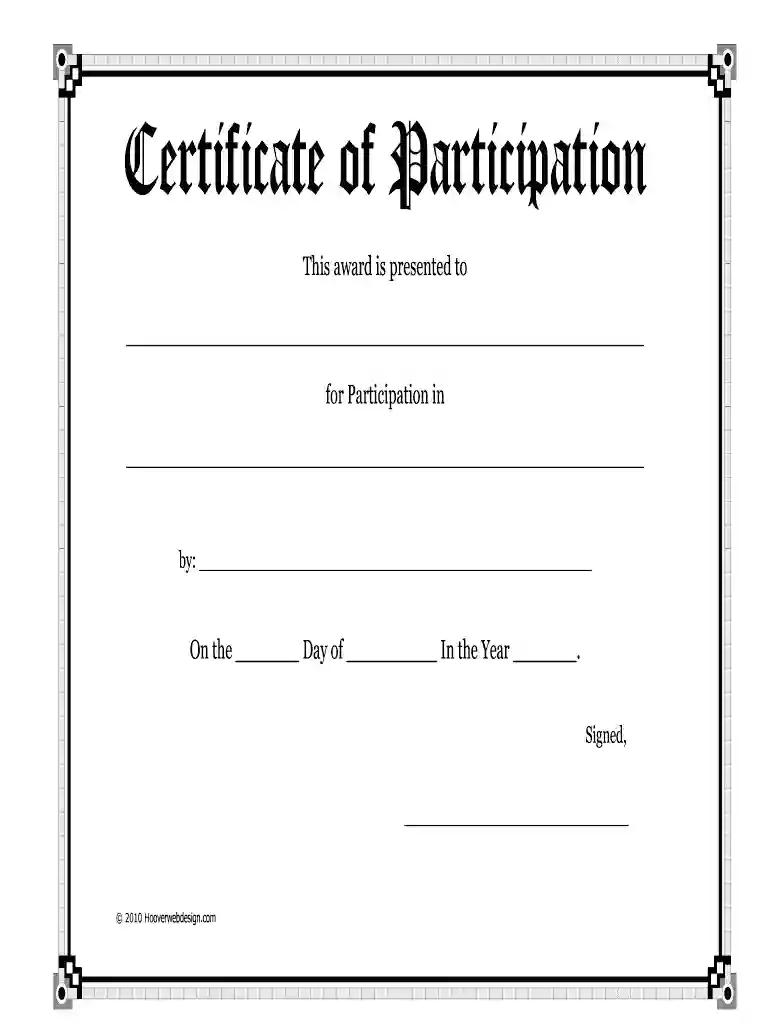
Certificate participation form 2026

Get Form
fillable certificate too Preview on Page 1

Here's how it works

01. Edit your fillable certificate too online
Type text, add images, blackout confidential details, add comments, highlights and more.

02. Sign it in a few clicks
Draw your signature, type it, upload its image, or use your mobile device as a signature pad.

03. Share your form with others
Send free certificate of participation template via email, link, or fax. You can also download it, export it or print it out.

How to use or fill out certificate participation form with our platform

Form edit decoration
9.5
Ease of Setup
DocHub User Ratings on G2
9.0
Ease of Use
DocHub User Ratings on G2
  1. Click ‘Get Form’ to open the certificate participation form in the editor.
  2. Begin by entering the recipient's name in the first blank space provided. This personalizes the certificate and acknowledges their achievement.
  3. Next, fill in the event or activity name in the second blank space. This specifies what the participant is being recognized for.
  4. In the section labeled 'by:', include your name or organization’s name to indicate who is presenting the award.
  5. For the date, fill in the day, month, and year of the event. This adds a formal touch to your certificate.
  6. Finally, sign your name in the designated area at the bottom of the form to validate and authenticate the certificate.

Start using our platform today to create and customize your certificate participation forms for free!

See more certificate participation form versions

We've got more versions of the certificate participation form form. Select the right certificate participation form version from the list and start editing it straight away!
Versions Form popularity Fillable & printable
2010 4.9 Satisfied (244 Votes)
be ready to get more

Complete this form in 5 minutes or less

Get form

Got questions?

We have answers to the most popular questions from our customers. If you can't find an answer to your question, please contact us.
Contact us
How to Create a Certificate Open a new document in Microsoft Word. In the search bar, type certificate. Browse through the available templates and choose the one that suits your needs. Customize the selected template with your organizations information and the details of the recipients.
In essence, a certificate of participation serves as a tangible acknowledgment of an individuals involvement in an event, course, workshop, or another non-formal occasion. Its a testament to someones commitment, effort, and engagement in a specific activity.
Microsoft Word provides ready-made certificate templates that you can easily access and use within seconds. Heres how: Open a new document in Microsoft Word. In the search bar, type certificate.
The Essential Elements of an Effective Membership Certificate The logo and name of your organization. A brief description of your organizations mission. A blurb expressing your gratitude for this persons involvement in your organization. The members full name. The date their membership took effect.
Create a certificate using a Word template Launch the Microsoft Word application from your Desktop or the taskbar. Click in the Search box on the New screen, type certificate and press Enter. Next, select a certificate template that fits your requirements and click Create.

Security and compliance

At DocHub, your data security is our priority. We follow HIPAA, SOC2, GDPR, and other standards, so you can work on your documents with confidence.

Learn more
ccpa2
pci-dss
gdpr-compliance
hipaa
soc-compliance
be ready to get more

Complete this form in 5 minutes or less

Get form

People also ask

This certificate is awarded to [Name] in recognition of their active participation in [Event/Program Name] between [Event/Program Dates]. Your participation, enthusiasm, and dedication have been an integral part of the success of [Event/Program Name], and we are pleased to recognize your involvement.
Certificate of Participation text sample: This certificate is awarded to [Name] in recognition of your participation in [event/program]. Your contribution and active involvement have made this event/program a success, and we thank you for your support.
A certificate of participation (COP) is a type of financing where an investor purchases a share of the lease revenues of a program rather than the bond being secured by those revenues. Certificates of participation are, therefore, secured by lease revenues.

certificate of participation template