How to non disclosure 2026

Get Form
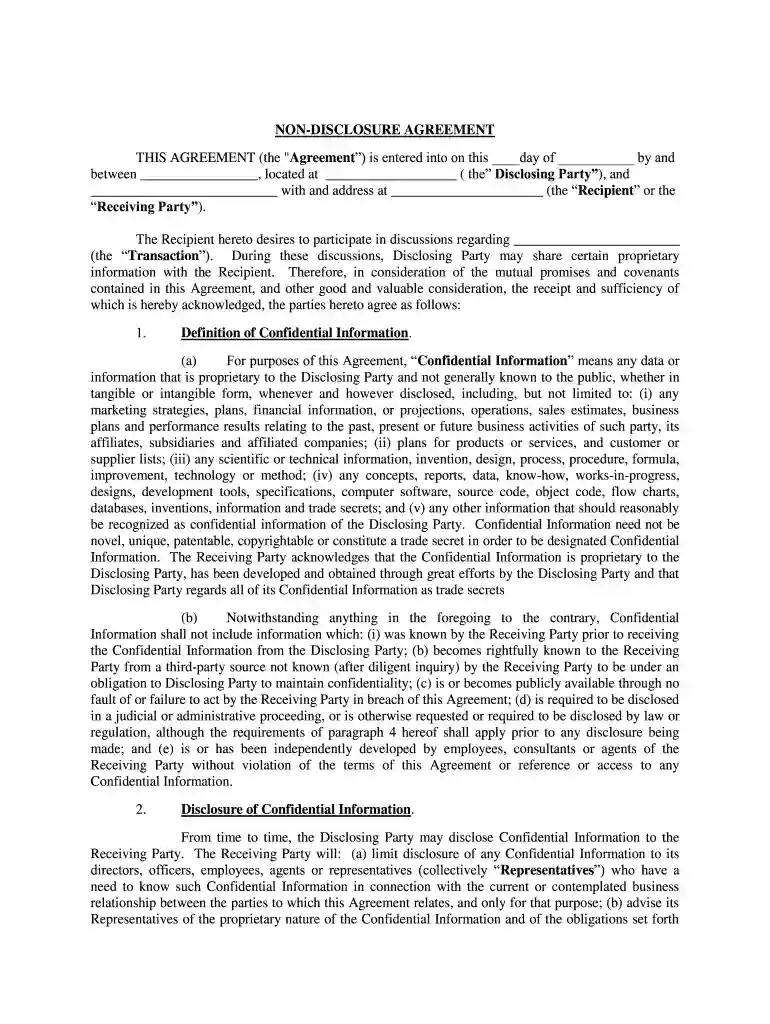
non disclosure agreement Preview on Page 1

Here's how it works

01. Edit your non disclosure agreement online
Type text, add images, blackout confidential details, add comments, highlights and more.

02. Sign it in a few clicks
Draw your signature, type it, upload its image, or use your mobile device as a signature pad.

03. Share your form with others
Send what is affiliated business disclosure via email, link, or fax. You can also download it, export it or print it out.

How to Use or Fill Out the Non-Disclosure Agreement with Our Platform

Form edit decoration
9.5
Ease of Setup
DocHub User Ratings on G2
9.0
Ease of Use
DocHub User Ratings on G2
  1. Click ‘Get Form’ to open the Non-Disclosure Agreement in the editor.
  2. Begin by filling in the date at the top of the form, followed by the names and addresses of both parties involved—the Disclosing Party and the Recipient.
  3. In the section regarding 'Confidential Information', ensure you clearly define what constitutes confidential data for your agreement. This may include business plans, financial information, or proprietary technology.
  4. Review and complete sections on disclosure limitations and obligations. Specify how Confidential Information should be handled and who has access to it within your organization.
  5. Fill out any additional terms related to compelled disclosures, term duration, and remedies for breaches as necessary.
  6. Finally, ensure both parties sign and date the document at the bottom to finalize the agreement.

Start using our platform today to streamline your document editing and signing process for free!

be ready to get more

Complete this form in 5 minutes or less

Get form

Got questions?

We have answers to the most popular questions from our customers. If you can't find an answer to your question, please contact us.
Contact us
An NDA could be unenforceable if it is too broad, is not for a defined time period, covers information that is not confidential, or asks for illegal conduct.
NDAs are legal contracts that ensure confidentiality between parties. While NDAs are often enforceable on their own, notarization can provide additional legal benefits, especially when dealing with high-stakes transactions or international agreements.
An NDA is a legally binding contract that prevents employees or other parties from disclosing confidential information that would hurt or threaten the person initiating the disclosure.
To create an NDA simply and quickly, use a pre-existing non-disclosure agreement template like the pre-approved templates from docHub. You should simply: Log in to docHub and choose the NDA Template. Edit the template to include a description of the confidential information and the scope of the agreement.
Typically, a legal professional writing the NDA will complete these steps: Step 1 - Describe the scope. Which information is considered confidential? Step 2 - Detail party obligations. Step 3 - Note potential exclusions. Step 4 - Set the term. Step 5 - Spell out consequences.

People also ask

An employment contract is an excellent example of a unilateral NDA. When an employee is hired, they sign a unilateral NDA agreeing not to share information learned on the job.
Yes. Its a contract like any other. NDA is a fancy name for Non-Disclosure Agreement, so read the contract carefully before signing and ``keep quiet. You and the other party. NDAs are usually signed just as a precaution. Pay attention to the clauses and dates.
Consequences of a bdocHub. Although you are not legally obligated to have a non-disclosure agreement attorney create an NDA, it is recommended.

confidentiality agreement nondisclosure