




01. Edit your stafford county meals tax online
Type text, add images, blackout confidential details, add comments, highlights and more.

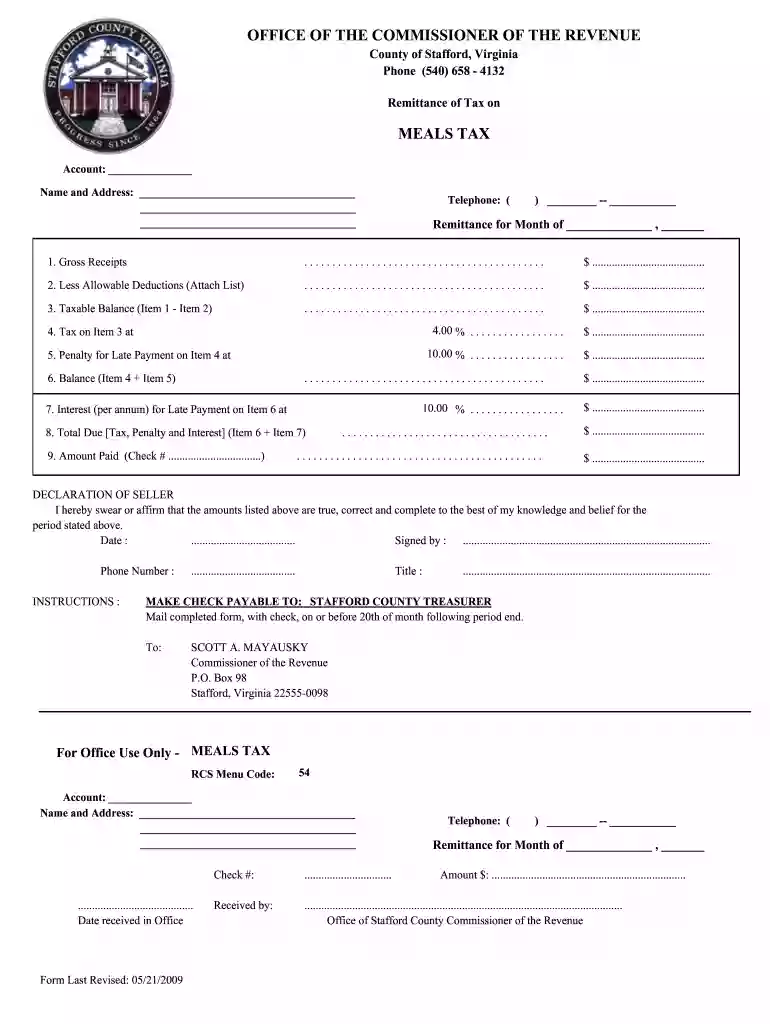
Type text, add images, blackout confidential details, add comments, highlights and more.

Draw your signature, type it, upload its image, or use your mobile device as a signature pad.

Send stafford county sales tax via email, link, or fax. You can also download it, export it or print it out.

Start using our platform today to easily fill out and submit your meals tax Stafford form online for free!
We've got more versions of the stafford county meals tax form. Select the right stafford county meals tax version from the list and start editing it straight away!
| Versions | Form popularity | Fillable & printable |
|---|---|---|
| 2009 | 4.8 Satisfied (44 Votes) |
At DocHub, your data security is our priority. We follow HIPAA, SOC2, GDPR, and other standards, so you can work on your documents with confidence.
$8 Dining Dollars and 1 meal at either Fresh Food Company or RFoC at Hillcrest. Meals and dollars reset each day, Monday-Friday. Meal plan expires at end ofRead more
Starting July 1, 2025, the Meals Tax rate will be 6%. Meals tax is a tax in the amount of six percent (6%) levied on food and beverages purchased in or from aRead more
Oct 5, 2018 Sec. 1. Short title; table of contents. DIVISION ASPORTS MEDICINE LICENSURE. Sec. 11. Short title. Sec. 12. Protections for covered sportsRead more


