




Here's how it works
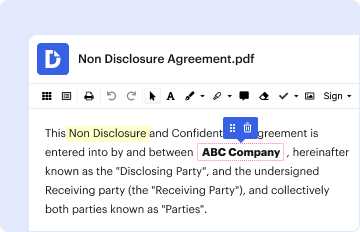
01. Edit your custodian of records affidavit online
Type text, add images, blackout confidential details, add comments, highlights and more.
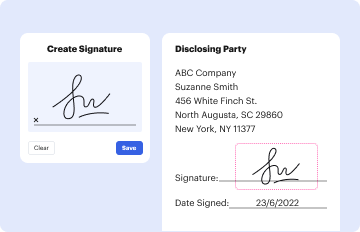
02. Sign it in a few clicks
Draw your signature, type it, upload its image, or use your mobile device as a signature pad.
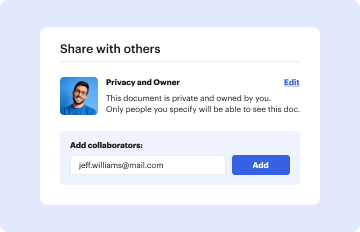
03. Share your form with others
Send custodian of records form via email, link, or fax. You can also download it, export it or print it out.
How to use or fill out sample custodian of records declaration with our platform

- Click ‘Get Form’ to open the sample custodian of records declaration in the editor.
- Begin by entering your name in the 'Name of Declarant' field, followed by your title in the 'Title of Declarant' section.
- Input the name of your company in the designated field, ensuring accuracy for legal purposes.
- Fill in the 'Search warrant number' to reference the specific warrant related to this declaration.
- In the statement provided, confirm your role as Custodian of Records and your authority to certify the attached documents.
- Indicate the number of pages submitted by filling in the blank space provided.
- Finally, print your name and title, sign where indicated, and date the document to complete it.
Start using our platform today for free to streamline your document editing and signing process!
Fill out sample custodian of records declaration online
It's free
It's free
See more sample custodian of records declaration versions
We've got more versions of the sample custodian of records declaration form. Select the right sample custodian of records declaration version from the list and start editing it straight away!
| Versions | Form popularity | Fillable & printable |
|---|---|---|
| 2016 | 4.3 Satisfied (29 Votes) |
Got questions?
We have answers to the most popular questions from our customers. If you can't find an answer to your question, please contact us.
Contact us
What are some examples of a custodian of the record?
A business records affidavit is an affidavit signed by the custodian of records where they verify the authenticity and accuracy of the records. The affidavit is signed in front of a notary public.
How to fill out a declaration of custodian of records?
A Custodian Declaration proves the government of Canada that suitable arrangements have been made for the care and support for minor children who travel to the country to study. A custodian is a legal adult in Canada for whom legal arrangements have been made.
Security and compliance
At DocHub, your data security is our priority. We follow HIPAA, SOC2, GDPR, and other standards, so you can work on your documents with confidence.
Learn more


